
Exposure as a camera setting
Currently, in blender 2.8, color management is set in the render tab. And that's fine. Problem is, sometimes when switching cameras you have to compensate the exposure.
For example: if you have a lone building in a desert. The inside of the building is really dark, whilst the outside is very light. If you switch to a camera that is on the outside, the image is way over exposed, but if you switch to a camera on the inside, the image is underexposed. Currently, the only way to solve this is to animate the exposure slider in the render tab. If exposure was simply a camera setting, you could just set it and it would just work.
So... An exposure slider in all individual cameras = Win. Or maybe it's useful to move the whole color management there?
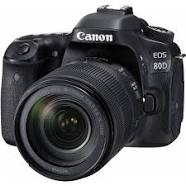
Maybe Blender cameras could also have the whole realistic manual Shutter speed-ISO-Aperture mode, and you'd set the motion blur and exposure that way...
5 Comments
This is a GREAT idea! Either a little gizmo around the camera object for shutter/aperture or in the camera view, like an actual camera has. That is exposure controls as an overlay.
That seems very logical to put camera settings in the camera settings. I've upvoted
This would also have the good side effect of having individual camera exposure for animations, or different angles. Upvoted!
Any updates on this idea? This is a must for any 3d path tracer.
Agree with all here. upvote