
Trackball rotation mode that uses local axis for armatures (pose mode)+ability to choose the axis combination by pressing X/Y/Z
You get to the trackball rotation mode by pressing the rotation key twice. If you move the mouse up you rotate the object along the X axis (assuming you're viewing the object from the front view). If you move the mouse to the side you rotate the object along the Z axis. So basically it's a rotation mode with 2 degrees of freedom which makes it easy to control (if you get used to it).
There is a problem however. This rotation mode is view dependant which means that you will get a different result depending on the angle which you're viewing the object from. For example you can go into the front view, select the hip bone of a character, enter trackball rotation mode and rotate the hip bone, it will look pretty good and will work similar to rotating in the global X and Z axes at the same time.
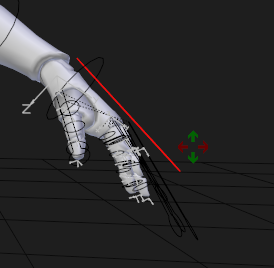
Next try to do the same with a hand bone. If the character is in a T-pose it may work alright, but if you've got a character in an A-pose you end up with strange twisting. This is because you're rotating the hand bone in the exact same way as the hip bone, but the hand bone has a different local orientation.
What I propose is a trackball rotation mode that uses the local bone axis (the same as if you pressed R Z Z for example). This would allow you to use the trackball mode from any angle with predictable results. If you wanted to rotate the hand upwards , even from the front view you could enter trackball rotation mode and move the mouse up, which would also rotate the hand up in the local axis, which is what you want.
This alone won't solve the problem of trackball rotation mode with local axis bones though. Another problem is that you may have different rolls (and thus local orientations) per bone! This means that you also would want the ability to redefine the axis pairings in the trackball rotation mode.
This would be a new transform modal operator like the normal rotation axis constraint (pressing R and Z for example), but you would press R R and Z for example and set the axis pairing to what you want there, for example Up = Z and Right = X (like the default). Then you could have different key with different setups, for example a ke y with Up=Z,Right=X, another with Up=Z,Right=Y and so on in any combination you need. Realistically you would only need two or three.
Perhaps there could also be a checkbox in the operator to use the default Blender view dependant mode or the new local orientation mode, so you could have the R R be the view dependant mode by default (so no one who used trackball rotation before gets confused) and then have the local orientation mode in the modal X, Y, Z buttons.
0 Comments