
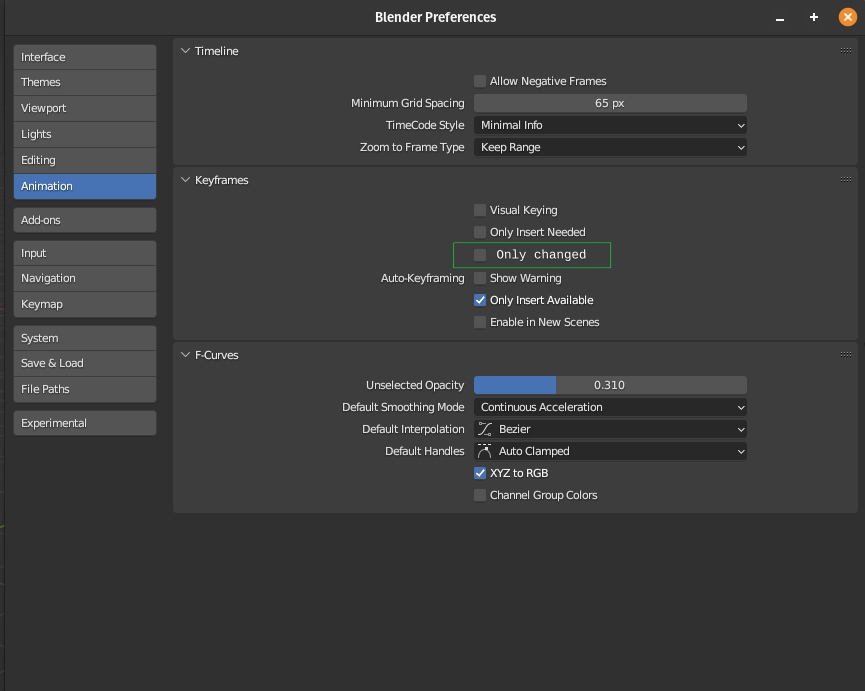
New autokey preference: 'Only changed'
A proposal for some keying behavior that would help the workflow for animators. This type of behavior is commonly used in other animation software and can be a big time saver for by avoiding managing keying sets or a keying menu every time you press a key. This would also give the animator more control over which channels are adding only specific keys based on the adjustments in the viewport. In that sense it also reduces redundant keys resulting in less keying data.
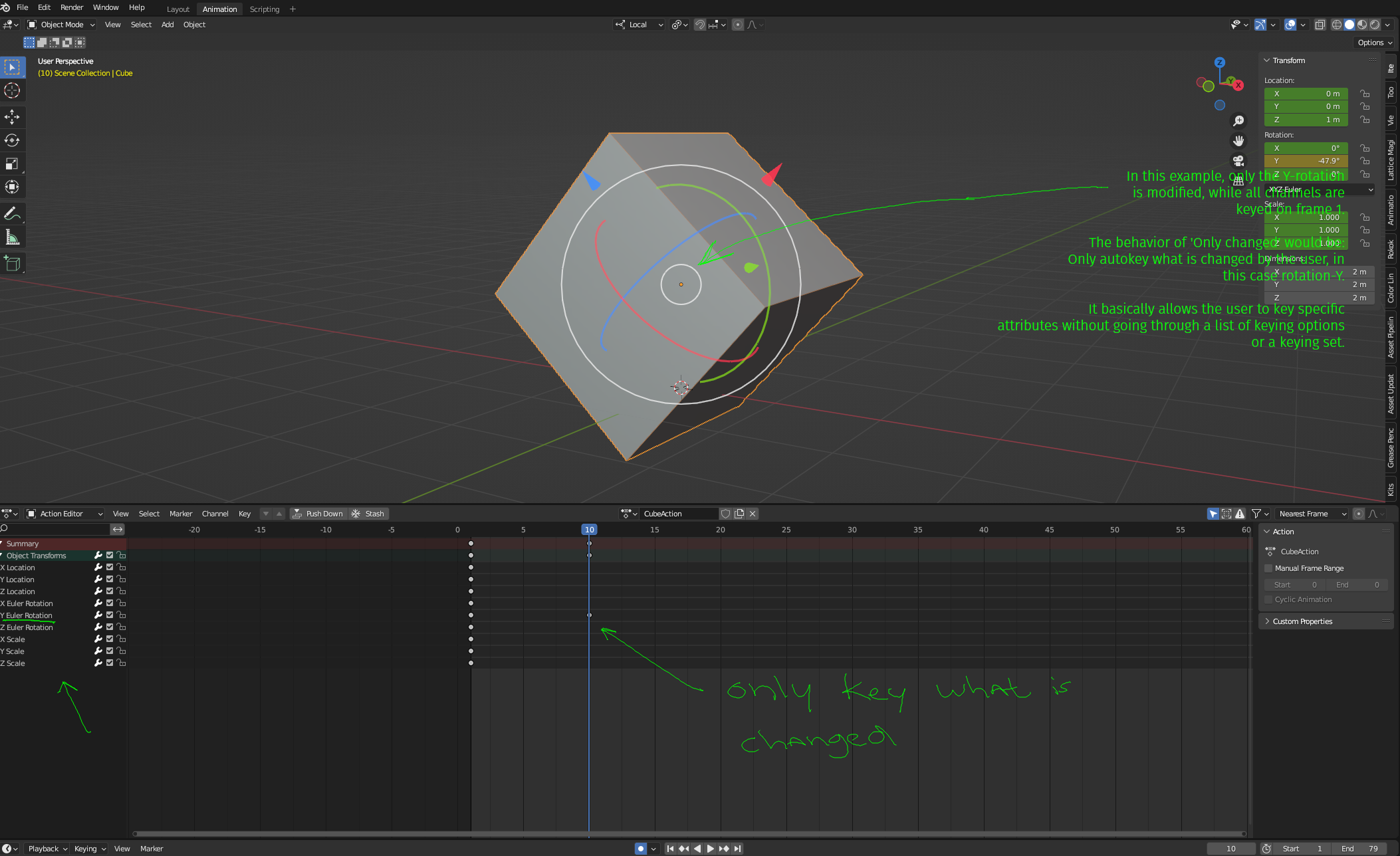
 It would change the autokeying behavior as seen in the example below:
-
The default cube is keyed all channels on frame 1
-
On frame 10 the only adjustment made is the Rotation-Y (-47.9 degrees)
Initially I expected the option 'only insert needed' to give me this exact behavior but it does not. Therefore I'd like to propose the option 'Only changed' to meet the workflow of animators that are used to this autokeying behavior. Please let me know if the 'only insert needed' option is intended like this proposal, if that's the case we should fix that instead.
3 Comments
I like it a lot, but I would make it a Keying set option (similar to Available) in the Timeline header rather than in Preferences for easier access.
same, i would also move many of the animation preferences into the keying options. Like "only insert needed"...
I'm fully on-board with this idea as it would really help users coming from other apps. I am also not sure how useful "Only Insert Needed" really is and it would be interesting to hear of anyone uses this. In this light it would be an option to replace "Only Insert Needed" with the suggested preference.
As suggested by @blastframe it would be fine to also add it as a Keying Set option but personally I wouldn't move it just there. Just because there's some steps involved to get it working and this a new users doesn't necessarily know. So, it's more of an 'advanced' keying workflow.
A solution would be to add this to both the Preferences and as a Keying Set option but have the Preference setting act as a master switch. Meaning, if you have it enabled in the Preferences and are not working with a Keying Set, keying behaviour will follow the preferences. But if you are working with a Keying Set, it's settings will take preference.
If this is too much it also can be an option in the small drop-down menu right next to the auto key button.