
A cleaner UI/UX focused default theme
TL;DR Blender's default theme has issues with consistency, visual hierarchies, color coding, neutrality of the ui and is generally too busy once things get more complex. I created an alternative proposal.

Theme files: Semi-flat | Fully-flat
Intro
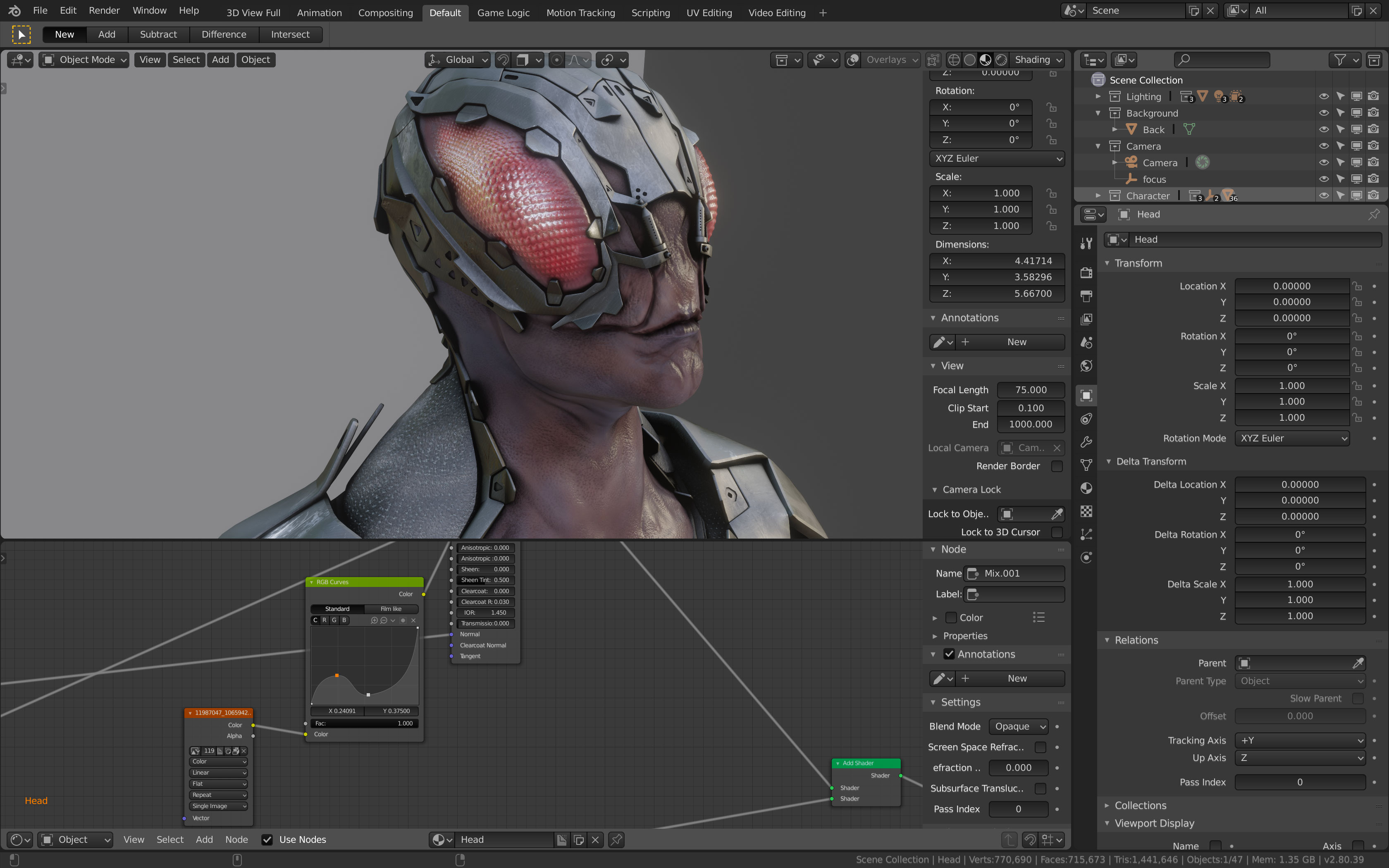
Good themes contribute to UI/UX for instance by helping to ensure clarity through consistently designed controls and by using colors in meaningful ways. Blender's new default theme looks great with simple scenes but when used for serious and more complex work things quickly become quite messy. I created a test scene that gives an overview of many editors in action. I used that scene to evaluate the current default theme and to create my proposal.
Problems of the current default theme

Inconsistencies
- Design of controls: users search the UI for familiar shapes that are associated with specific behaviours (like buttons always having color x and shape y). There is great variance in the control design featuring seemingly random shades of gray. Additionally buttons are indistinguishable from inputs (Why for instance does "Unit Scale" have the same design as the buttons for "catmull clark / simple"? On the other hand "Rotation" and "Camera" look close but not identical.

- Editor background have varying shades of gray.
- There are many seemingly random color choices (i. e. why is the text for the selected object in the viewport yellow?)
- Certain colors are used repeatedly but with slight variations in hue and shade.
Lack of visual hierarchies
- I tried to raise awareness for this essential issue before and created the following mockup at the time to explain the issue (sorry, you might have to zoom in a bit with your browser to be able to read this).

Colors
- Associated data isn’t encoded with shades of the same color but with different hues (i. e. the dope sheet labels and tweened keyframes vs. active keyframes)
- Neutrality of the UI: having prominent colors in the interface of a design application is like having a music application play background music while users write their own song. You need an environment as neutral as possible so that your artwork can be judged on its own without having potentially disharmonic colors surrounding it. Blender sometimes needs color to communicate certain aspects but this should be the exception and happen as toned down as possible.
- Contrasts are not great in some situations like with the labels in the dope sheet.
- Grid colors are sometimes brighter than the background (i. e. 3D-grid in the viewport) and sometimes darker (i. e. grids in the dope sheet).
Arms race for attention
- The lack of clear hierarchies, the inconsistencies and the way color is used lead to a very busy interface. This in turn leads to an arms race for attention. A good UI guides the user and makes it easy to scan the interface. That's not working if everything competes for attention (i. e. the testscene-screenshot above shows an error in the armature-modifier which is totally lost in the UI).
My proposal

Following I will give a quick overview over what was done to address the described problems.
Inconsistencies
- Unified colors.
- Consistent design of buttons and inputs (as far as Blender allows for that). Buttons bulge out – inputs bulge in.

Lack of visual hierarchies
- Usage of cascading shades of gray so users can scan the interface for the general topic and then are guided level by level to what they are looking for. The deeper in the structure / the more specific, the more dialed back things are.
Colors
- Colors are avoided whenever possible to prevent aesthetic conflicts with the content that is being edited. However when they are used they are toned down and try to encode information in meaningful ways.
- Consistent single color to highlight things where necessary. It seemed to make sense to choose Blender's brand-orange for that purpose (not sure what's Blender's official orange shade, tho. So this may need fixing).
- I feel there are still some details that need improving but I tried to fix contrasts wherever colors with text are present (btw: value-sliders increase contrast while being edited helping legibility as much as they help setting focus in the interface).
Arms race for attention
- Light interfaces are effectively bright yelling light-emitting surfaces which make it very hard to set focus. In contrast dark UIs offer a great opportunity to do this right. All it needs is to ensure that UI-elements draw only as much attention to them as necessary and as appropriate. The aforementioned fixes hopefully help to achieve this so that now for instance the armature error does stick out instantly even tho there is a lot going on in the test scene.
Semi flat vs. flat

I created an alternative fully flat version. The semi flat one that I presented first uses subtle 3D-effects to differentiate controls from inputs while the fully flat theme has to rely on the harder to grasp visual encodings of shapes and shade variations. Therefore I personally favor the semi flat version as it communicates functionality more directly. The main motivation for creating the entirely flat version was to cater to potential style preferences and to prevent the proposal from being rejected for taste reasons.
Conclusion
I am sure there are still things that can be improved upon. Also Blender's very fine grained theme editor makes it quite hard to come up with a perfectly consistent solution. However I believe this to be at the very least a good starting point and I hope comparing the screenshots makes a strong enough point for the proposal to be considered.
Finally a prettier and less escalated screenshot:

Afterthoughts: bugs, technical issues & limitations
There are some details that can't be themed right now from what I understand:
- The notification that flashes in the statusbar if you save a file.
- It is not possible to achieve full consistency as some colors seemingly randomly have alpha channels while others don't (i. e. selections for lists do have alpha channels but the outliner's selection highlight doesn't. So having something like "1,1,1,0.1" that just elevates the background's brightness by one tenth consistently everywhere can't be done).
- The "view", "select", "add", … buttons in the 3D-view can't be themed with an outline.
- If one designs scrollbars to be dark, their resizing-handles disappear.
4 Comments
I like many of your solutions, especially about brightness levels for hierarchy of content. But I'm strongly against the return of 3d buttons and text field. They do worsen readability a lot in my opinion.
@Lsscpp: Yeh, I created the 2nd flat option to address this anticipated concern. I feel it needs a bit more work but it is basically there already, too. :)
I like your proposal. Blender should allow to build a more consistent theme taking into account those "bugs, technical issues & limitations" as you mentioned. The scrollbars like in the material nodes and the key-frames different status need more attention though.
Hmm I think the way you present the problem of colors here is biased. The first image that demonstrates the "issue" is just a bunch of windows pulled out with everything open. I see the Properties panel opened twice, the tools are out, the python output console is in the middle of the screen, along with many other panels. It looks like you tried to create visual clutter on purpose. Blender should not be used this way, this is why we have layout for each part of the workflow.
As for your suggestions, I see you've removed most contrast and colors. It is really difficult to see button and slider borders now. Some people might have difficulty with eyesight or are color blindness. You've mentioned how the colors distract from viewing your model but there is also a tab designed specifically to remove as much as possible from the screen to view your work.
Obviously, there is always stuff that can be improved upon. A lot of in-dept discussion about UI decision is gong on over at the blender dev website. I think you should go there and help with the conversation if you have ideas.