
Overlay with points, edges or vertices index
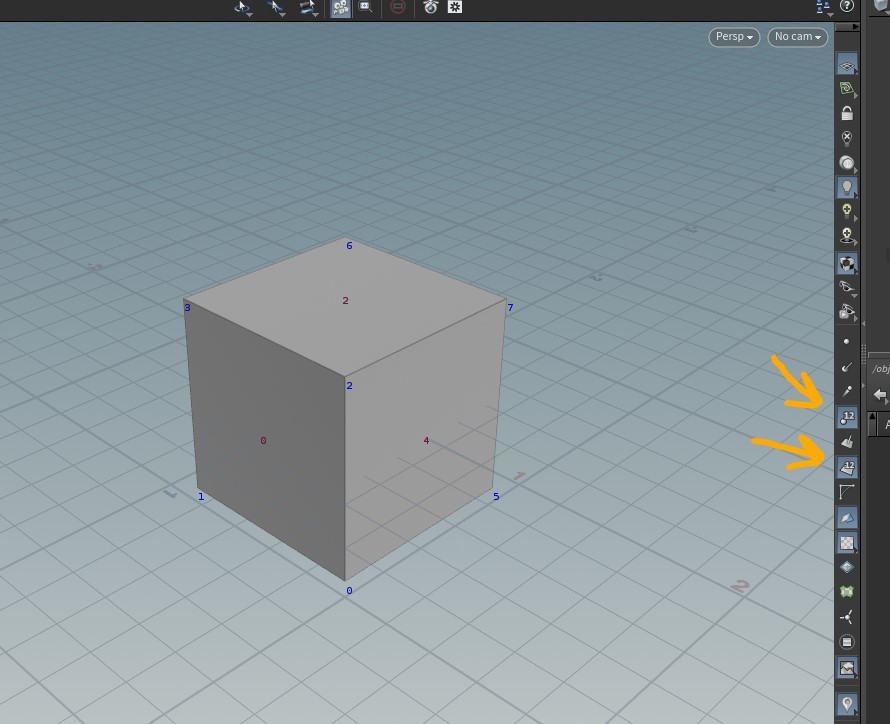
Hi, I came from Houdini to Blender and there you have 2 buttons to turn on and off an overlay with the point index and/or face index on the 3dView. This is super-useful to detect the pattern that your math nodes should use to work over the desired vertex or faces. It would be great if this could be implemented in Blender (also for edges index)
7 Comments
Blender has this overlay, but has been hidden behind “developer” options. Enable them in the preferences and you can use it, I can imagine that with geo nodes we could show it without enabling development options. That would be just a tweak.
Please try the overlay and see if there is something missing. I can imagine you need some more tweaks on when and what geometry it should show. IIRC it is currently only available in edit mode, and might not be usable when using the geo preview? If so please update your request with the changes you would like to see.
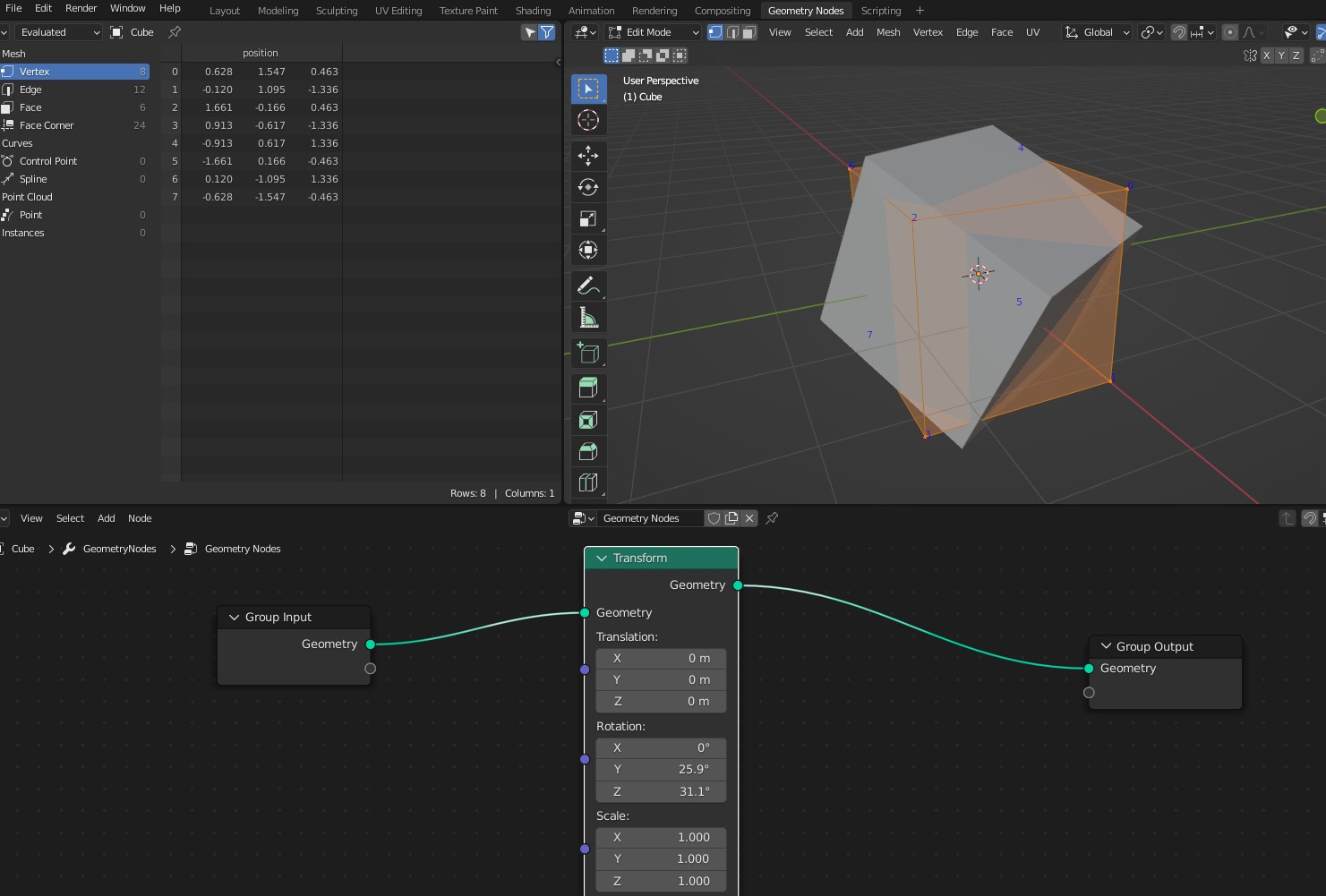
The trouble with indice in developer mode is that is only shows the original geometry, but it doesn't apply to transformations or geo created inside geonodes, so its useless. If you see the screenshot of houdini, that vertex/face info is showing the indices of the last node that you have selected for output. And it will be very usefull if only indices of faces/edges/vertex shown in solid mode are visible, to avoid mistakes with hidden faces identification...
Blender seems to have what you need here. blender.stackexchange.com/questions/158493/displaying-vertex-indices-in-blender-2-8-using-debug-mode
thanks! but I've updated my first post, the method showed in that link cant be used with geonodes :(
Agreed, would be useful to have them updated on the modified mesh.
The point of geometry nodes is that you can log a group of nodes that will generate this overlay for you.
I've seen some people using mesh fonts to show the indices, but it is so heavy with complex geometrys. As you said, this sould be done with overlay