
Displacement similar to Octane
I'd like to bring up an enhancement request regarding displacement in Cycles. While Cycles has been absolutely wonderful in many aspects, there's a specific challenge I face when working on projects with intricate details. I have noticed that the displacement often results in jagged artifacts.

My workaround to this is using the displacement as a modifier and adding several levels of sub-divisions. However, this method, although helpful, sometimes requires 4 to 6 levels of subdivisions, considerably slowing down the workflow and at times risking crashing.
Having worked with Octane as well, I've observed that its displacement yields smoother results with just 2 levels of subdivisions. It appears that the 'Filter type gaussian' on the displacement node in Octane plays a pivotal role in achieving this.
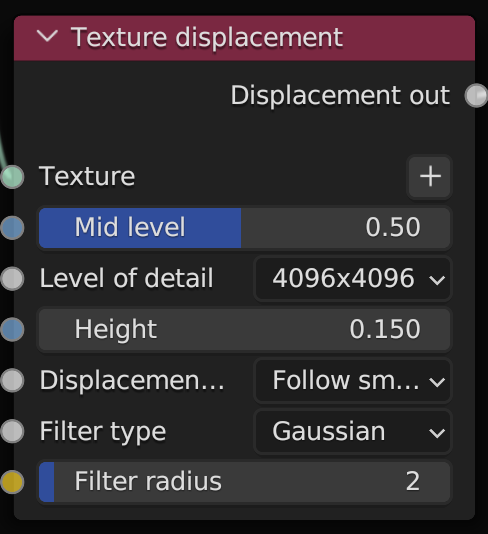
Given the nature of my work, which often revolves around product visualizations with minuscule details, it would be immensely beneficial to have similar displacement capabilities in Blender, enabling smoother and more accurate visualizations without overburdening the system with extensive geometry.
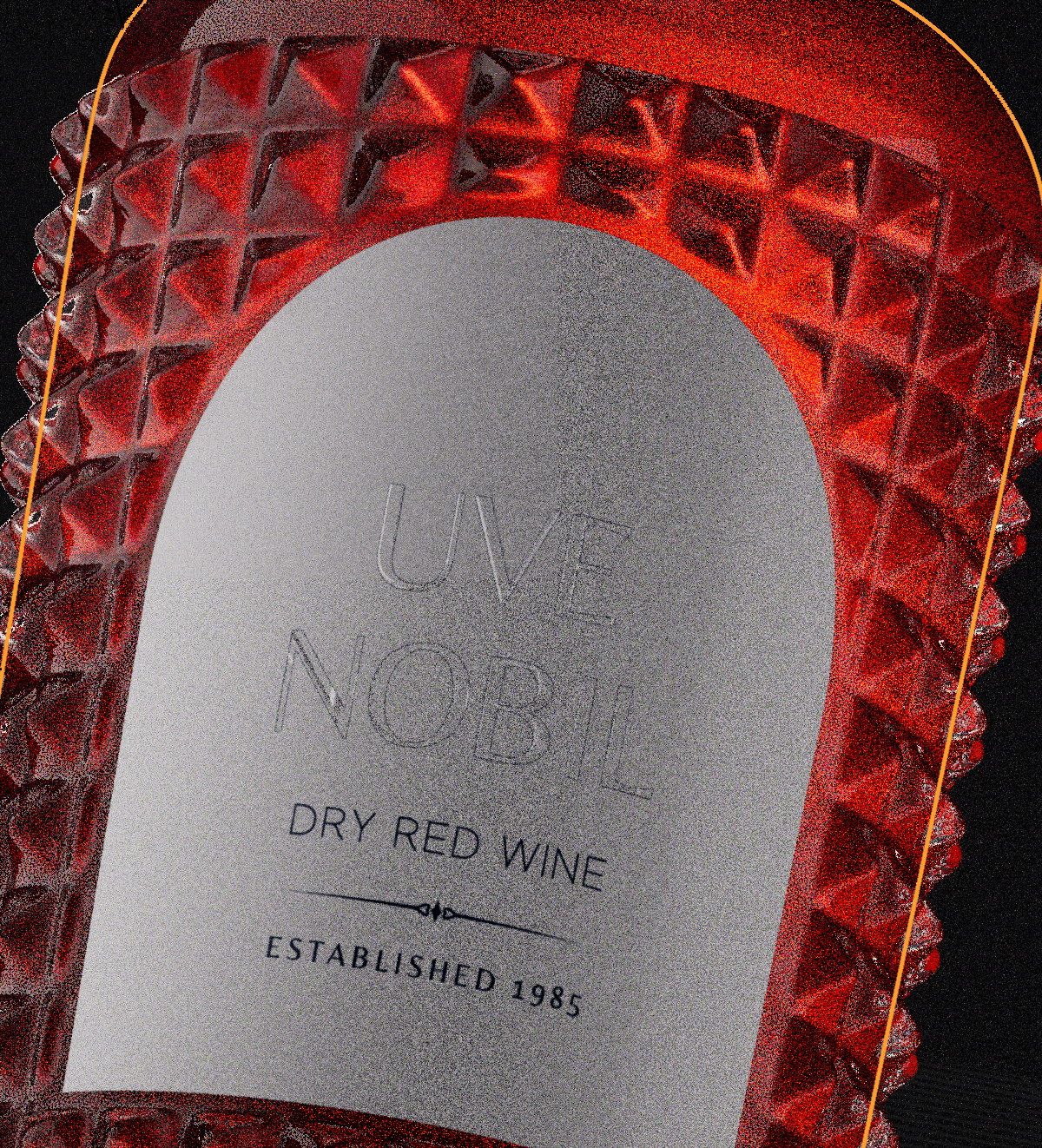
This would be extremely handy for a lot of people, especially those in high-end product visualisation.
4 Comments
PLEASE. Was just talking with some others and this is a huge need.
yes I needed this futures
To me this sound more like you're working with 8 bit height maps, up them to 16 bit and you should be fine.
Upvoted but, If I understand correctly, your are asking for a blur function on the texture. If so, there is no chance atm. There is the mapping distortion workaround but not sure it works well for displacement maps so it's safer to soften them externally. Other than that keeping consistent the 16bit grayscale format is essential to avoid the "stairs" effect seen in the first pic.