
Add Flip Normals to face right click context menu
Wouldn't it make sense to add the Flip Normals function to the right click context menu when you are in face mode?
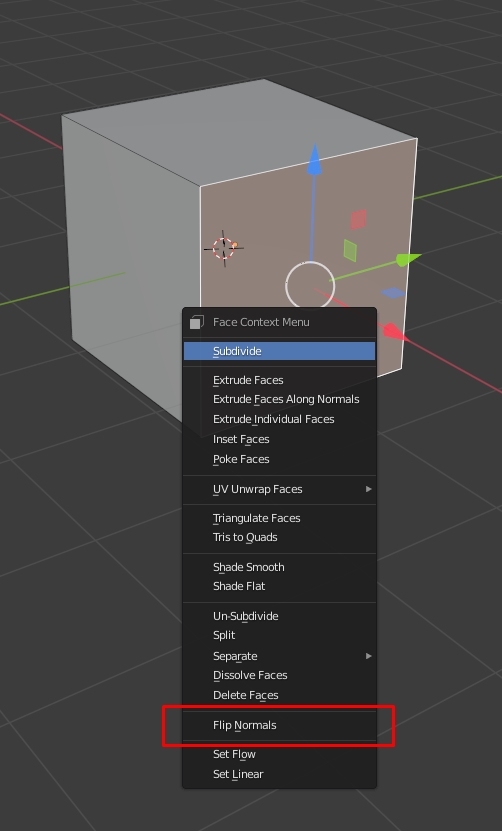
Normally the button Flip Normals in the screenshot is non-existent.
Wouldn't it make sense to add the Flip Normals function to the right click context menu when you are in face mode?
Normally the button Flip Normals in the screenshot is non-existent.
6 Comments
use this simple addon template for such tasks, it adds Flip Normals to that menu. Modify it as you want.
mediafire.com/file/s16mttr3f5b8uc7/Test_menu.py/file
Only appears if Face selection mode
may I ask: how did you get the key word "VIEW3D_MT_edit_mesh_context_menu" ? I could not find it in blender python api page. I'd assume in the flip normal menu could be something like : "VIEW3D_MT_flip_normal_context_menu", but it is a wild guess, most likely wrong. how to get that?
Usually I use python tooltips to find location
but in some cases, like this context menu you can ask for location on blender.stackexchange.com/
Flip Normals is in the Alt+N menu, which contains all normal operations and is available regardless of whether you are in Vertex, Edge or Face mode.
I have it in my shortcut menu
here added flip normals and some face / normal display options onlinerender.gumroad.com/l/faceextended