
Vertex Color - realtime tweak for gamedeveloping
In my opinion its core feature to every game developer. I have read some ideas already existing here on forum but its in my opinion all one importnant topic and it would be nice to have it all in one place and I have some more ideas to cover most of needs for gamedev purpouses.
-
First very important thing already I havent found a way to get easily value of selected vertex or copy selected value from one vertex to another (all the time I need only true value - right now its only possible via flat shading and eyedropper).
-
I believe that in vertex painting should be tool similar to tweak tool or might be made out of tweak tool in toolbar that would alow me in vertex painting select not only face and vertex but also edge so it will be possible to paint/tweak onto 2 normals (face allows to 1, vertex to 3).
Not sure if its possible in blender but for all cases is also needed selection of vertex faces (vertex has 3 normals with this select option you can select and paint only those you need).
-
Believe its important to have same possibilities of selection in vertex paint as in edit mode >> if I want to select ring or loop I have to go to edit mode select ring/loop and then return to vertex paint :S.
-
In some cases and usage of multiple vtx colors or just divided color channel is for some purpouses needed to do smooth gradient over whole model on world/global/local axis z+/x+/y+ or z-/x-/y-
and also nice if it can be set to metric values(for repetitions). Example: I have house want to make grayscale gradient from fundaments with value 0.4 (RGB 102) to roof with value 0.6 (RGB 153), Verticies on the most bottom would be mix/multiplied by value 0.4 and the highest verticies by 0.6.
I have found in paint menu some alternatives like altitude but all possibilities are missing minus values (z-, y-, x- well it can be inverted afterwards but...why to do another step (: ) and if there is possibility I dont know how to set from and to color value (like from 0,4 to 1).
- Painting alpha - right now there is only erease and add alpha - honestly its pain to work with...for either is not working Set Vertex Colors - so based on shader use is sometimes needed to repaint by hand all verticies.
IMHO there should be just brush settings "alpha" with value 0-1 (black-white) so its possible to also use middle values easily. (via slider and according to strenght preassure).
-
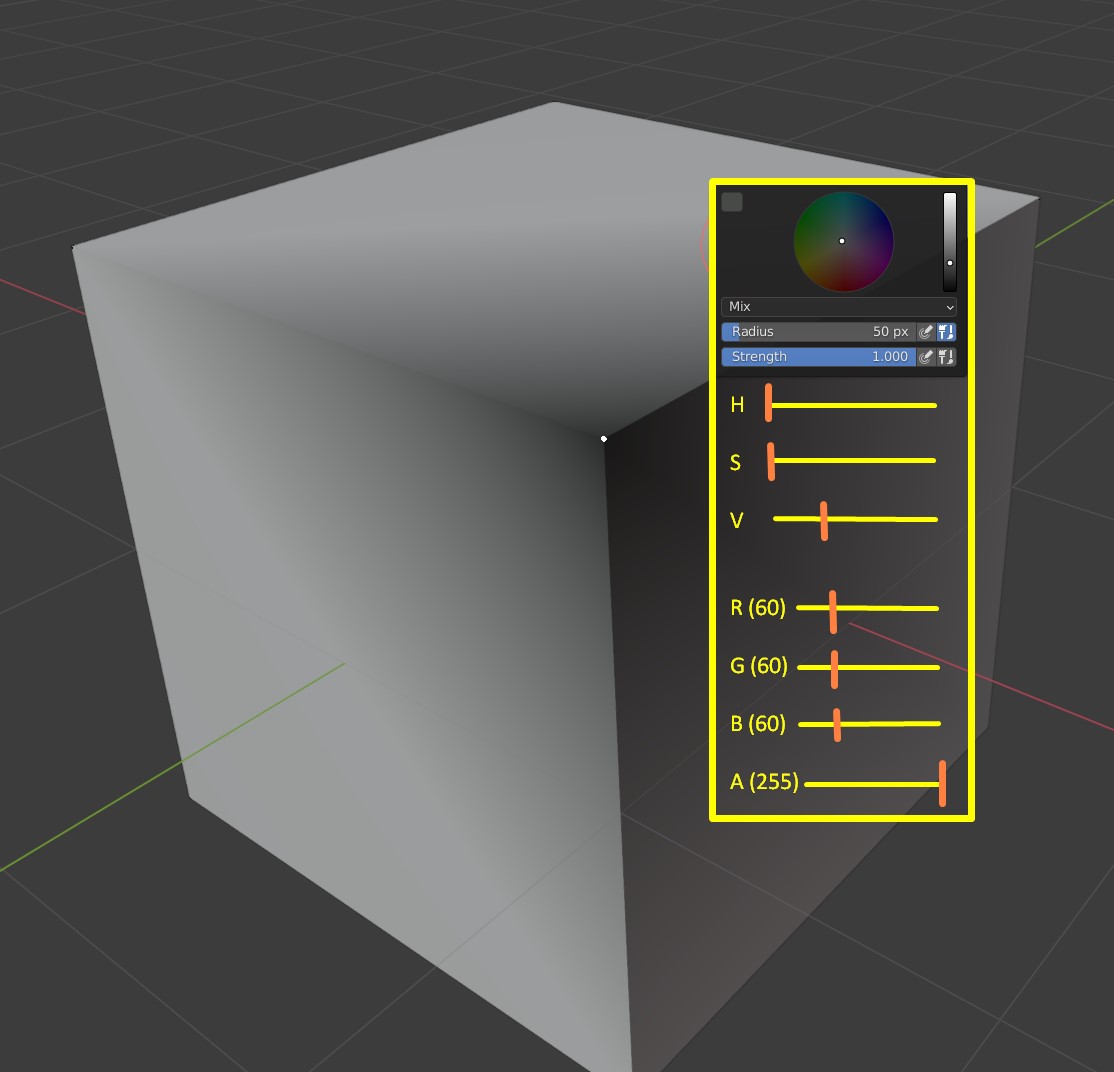
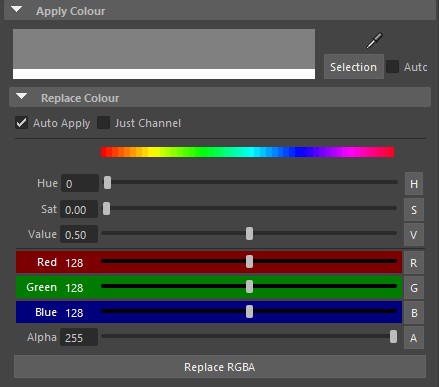
Tweaking in real time. The ability to select vertex and change its color in real time via sliders is in my opinion unequalled. Feels time consuming when doing color variant for model and have to set color, afterwards press Shift+K to see if I hit the right one :S (for example vertex chameleon - guess unbeated champion of vtx color plugins) vimeo.com/1487692
-
Multiobject vertex paint > I guess for correct gradients to assets made of more object like that mentioned house its more than needed.
What do you think all other gamedevs? :)
5 Comments
Also, it is crucial to improve vertex color viewport to quicky show vertex color alpha. Currently it is possible to show RGB values, but showing alpha means switching to eevee, and messing around with shaders to show directly Vertex alpha channel, which is real pain if you do have plenty non-instanced materials in the scene.
Check Vertex Color Master addon.
Addon is definitely some upgrade! Thanks for tip, but still lacks realtime change. It could work though via Hue saturation painting, but its somehow buggy, when you set value for one vertex and want change values on another its set and replaces color instead of tweak thats unhappy :/ Works same for levels/brightnes contrast... Guess its bug its supposted to start always at 1 values and tweak it from selected value? Also didnt found out a way to copy color from one vtx to another. (or to multiple from active). Multiple object painting is still in development and hard to say if it will exist.
It's not my addon. Still something better than nothing. Blender default functionality somewhere equal nothing.
Not working anymore on Blender 4