
SOLVED: The button to open a pie menu also closes it
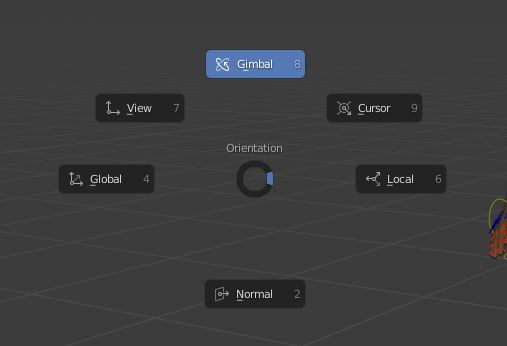
The current behavior of the pie menu hotkeys irritates me a bit. If I press "." to open the orientation pie menu pressing "." again does nothing, I would expect it to close the pie menu. Instead I have to press ESC or right click to cancel the pie menu.
It would be a smoother experience if the button to activate the pie menu would also close it, as you don't have to move your finger anywhere else then.
3 Comments
You have 4 options: just release PIE hotkey inside threshold radius after hold (not fast press+release) to cancel, click
LMBinside threshold radius to cancel, clickRMPanywhere to cancel, pressESCto cancel. Is it not enoug?What you propose may conflict with hotkey autoassignment system (those underlined characters, same system work for ordinar menus as well). On GIF I pressed
Ato call Selection PIE > pressingAagain activate item 8 Select A̲ll Toggle.Rework whole autoassignment system to not cause conflicts because you don't want to use existing PIE cancel option.... Really?
Thanks, I did not know about this sticky key feature, I will mark the proposal as solved. I agree that this way it works better
Agree +1