
Sensitivity limit for scale tool
When a scale tool is used (via hotkey), while the mouse is very close to the pivot point of the selected object (or near the center of the selected vertices in edit mode), the transform behaves quite unpredictable:
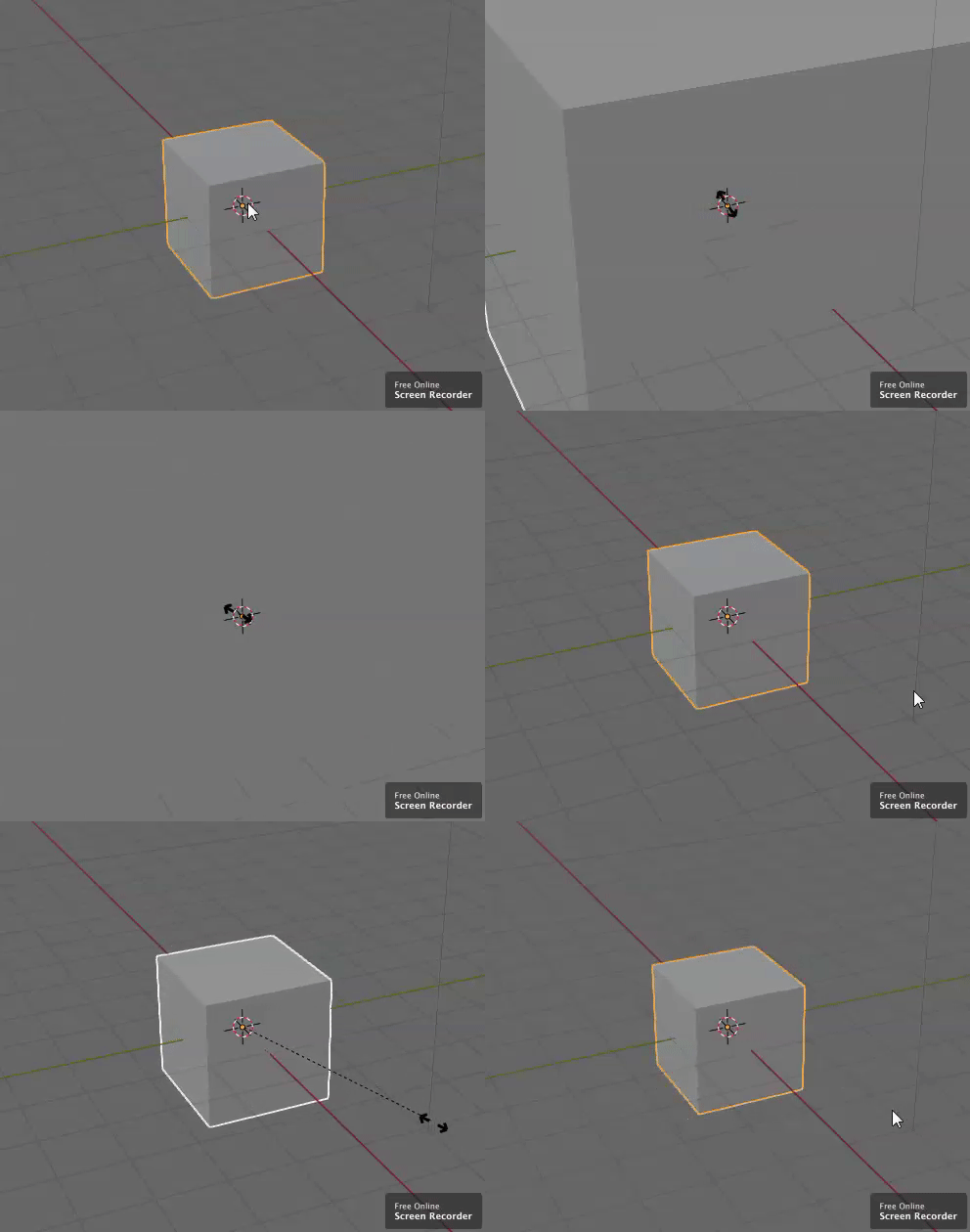
It's a good thing that the transform strength is proportional to the mouse distance! But on very small distances, this is not useful anymore and it confuses new users.
To avoid this, it would be nice to have some kind of sensitivity limit , which is enabled by default and which can be configured in the preferences.
Thanks a lot and keep up the good work! Best regards, LaserLars
5 Comments
NO.
Hey Lars. How do you add a gif to your proposal?? I am a noob to this :Z
* @BuZz Shiro * it seems to me like the image
um S+shift?
I like the idea, but I'm not sure how this would be implemented. Currently the position of the cursor, when starting the transform, sets the distance from the transform origin where the scale is 1. So the sensitivity limit would set the minimal length for this distance (e.g. 50 px)? Meaning, that when pressing S , while closer than 50 px to the transform origin, it would immediately scale the mesh down a bit, because you're already in the 'smaller than 1 zone' but at least you'd still have a reasonable sensitivity to scale the object?