
Switch dimensions button or switch in output resolution section
Idea is pretty much self explanatory, a little paper cut that still presents. A button or a switch would save a couple of steps when changing landscape or portrait orientations
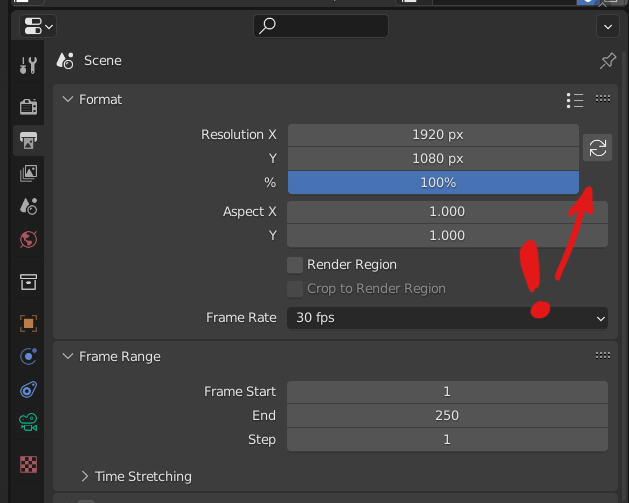
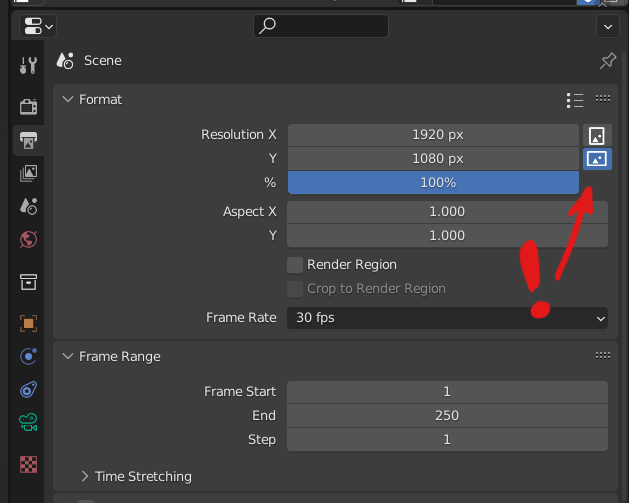
Idea is pretty much self explanatory, a little paper cut that still presents. A button or a switch would save a couple of steps when changing landscape or portrait orientations
10 Comments
Hey there! I tried to make a simple addon based on your idea.
blenderartists.org/t/switcho-switch-between-portrait-and-landscape-orientation/1421558
Great job, how about adding link proportions button?
Thanks! I'll try to do it.
I think the second option is the better choice for this really cool feature. To make it even better, you could simply add an icon that toggles the feature on and off.
I think there's no need for on/off toggle, because when dimensions aren't equal it is ALWAYS either portrait or landscape. When dimensions are equal, it's doesn't matter. Button should just switch X Y values.
I'd rather have the first option.
First one is closer to what really happens under the hood: it just switches whatever values you have between X and Y.
Second one makes you think it inverts the effect of X and Y, while in reality it will just do the same thing as in the first option. With the added downside of making the meaning of X and Y confusing down the line.
I would also add a link button.
Agreed, link button is a really cool addition to this idea
Still a simple, very good idea in April 2025!
Based on the design language of the blender gui, that is not how it would be done. There would be a checkbox between resolution number boxes, "Render region" checkbox..
Called something like "Flip X and Y". There could also be a checkbox "Lock aspect ratio".
I proposed this 8 months ago. Hope it gets done because it's super useful. both landscape/portrait and the linked values (proportional). blender.community/c/rightclickselect/jY7B/