
Node-Editor Frame Comment Function
Since I dont have remotely enough coding experience to create this myself, I'd be glad if someone could pick this idea up to improve Blender. Thank you in advance wonderful people.
So far it can be used to group up a number of nodes give it a Label (64 Symbols maximum) and change the frame background.
The frame can also be filled with a Text. But that take up a bunch of Space and the size of the frame has to be adjusted manually to show the text. It is also not possible to "hide" a frame to minimize it's size.
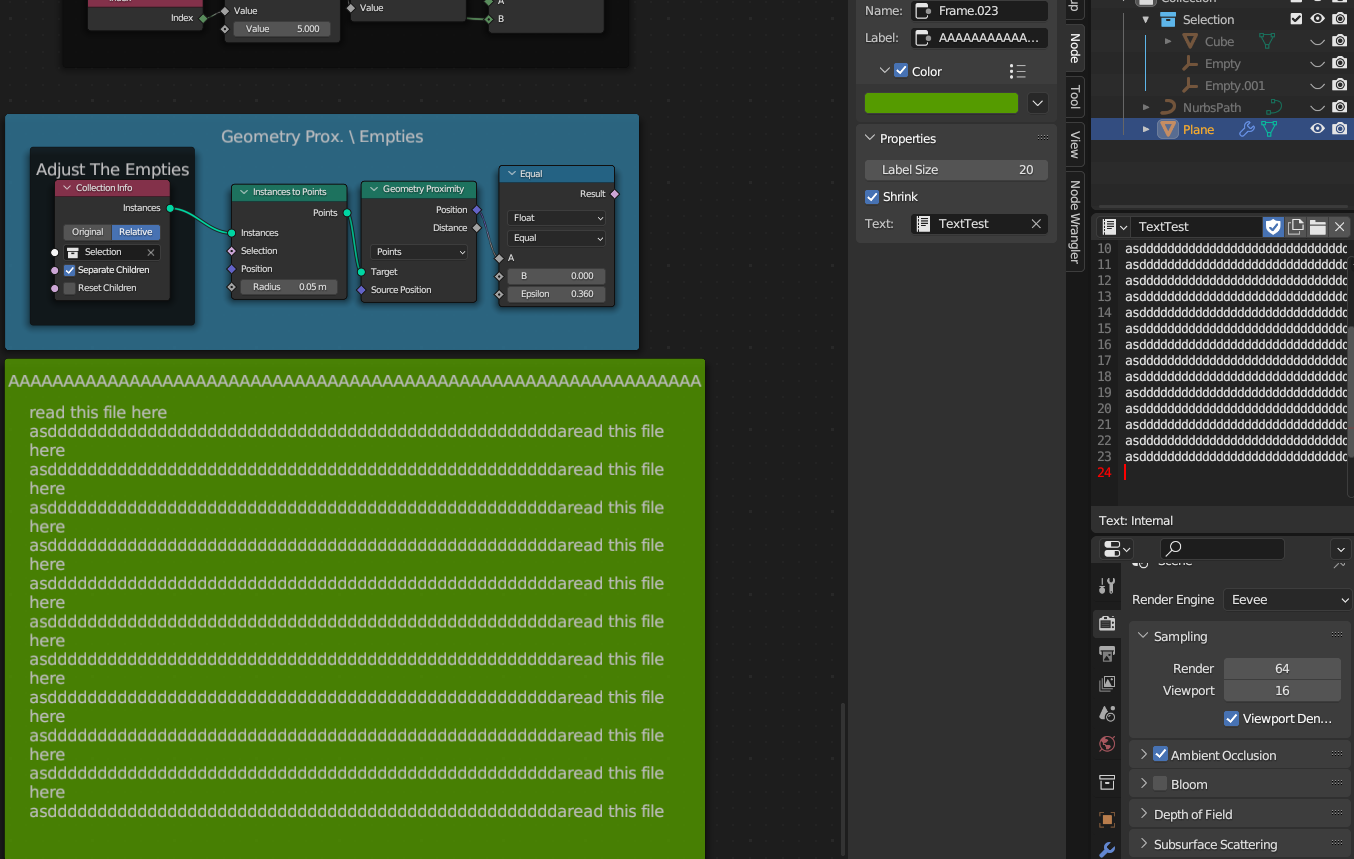
To some extend it is help full enough to organize the Node-Trees. Since Geometry-Nodes are growing in their complexity, I think it is reasonable, to add more options for adding comments in the node tree.
Kind of like comments when it comes to coding. One might want to write two or three sentences to the functions that one has created.
So how about this.
Add a the option to write a more text.
As in a Frame comment. This could be designed in a way that it can be collapsed to single button, that open or closes the text comment for the frame. That way there is not more clutter in the node-tree.
When creating a comment to a frame, it could perhaps be saved as text in the blend file and be named according to the Label of the Frame that it is attached to.
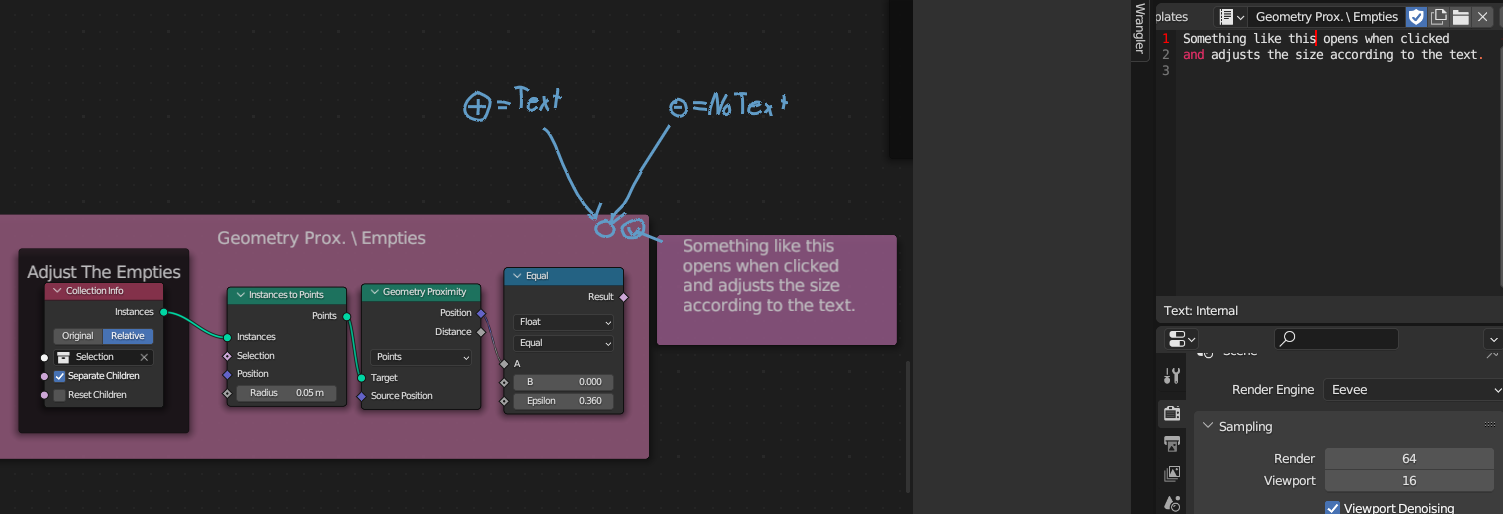 The first symbol is set to Plus if there is a if there is a comment written to the Frame. Its set to Minus if there is no Text. An indication like this, to avoid having users check for comments in Frames if there are none to begin with.
Or perhaps it'd be better to make a new Frame "node" option based on the one that already exists. As in "Frame with comment". So that there is only a symbol if it's needed to avoid clutter. Otherwise small frames like the "Adjust The Empties" in the given screenshots are forced to have an unnecessary addition, even though the label is enough as comment.
Thank you for taking the time reading my idea. :)
3 Comments
Agreed that the frame's text can use some love... It's not used a lot while it's a powerful tool to document a nodetree. Ideally we should be able to edit the text right in the frame, without the need to create a text datablock.
First we don't want to jump to another editor for that, and some tree might use say 10 notes to explain the whole process... Then another could use 5 or so and that's just 15 text datablock laying around in the .blend.
I just discovered that it's possible to hide these texts using a . at the beginning of the name, which mitigate a bit the issue.
In that case, indeed having a shortcut to open the text editor and keeping text hidden might be easy to add as an addon and it can be a good first step until something more robust is made...
Could the new node just have a "plus" icon if there's a comment, and nothing if there's no comment? Or is that what you already mean with the "Frame with comment" option?
I think no symbol at all is problematic, in a sense that there is no hint for functionality. If nobody knows about it, nobody will use it. Until someone watched a tutorial online about that talks about it.
On the other hand a symbol, is an additional piece of information that might not be needed. I worry about wasting the ScreenSpace and time of the users here.
So a 2nd frame with a symbol is reasonable. Or alternatively, keep just the one frame, BUT keep the symbol visible, but greyed out or with a certain alpha level so the Frame label is not overlapping.