
Move to few selected collections at once
In 2.79 after M-key we had panel with 20 layers-buttons, that can pe pressed with shift. Now in 2.8 there is no ability to do so, because quantity of collections is not limited by small number.
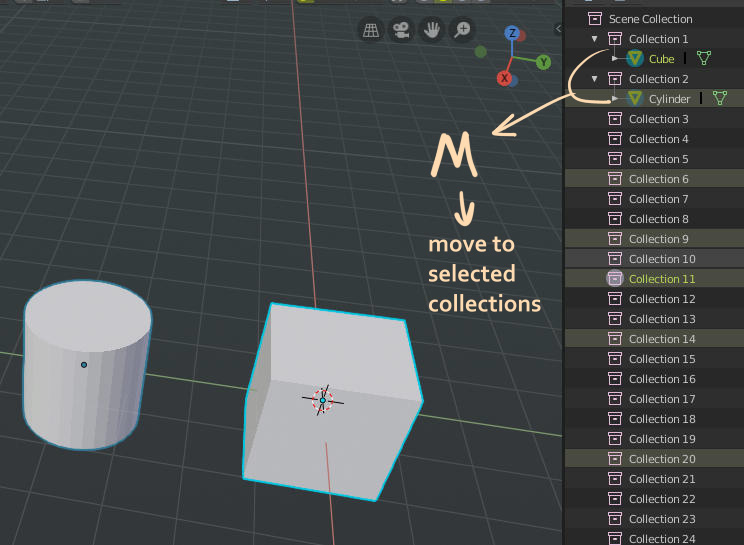
But we still have separate selection in outliner. So my proposal is clear: In case of more than 1 collection selected in outliner, there should be operation «Move to selected collections».
Yes, you can say, it is not so difficuilt to drag 10 times from one collection to targets. But if I have Reeeeeely looooooooong list, I forced to drag and scroll at the same time, then expand collection with objects, select em again and drag again.
Instead fast way: select objects, filter collections by mask in outliner if need, select targets, move.
5 Comments
possible with Collection manager addon ATM
The more i think about this task, the more i understand that outliner selection is the only one replacement to layers-selection panel. It is big, it is exist, it can be filtered.
I think, «select containing collections» will work ok.
Would this also Move OUT of Un-selected collections?
* @ammusionist * the same as now: there is M (move) and Shift+M (link to). Perhaps we need something similar for batch unlink…