
Possible Design for Multi-Type Node Sockets
I noticed some discussion on the the Geometry Nodes workboard regarding a possible design for multi-type input sockets (you can find it here ). I saw a number of possible designs proposed there, none of which I personally liked all that much. I immediately began to think of some designs that I thought were better.
I have one design that is hands-down my favorite, but I also included the other variations I experimented with in a Further Reading section, if you're curious to see them (maybe I have poor taste and everyone will like one of those better).
Primary Design
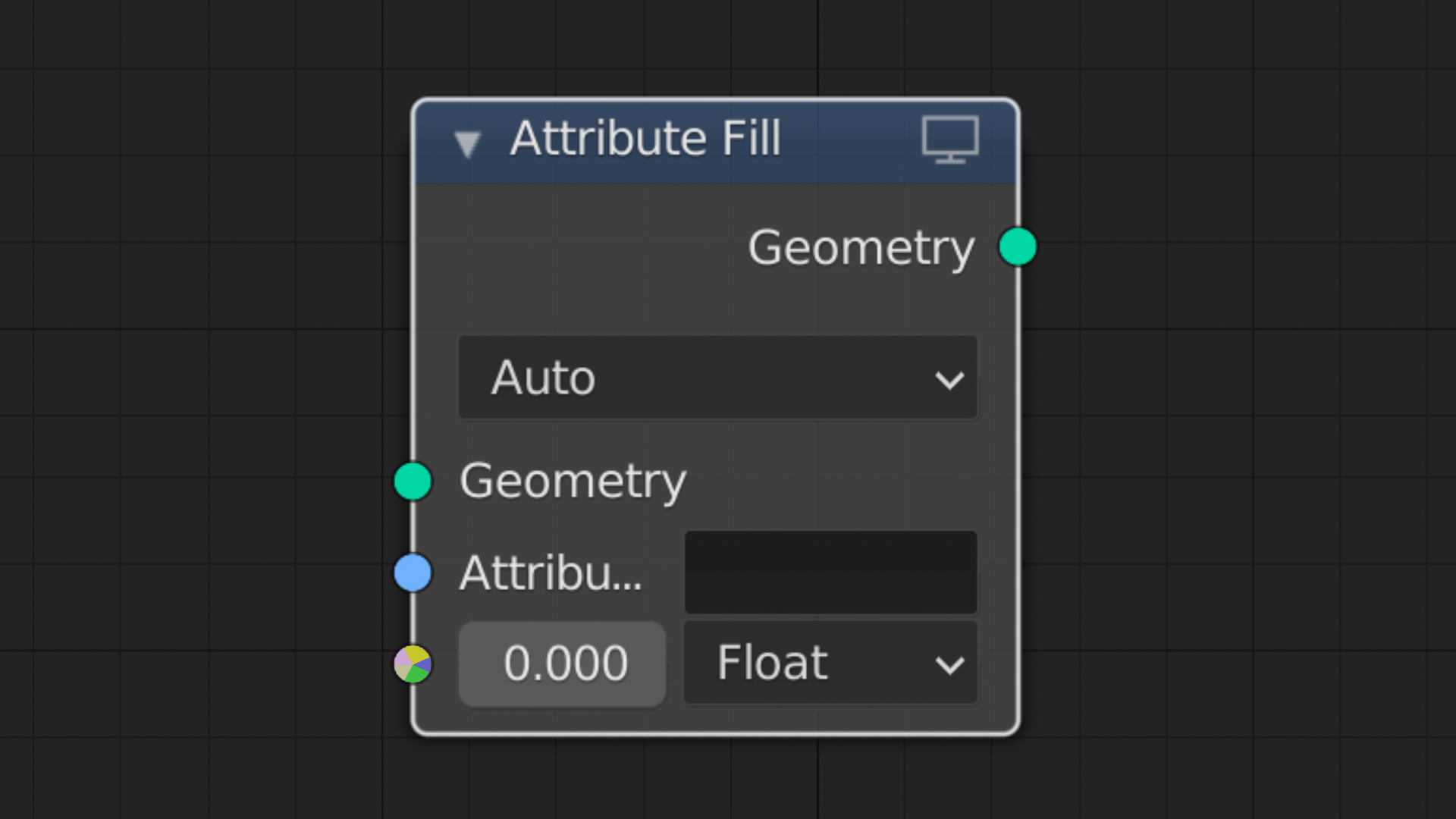
The socket has a radial spectrum of the colors representing the different data types it accepts.
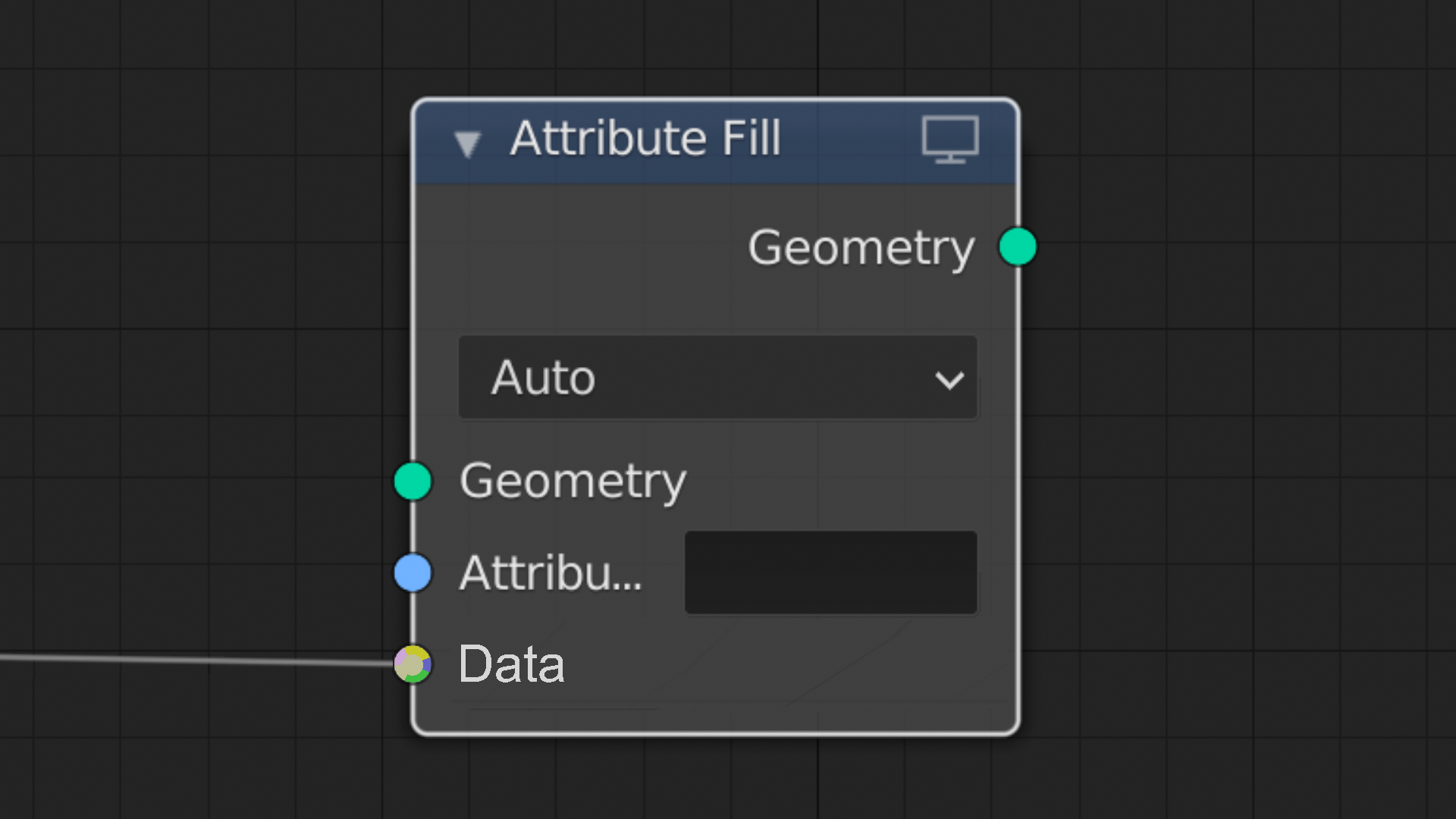
When a noodle is successfully connected, the socket shows the corresponding data color in the middle.
Further Reading: Other Variations
I experimented with several variations before settling on the one shown above. In my opinion there's no competition, but here are still the other variations I came up with.
Initially I was imagining a linear design simply consisting of a rainbow to indicate that the socket accepts multiple types:
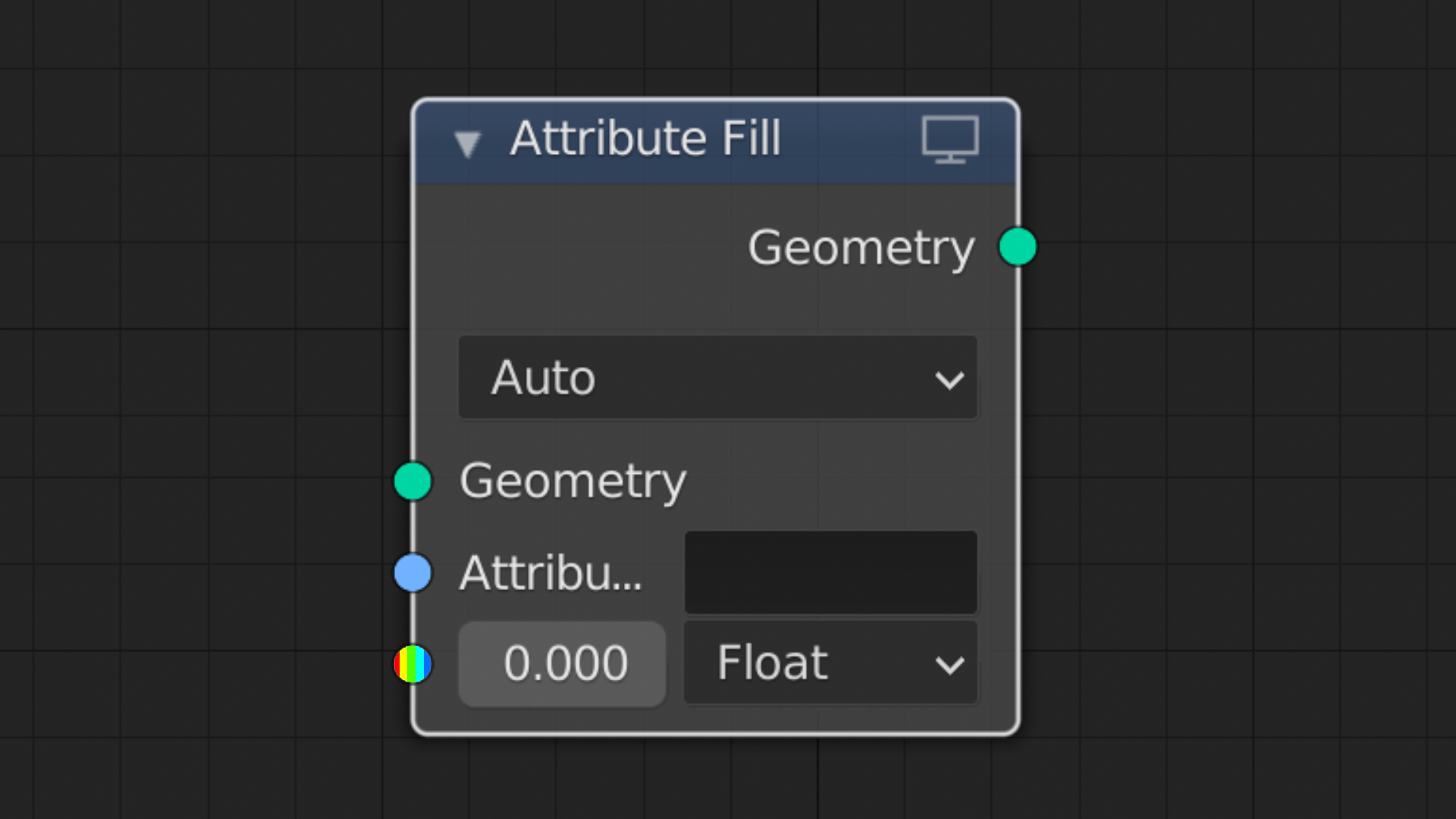
To see which data types specifically were accepted, the user would hover the cursor over the socket, and it would expand, like so:
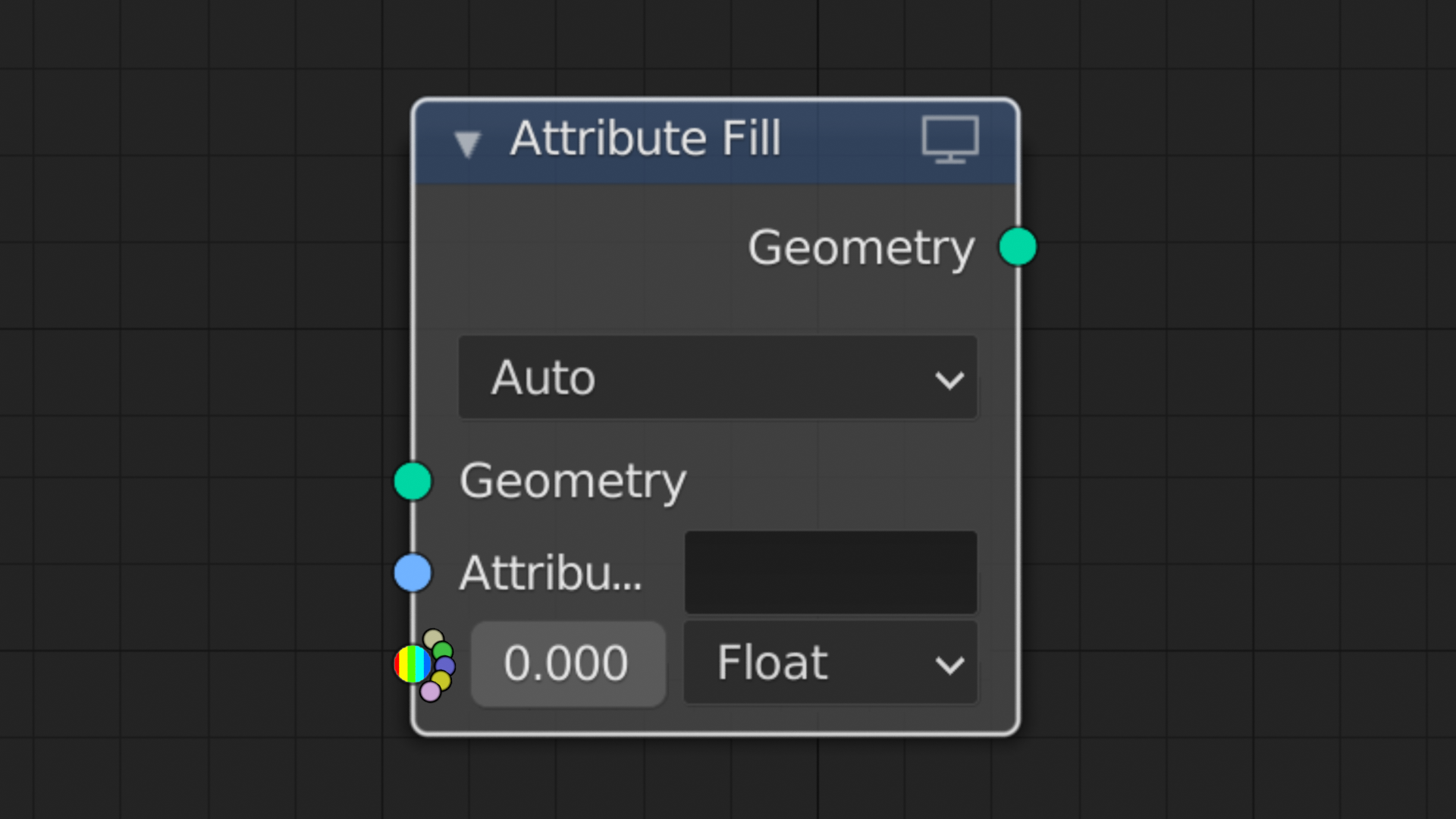
I also tried making it just show the accepted type colors in the socket itself, but it just didn't read very clearly in the linear design (this was before the radial design entered my head):
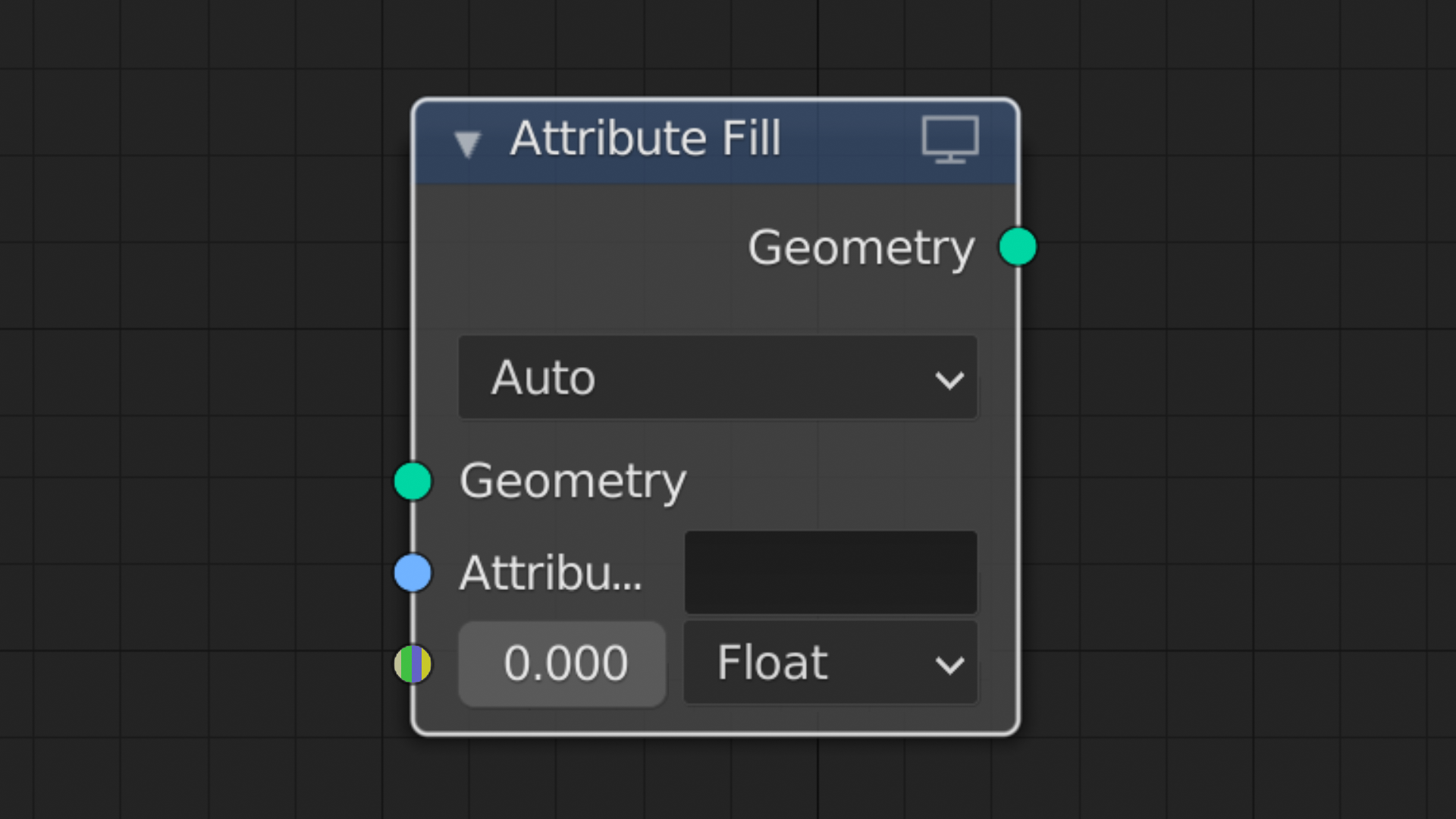
Then I finally thought of the radial design, and tried it for the rainbow:
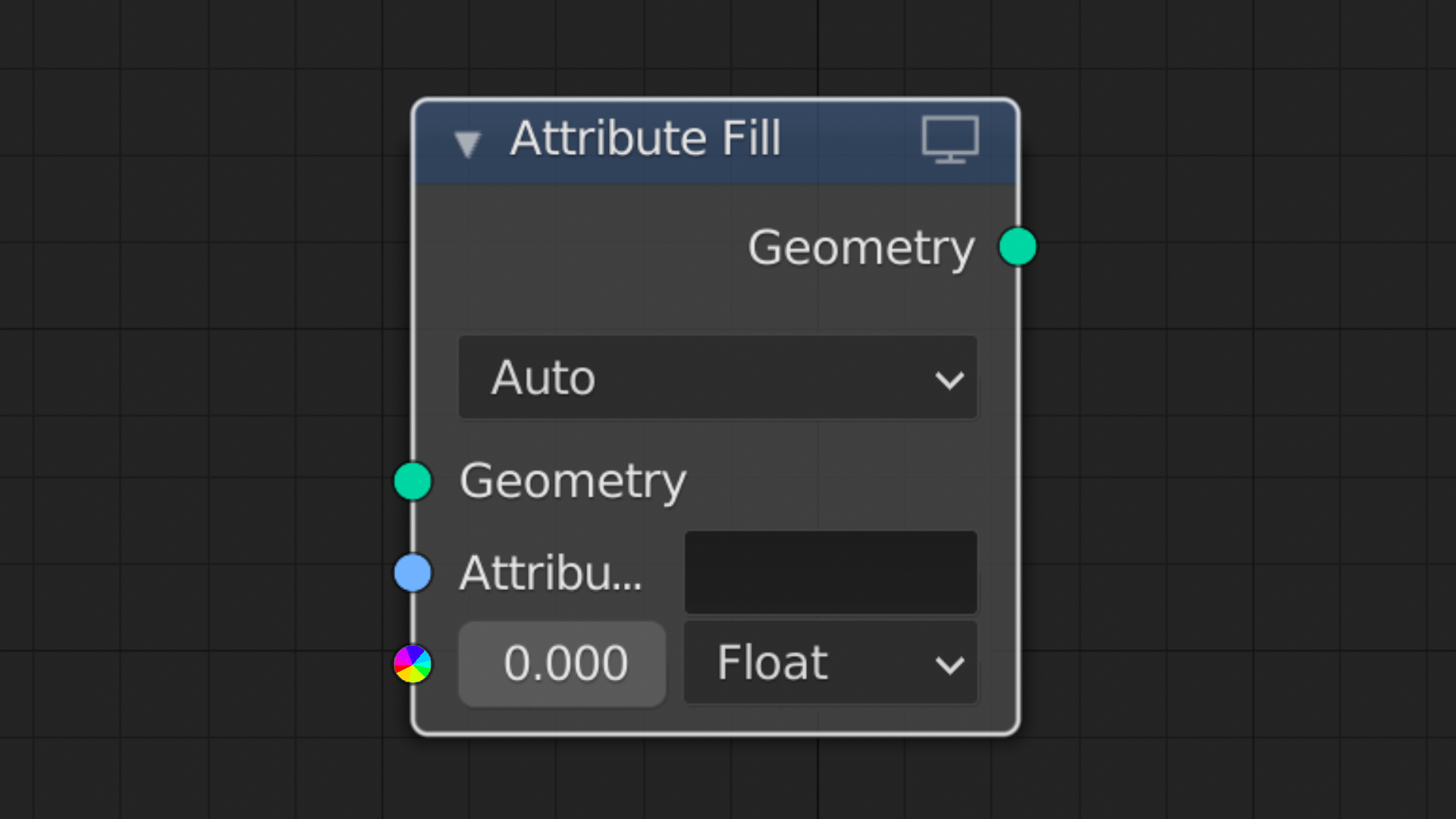
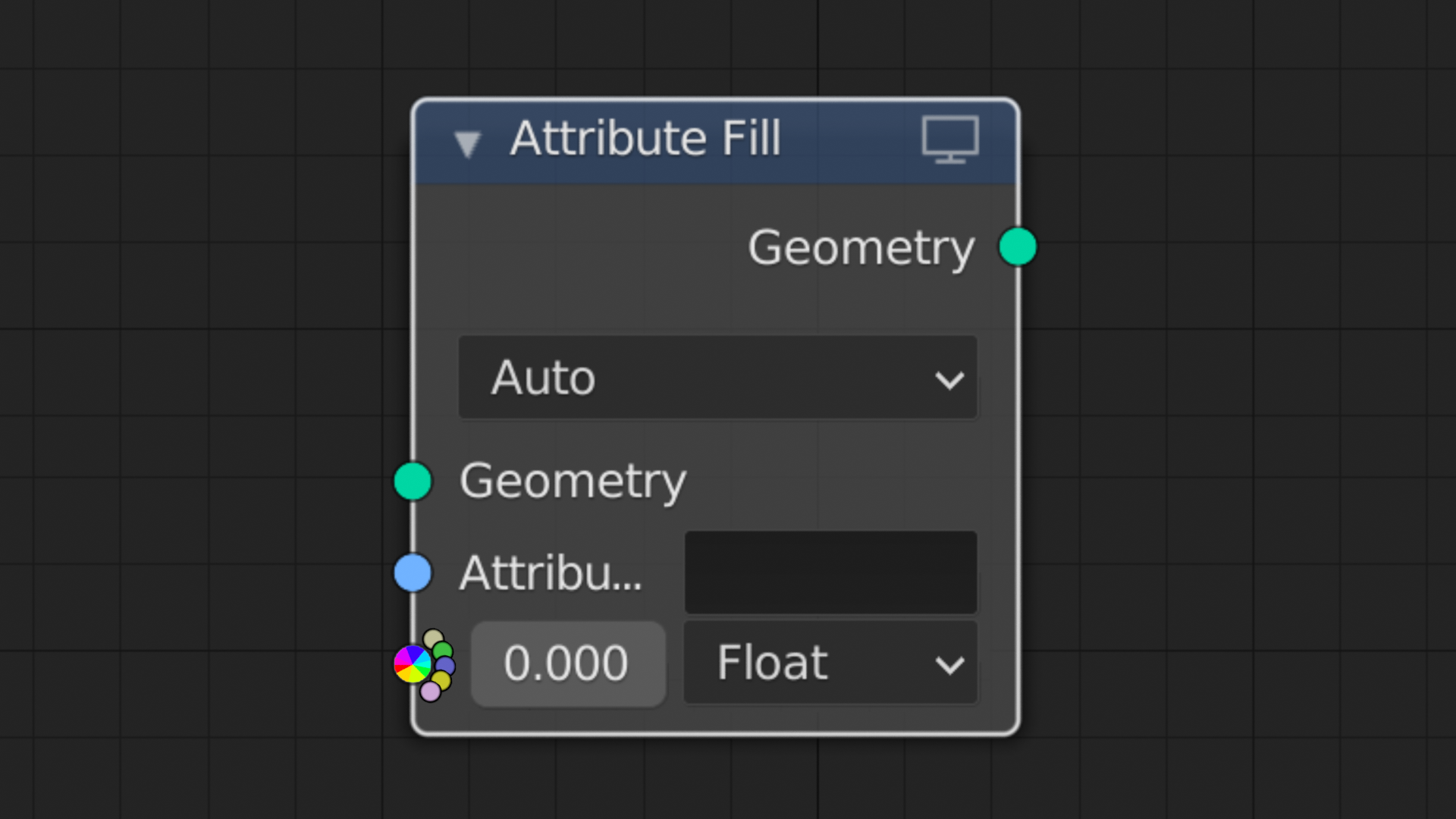
Then I tried it for the data-specific color set, which is what you see in the Primary Design; here it is again:
I was shocked at how clearly and concisely it conveyed A: that it was multi-type, and B: which types it took, all while still fitting right in with the existing node sockets visually. Again, I still think there's no competition. It also offers a way to indicate the detected date type of the connected that feels quite natural (again, shown in the Primary Design section of this post), which the linear design does not.
5 Comments
I think a design based on shape + uniform color is a better choice and more in line with the rest of blender's design.
I see where you're coming from, but giving it some thought, I'm going to respectfully disagree, because while, granted, multiple colors inside a single socket is found nowhere else in Blender, neither are different-shaped sockets (the only exception being the multi-input socket, which is shaped differently not just to convey its unique property, but also for the functional purpose of visually accommodating the multiple inputs). All that to say, I don't think either approach deviates more from Blender's current design than the other, and I have yet to see a shape-based design that I think looks good.
this is an interesting thought... though I feel it should visually be the same as the others... the biggest issue is that the size is too small on a screen, and the colors aren't differentiated enough for it to work easily.
I Do like that radial bunch of them though, and the lines between them really help to differentiate the colors. Maybe just 4 colors in quadrants, with very thin lines between them?
I agree that the small size makes it hard to differentiate the individual colors. If the sockets were bigger it would be easier, but it would only make sense to scale all socket types bigger, as only scaling the multi-type sockets bigger would (I would think) ideally correspond with some additional feature about the socket that needs to be communicated.
In the version showing the actual colors accepted inside the socket, I don't think it would make sense to limit the colors to four when there are sometimes more (as there are in the Attribute Fill node that I use in the example), since the part of reason for that approach is to communicate which data types are accepted. The idea of having just four colors only makes sense if I go with the generic rainbow version that would look the same regardless of which types are supported, with the user mousing over the socket to see the expanded swatch of accepted data types.
I think one way that the version showing the actual accepted colors in the socket itself could be improved could simply be rearranging the order of the colors so similar colors aren't next to each other; the order that I used in the example simply followed the order they were listed in in the node's dropdown menu, which followed no rhyme or reason that I could make out.
i like the ones you came up with. I also found out about that multi-type socket today. The 2nd last one is also good if you just changed the large swash on the right into only the selected colour by itself against the grey of the node maybe. it is easier to tell that you can swap things out in your version compared to blenders own mockups. well done