
Allow geometry nodes without geometry
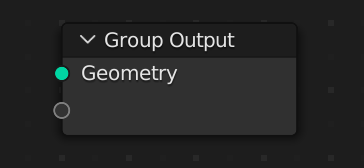
It's possible to completely remove geometry using a geometry node:
Then you can create new geometry from scratch:
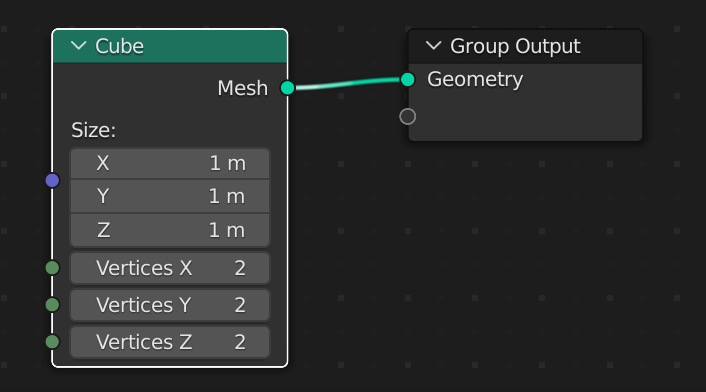
This feels like deleting the default cube, when it could be deleted by default.
Houdini has a Geometry node which provides a blank slate for creating geometry. It would be good if Blender had something similar.
Option 1: Empties
If Geometry Nodes worked on empties, you could easily start with a blank slate and create geometry from scratch. Empties waste no time creating vertices which would get deleted by the geometry node.
Option 2: "World" geometry network
If Blender had a "World" geometry network similar to the "World" shader, it would be much easier to create geometry from scratch.
Thanks for reading!
5 Comments
Perhaps simply allow Geometry nodes on Empties?
I agree, this would be good (sorry, I meant to say empties instead of null layers)
Yeah, I thought about that too, but, I think it just sounds like perfectionist crying. I know, when you create geometry nodes and delete the geo input, it feels dirty as opposed to if you would create a brand new object specially designed for GeoNodes, but, It doesn't needed, cuz it will be just geometry object without geometry, which u can create by delete mesh in edit mode and mark as asset. Of course it is more elegant way to delete default cube.
About world geometry network: there is a tool called "Animation nodes", I've heard what the team behind that addon now works with blender team inside Everything Nodes project, and also I know what collection nodes is planned.
Shift + A > Empty Meshor even more clearly
Shift + A > Geometry Node _Thing_You can use a single vert from blender's built-in community add-on "Add Mesh: Extra Objects"