
Attribute Spreadsheet panel: make it possible to view long names!
Currently the Attribute Spreadsheet view scales column widths to the digits, which means column titles get cropped.
Here, for example, I can't tell which attribute is which in the spreadsheet!
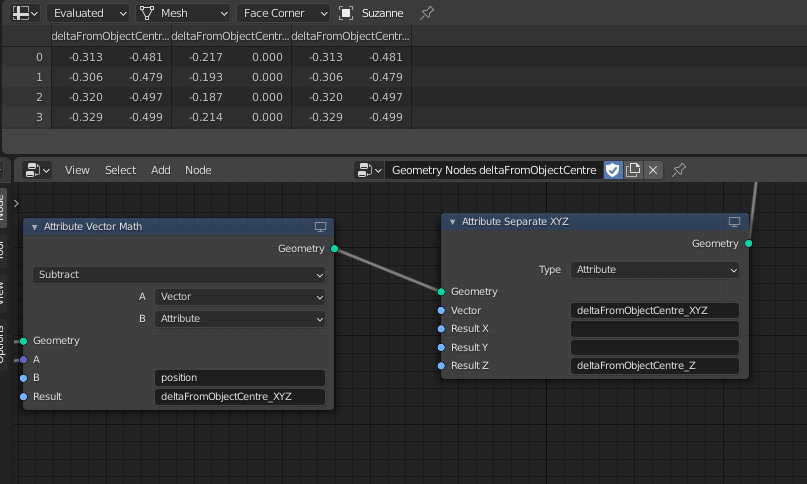
Would be interested to hear what people think is the best solution [will update proposal if you want to add stuff!).
My suggestion would be one of the following:
- Tool tip with full attribute name when you hover over the column (easy to implement, hard to read)
- Expand individual columns to fully fit the name if necessary (easy to read, could look a little wonky though?)
-
Allow "zooming" (really, expanding the column widths) with the same
CTRL + SCROLLshortcut that also works in the text editor and some other UI panels - Some other thing I haven't thought of?
I was going to suggest "allow manual resizing of individual columns" but actually the columns can appear or disappear depending on what node you're viewing, so I think it becomes pretty inconvenient/confusing if you do it that way.
What do you think?
1 Comment
In 3.0 Alpha it shows me the full name (I can't upload img in comment?). And I guess in the new fields system there will be less need for "hardcoded" attribute names anyway.