
Add a third "reverse" mode for Enable Pressure Sensitivity widgets
Pressure Sensitivity is currently an on/off toggle. My proposal is to add a third Reverse mode to this which would enable Pressure Sensitivity in a reversed direction.
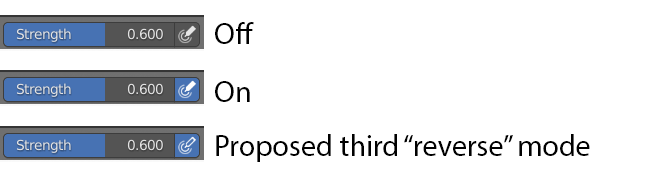
The reason for this is that it would allow for simulating real world brush-based interfaces. For instance, a sumi-e brush holds a large reservoir of ink and water that tapers to the tip. This means that the size is pressure sensitive (push harder = wider stroke) while the opacity is reverse pressure sensitive (light touch = the ink gathers at the tip and is very dark, but pushing hard mixes it with water in and makes it less opaque.)
1 Comment
Each pressure sensitivity mode has a profile editor in Brush Settings that allows you the option to have a reverse effect (e.g. thin-opaque -> thick-transparent) by flipping the points on the graph. Is that what you're looking for?