
Redesigning the RGB node. Access to all values without "redirects" and integer color code input
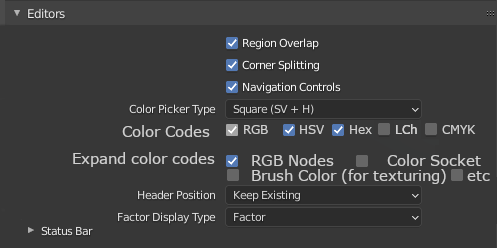
Today I discovered in the settings the possibility to change the "Color Picker Type" and I decided to check how it looks in the editor on the RGB node, and I wondered, because usually I use this node to adjust the color values for me, but the values themselves are hidden in the "Color Socket", which looses a little bit of the philosophy of this node.
I suggest that all of the values for color control, not just taken out from under the "socket", and line up all of the color codes vertically, so that they are always accessible without having to access the "switch".
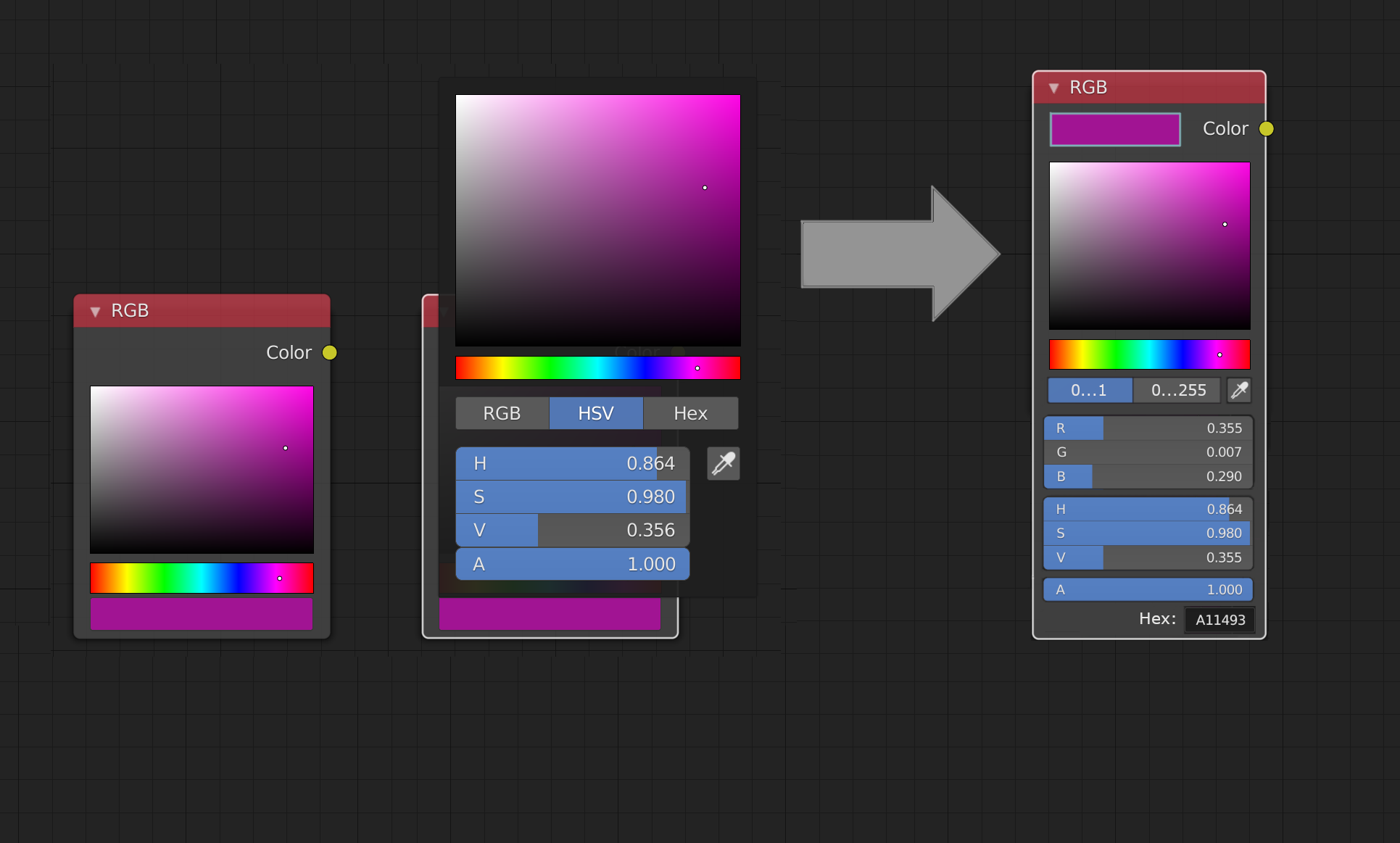
As we know the most common bit depth of textures is 8 bit, and they are specified with integer values, not floating point numbers. Sometimes it is necessary to keep the exact integer value, you can of course through the color converters to translate everything, but adding an integer value would get rid of these inconveniences.
An example of this is the photo editor GIMP (yes, a good part of the idea, I can say, was planted by this program).
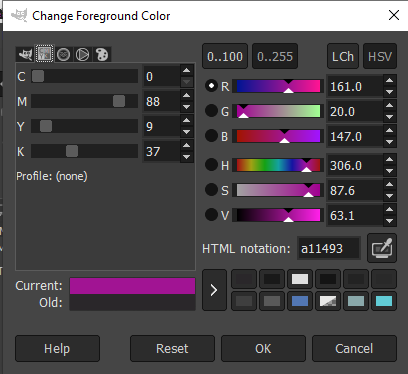
The same Gimp has color codes CMYK and LCh, I don't need them and I doubt that they are worth extending this note, although you can add checkboxes for color codes in the same settings next to Color Picker Type, and you can add checkboxes on sockets
4 Comments
I like this colorwheel, imgur.com/a/bYHoHzR
it makes it easier to choose the color you want. Besides, copying color codes from different apps may result different in the viewport or renders.
Yes! I would love to see developers working on this in Blender 3.1.
O M G Yes that is a great idea!
I like when in blender we re-inventing some wheels : )