
Allow green line to snap on a clip's edge by hovering and clicking a mouse (Addtional option: By clicking arrow keys) [Solved]
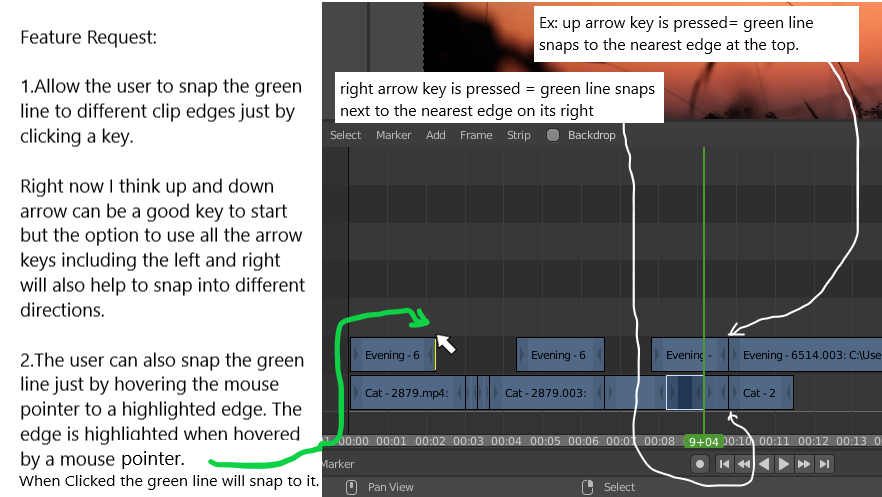
Hello. I would like to request a feature that will make the video editing workflow easier is to have the green line snap by hovering a mouse arrow onto a specific edge of a clip and then a yellow highlight will appear. This means that when a user clicks a highlighted edge the green line will snap in to it.
Additional options would be the arrow keys. Right now the left and right keys are used as a moving tool for the green line but only in small increments. An option to use all arrow keys as a tool to make the green line to snap to different nearest clip edge would be a nice feature. But using only up and down arrow keys would be fine if it is not possible to change the left and arrow key functions.
Thanks.
0 Comments