
Hide grease pencil keys in timeline playback
Proposition: the ability to toggle Grease Pencil Key visibility in the Timeline Playback
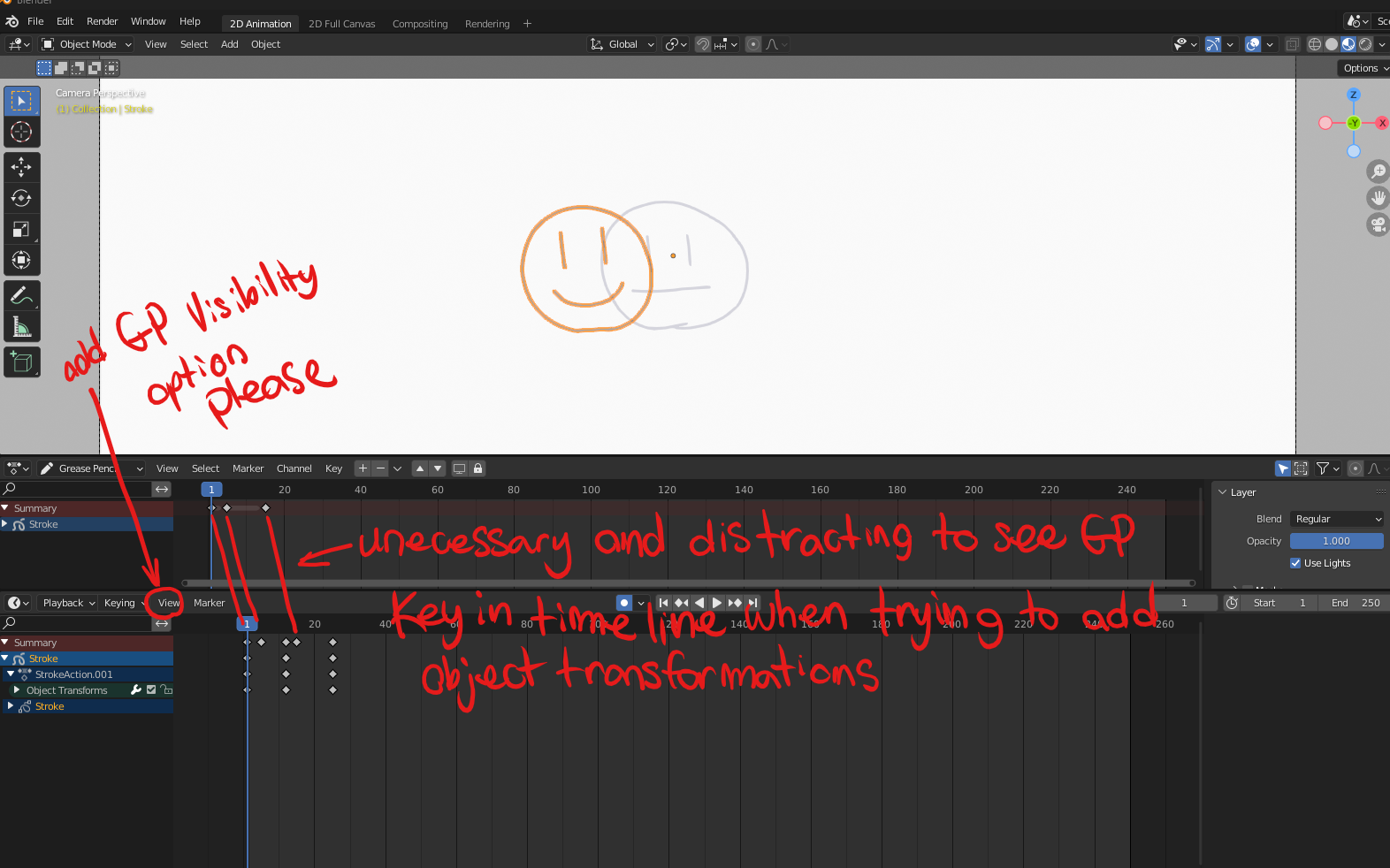
Recently there was a change to blender I believe in 3.3 where Grease Pencil key frames also show up in in the timeline playback. I am proposing that there is a way to toggle Grease Pencil key visibility on and off in the playback UI, so that we cant see Grease Pencil keys in the summary at the top if we don't need too. It is inconvenient to see grease pencil keys in both timelines if we are trying to animate a GP object with object transformations. I realize you can open the summary, but when dealing with multiple objects or larger scene this visually clutters the scene and slows down work flow.
I realize this is useful for retiming as proposed here blender.community/c/rightclickselect/gpnY/ but for the purposes of animating the choice to chose whether we want to see GP keys in the playback would be useful for everyone I think.
6 Comments
Isn't key display limited by selection in the first place? Just making sure you don't have the GP object selected should do the trick, right?
If im animating the GP object with object transformations it has to be selected
I guess a good solution that would also have the benefit of being usable more broadly, would be the ability to filter search channel group names.
I.E. here search for
Strokeand enable theInvert Filter Searchwould hide any channel in the Stroke group.The filter would be useful in some situations yes but for the purposes of a production with high volumes of work, multiple people, multiple scenes this would be cumbersome. Do they want to see the Grease pencil keys in timeline playback yes or no? simply turn them off and save preferences and they never have to look back at it. you cant expect people every time they open a scene to filter out things they do and don't want just so they don't have to see the same key frames twice in a second timeline. It would slow things down and become annoying very quickly. The more options a user has the better.
Sure, but to me it doesn't sound correct to try and fulfill a corner case where it could be done more broadly.
Why make hiding specific data only possible for GP? As soon as you add such feature for one thing, people will ask for it on other things anyway. So IMHO we should try to find a way that profits everyone, not just a niche case.
Maybe animation editors could have something similar to the viewport's Object Types Visibility popover:
But in addition to giving access to object types, also give access to the different keyable data types associated to object. So that for example we could disable a stroke object's stroke data keys but keep its action's transform keys. Or hide a mesh object's material keys but keep its action's transform keys.
ya I like this there is no problem with having more options, this is a good idea.