
Grease Pencil - Fill option to ignore strokes that are covered by other fills
In this example, I have overlapping shapes and want to add shading to the front shape. If I try to fill the shading area I marked with green, it will only fill half because of the blue shape that it is overlapping.
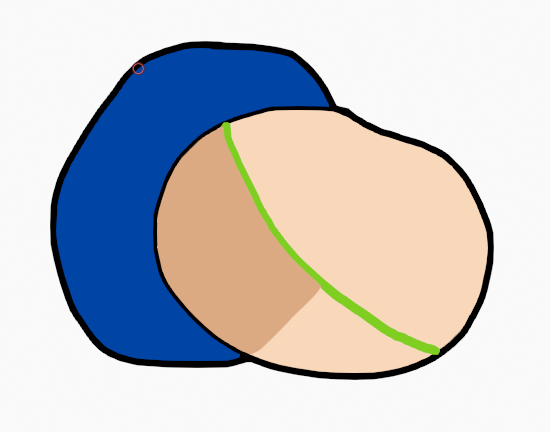 It would be nice if there was an option for the fill tool to ignore any strokes that are covered by fill areas.
Yes I could work around this by putting the shapes on different layers and hiding the blue shape's layer, but, especially since there isn't any layer grouping, I don't want to have to deal with a thousand layers for every single part that has to overlap with another. Please let me know if there is some kind of convenient workflow that I missed that would do this.
0 Comments