← All ideas22 Aug 2022matbradyOpenUser InterfaceAnimationmatbradyBUrning_KeysBranskugelManBlenderalixbestelixfizzleoghostkiller35kablo1pxy-gnomessuhail1v.imran2018
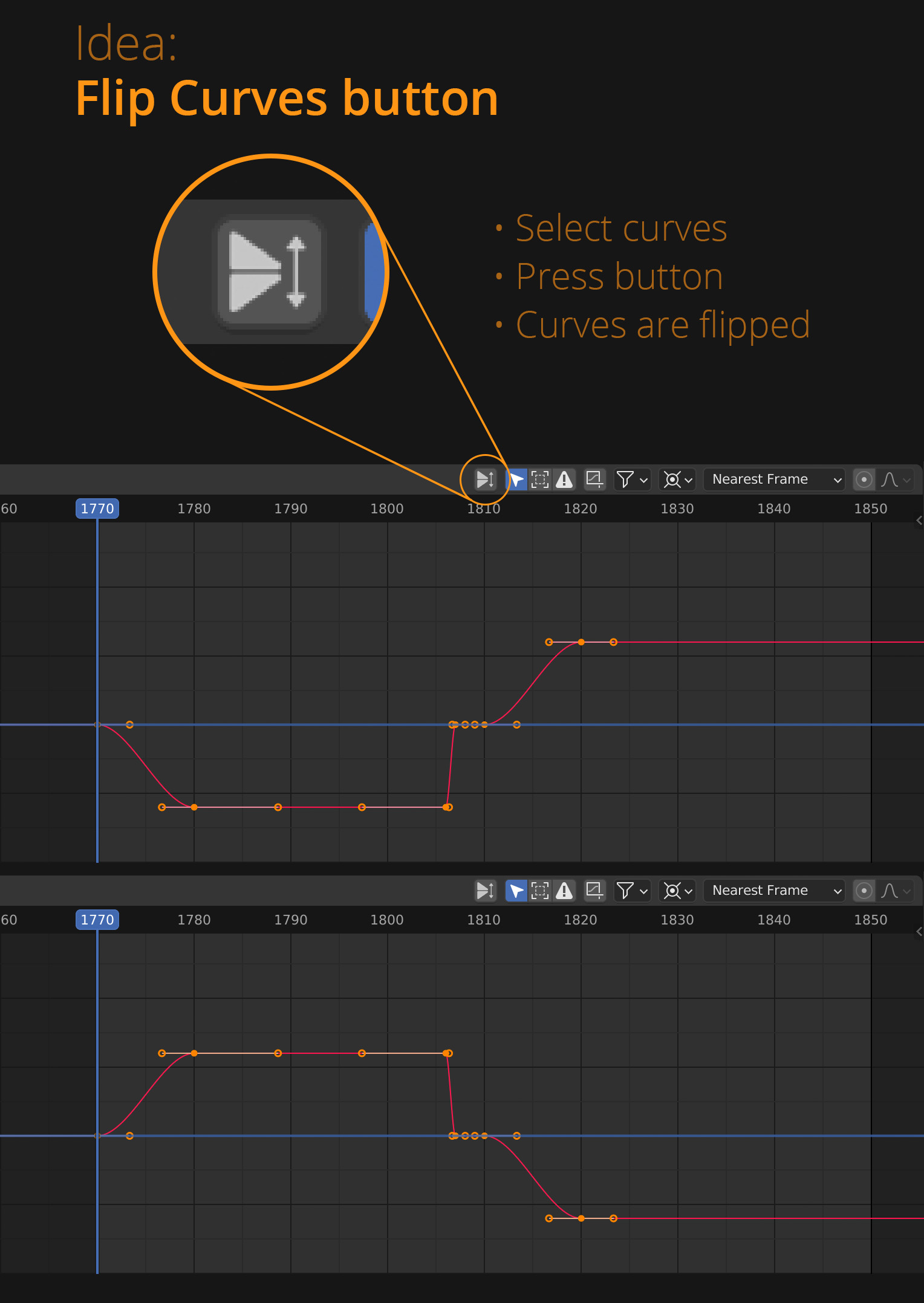
I'm aware that this is possible by S, Y, -1, but as a game animator I will often need to do this multiple times across many individually isolated curves. Having a dedicated button would be ace.
1
a
alexmehler
if you need extra buttons and customized UI , then "pie menu editor" addon is you your best option right now .. it can reorder the UI and create new custom buttons(to call scripts and operators ) or almost anywhere in the UI .. you can the put a button for everything you do repeatatly in the graph editor header
m
matbradyAuthor
That's excellent information. Thank you @alexmehler I'll follow that up. Much appreciated! :)
e
egenmugen
If you do this multiple times in a row, it's also good to remember that you have "Shift+R" (repeat the last action) which you can use after having done "S Y -1"
m
matbradyAuthor
Excellent suggestion. What's weird is that I knew that from some very early tutorials, but I'd since forgotten it. Thanks for the reminder. :)
L
Lauloque
It's already doable via the scaling operator as shown by modomoder. I guess there could be a dedicated operator specifically for this, if there is something a mirror operator should be able to do that the scale can't do?
As for adding a button for this in the header... AFAIK the current design philosophy for headers is to have display and options for the editor, not operators. In that regard, I highly doubt the BF would add such a button.
And if the BF decided to change the design philosophy, I would argue that there are more important things to put up there first : curve interpolations, buffer, keyframe's values/frames, tangent types, break/unbreak tangents, extrapolation modes, so on.
m
matbradyAuthor
@-LOLock- I wasn't aware of BF's design philosophy about headers. Thanks for explaining that for me. It makes sense. I'll try to think of another solution. Cheers.

8 Comments
S, y, -, 1
I'm aware that this is possible by S, Y, -1, but as a game animator I will often need to do this multiple times across many individually isolated curves. Having a dedicated button would be ace.
if you need extra buttons and customized UI , then "pie menu editor" addon is you your best option right now .. it can reorder the UI and create new custom buttons(to call scripts and operators ) or almost anywhere in the UI .. you can the put a button for everything you do repeatatly in the graph editor header
That's excellent information. Thank you @alexmehler I'll follow that up. Much appreciated! :)
If you do this multiple times in a row, it's also good to remember that you have "Shift+R" (repeat the last action) which you can use after having done "S Y -1"
Excellent suggestion. What's weird is that I knew that from some very early tutorials, but I'd since forgotten it. Thanks for the reminder. :)
It's already doable via the scaling operator as shown by modomoder. I guess there could be a dedicated operator specifically for this, if there is something a mirror operator should be able to do that the scale can't do?
As for adding a button for this in the header... AFAIK the current design philosophy for headers is to have display and options for the editor, not operators. In that regard, I highly doubt the BF would add such a button.
And if the BF decided to change the design philosophy, I would argue that there are more important things to put up there first : curve interpolations, buffer, keyframe's values/frames, tangent types, break/unbreak tangents, extrapolation modes, so on.
@-LOLock- I wasn't aware of BF's design philosophy about headers. Thanks for explaining that for me. It makes sense. I'll try to think of another solution. Cheers.