
Frame Selected: adjust near/far clipping
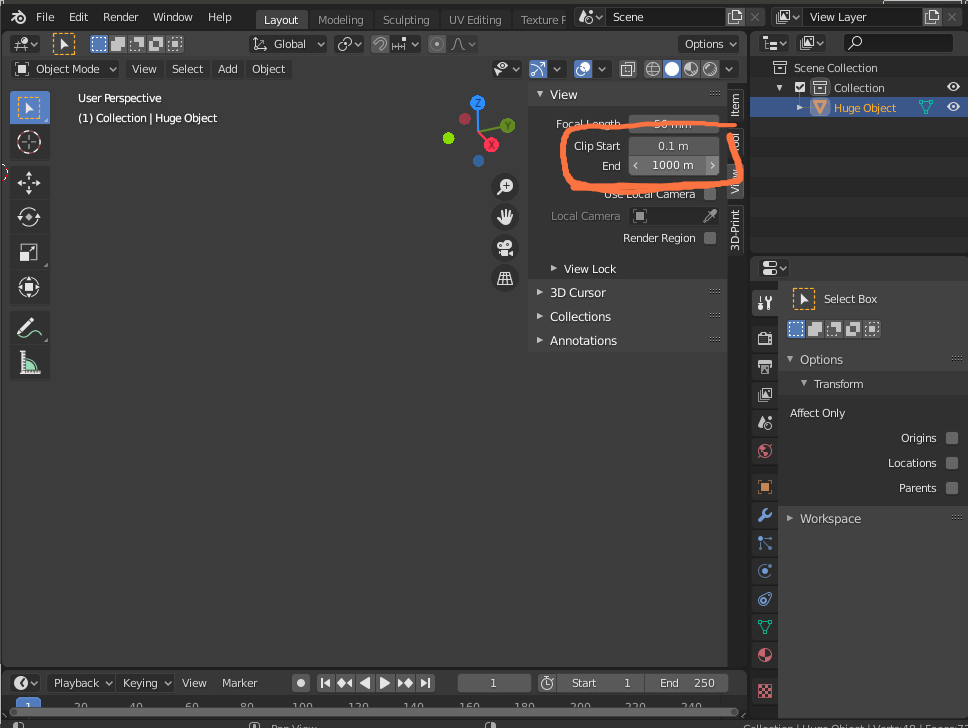
The Frame Selected tool (ctrl+.) should adjust 3D View Clip Start, Clip End settings so that the selected object is actually visible. This effect should be only applied when necessary.
Currently, using Frame Selected on huge objects causes the viewport to seemingly go blank because all the geometry lies either after the far clipping plane. Similar applies to very small objects and the near clipping plane.
I believe that meaning of the Frame Selected tool is "show me the selected object", and adjusting the clipping distance is quite necessary to fulfill this quest.
1 Comment
hey ive been encountering a lot of scenarios with the clipping and made a addon to adjust the clipping distances relative to the active object dimensions. At the moment im using the biggest and smallest dimension of the object and multiply the clipping distances depending on those. Let me know if it works, it might need some better logic and also one for multiple selected objects. blenderartists.org/t/camera-clipping-assistant/1247543