
Sculpt: Ability to Position the Pivot Using the Transform Gizmo
In Blender’s Sculpt Mode, it’s currently not possible to freely move or reposition the pivot point directly using the transform gizmo like you would in most sculpting apps. Instead, users must rely on operators such as various “Set Pivot” options, using Mask Expand or using the 3D Cursor etc... While functional, this workflow makes precise pivot placement very difficult, slower and less intuitive than the standard way of doing it using the transform gizmo...
Proposal: Implement the industry standard way of pivot positioning, by allowing the transform tools/gizmo in Sculpt Mode to be used to reposition the pivot itself (without transforming the geometry). This would make it much faster and more visual to place the pivot exactly where needed before performing transformations (rotations, scaling)...
The most straightforward way of implementing this would be by adding a "Pivot" option in the list of the "Transform Mode" options of the transform tools...
Currently the transform tools have two options in the Transform Mode's list (All Vertices and Elastic)... "Pivot" would be the new transform mode option:
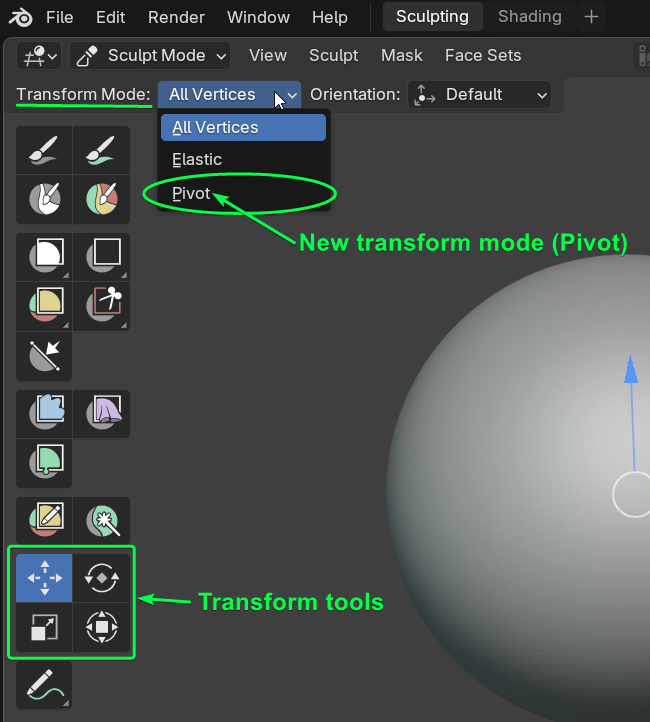
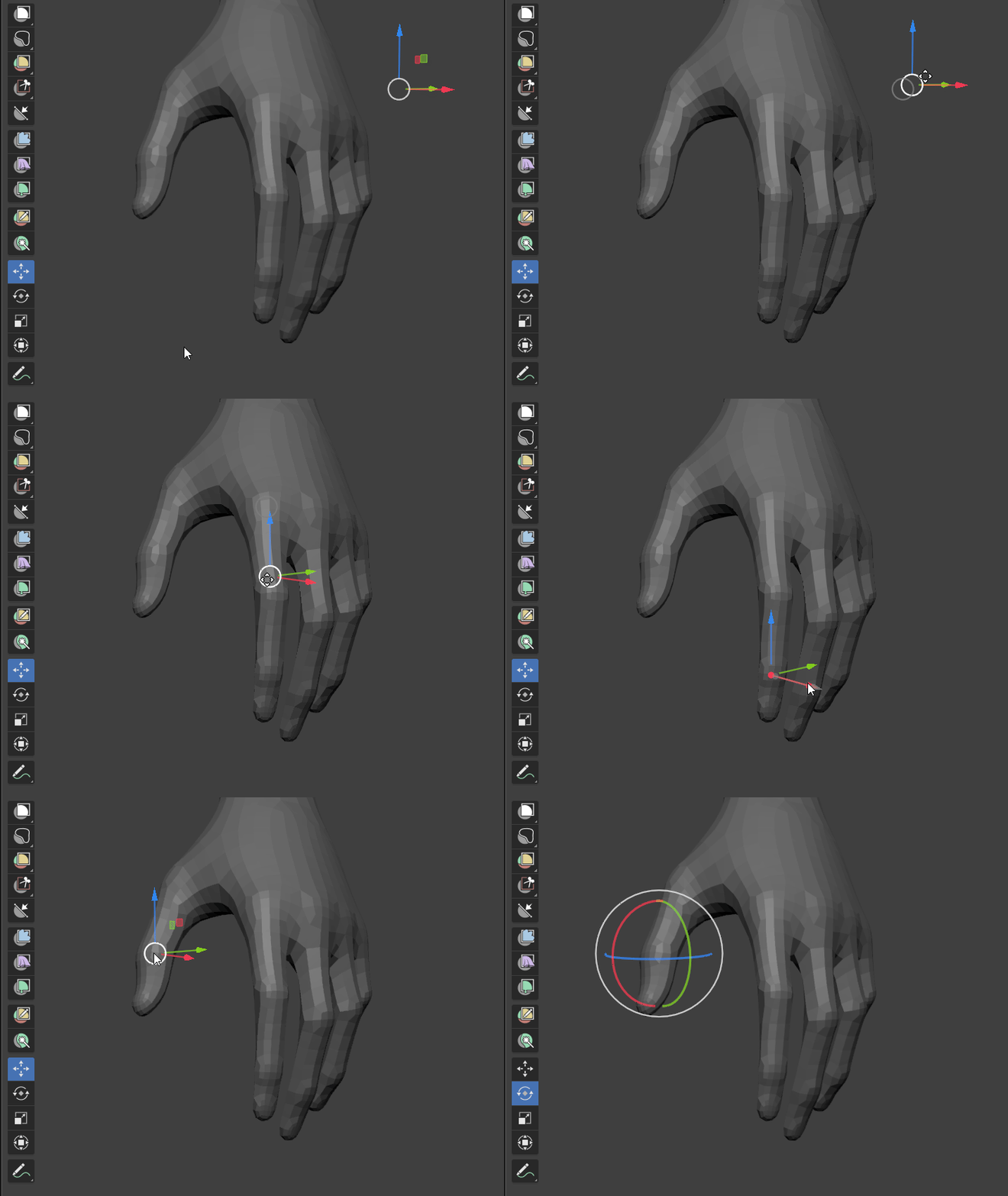
When you choose the "Pivot" option, you would be able to freely and precisely position only the Pivot point anywhere you want using the transform tools/gizmos...
Moving the pivot using the transform gizmo example:
 A shortcut to quickly activate the pivot option would be great of course...
😉
A shortcut to quickly activate the pivot option would be great of course...
😉
Obvious benefits:
-
Faster, more precise and more intuitive pivot placement, which is crucial when performing localized transformations/posing etc...
-
Aligns Blender’s sculpt UX more closely with established sculpting standards
Alternative implementation method:
An alternative way of implementing this would be to follow the same workflow as when transforming the origin in object mode...
In object mode, in the "Options" panel, we have the transform options that allow the transform tools to only "affect" the origins etc... and it looks like this:
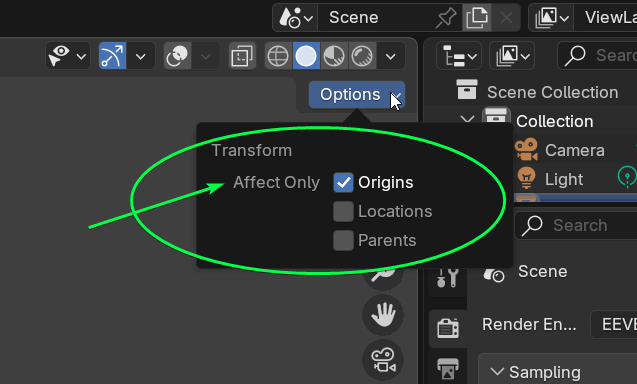
So in sculpt mode we could have the same "transform options" section, but obviously the option would be to affect only the pivot... like so:
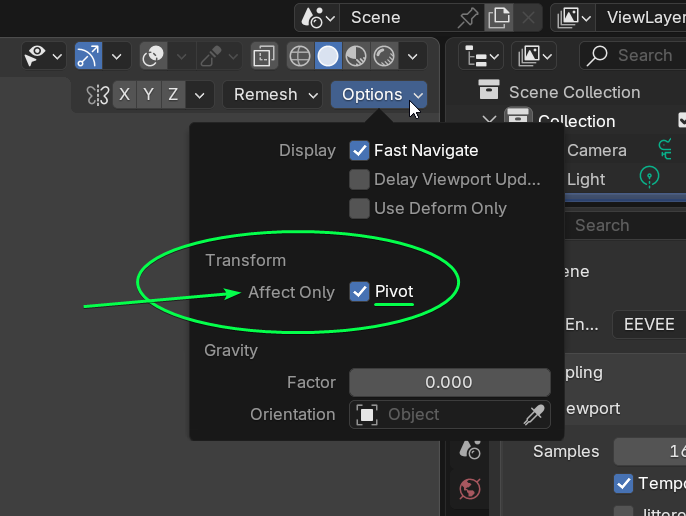
When the "Affect only pivot" is enabled, we should be able to transform the pivot using the transform tools/gizmo as expected...
While enabled, It could even display that same "X/Y/Z" sign in the pivot location (similar to object mode)... That way we will always know when we are in pivot mode...
X/Y/Z sign when Affect only pivot is enabled example:
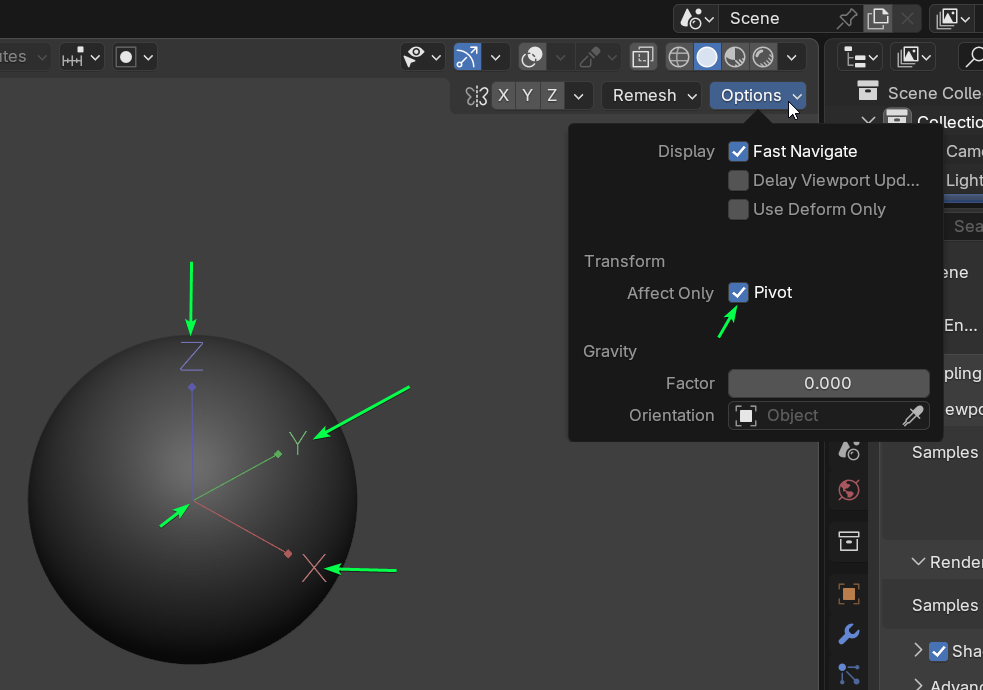
It could even use the same shortcut as in object mode for consistency... 😉
Cheers...
6 Comments
How blender sculptors survive without this? 👀
I simply didn't use it :S but now...will be interesting to play with it :D
This is such a nobrainer. When I try to pitch sculpting in blender to colleagues I get to the pivot positioning and it all just falls apart... This would be a fantastic addition! :D
It's unbelievable that blender sculpt mode still can't do that. This is fundamental. ✌️
I agree that would be a logical and essential setting!
Upvoted! I was searching for a way to do this, then found out you couldn't (yet). Thanks for submitting the idea!