
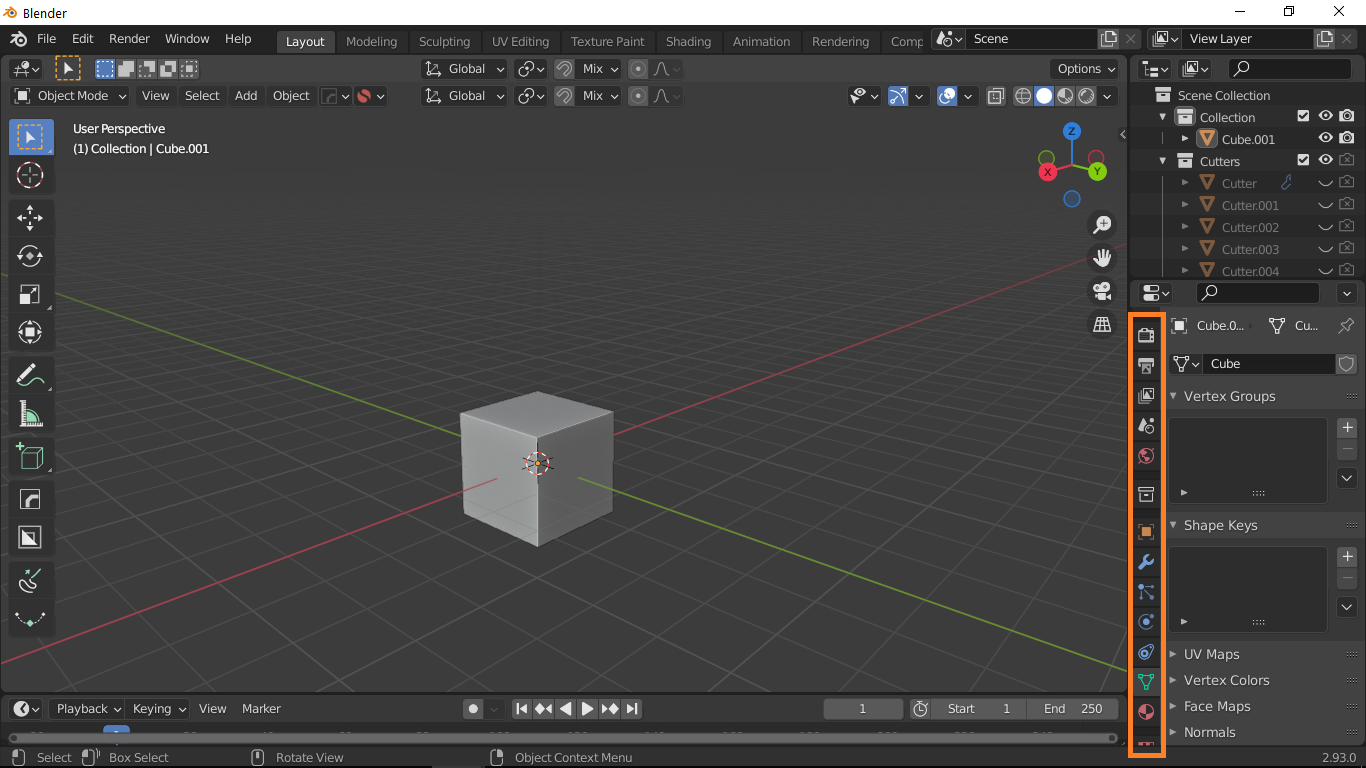
Re-arrange the vertical tabs in "properties" window
I use material/textures tab more often than particle/physics system so there should be a flexibility to re-arrange the tabs as per your need. maybe someone want different configuration as per his need. There should be function like Alt+Click-drag to change the position of these tabs.
8 Comments
There was request for rearange left icons and tool toos, @tomas referend to grease pensil problems. I think some of icons can be hided b contex menu and solve this problem. Not sure that small screen is problem, can be good for presentation and connect to HDMI projector, miniLaptops are strong enough to work with blender and small projects.
btw You are using screen resolution below minimum recommend resolution (which is HD) that UI is designer for.
* @Pawel Piotrowski * I am using HD
* @mrajendra2150 * FHD*, i forgot that people call those tiny resolution "high" ;d.
Your screen is 768p. This is FHD.
btw2: You can change tabs using Ctrl+scroll
also the abitlity to edit the T-Panel icons.
* @mrajendra2150 * I'm not dismissing your proposal, it is still valid even for WQHD that i use. I'm just pointing that on 768p things may look not as intended. And i'm also showing you ways around current limitations for You or someone else that have problem with those tabs.
T-Panels can be modified using addons like PME , Simple Tabs
I can see the need if you're stuck with a single small screen.
If you have more than one screen or a bigger screen you can just add another panel that only shows the material tab.
* @thinsoldier * most of the users work in single screen.