
Automatic sliding of keyframes with expanded channels
PROBLEM
I always found confusing and hard to read the fact that keyframes are kept visible in all the hierarchy levels of channels.
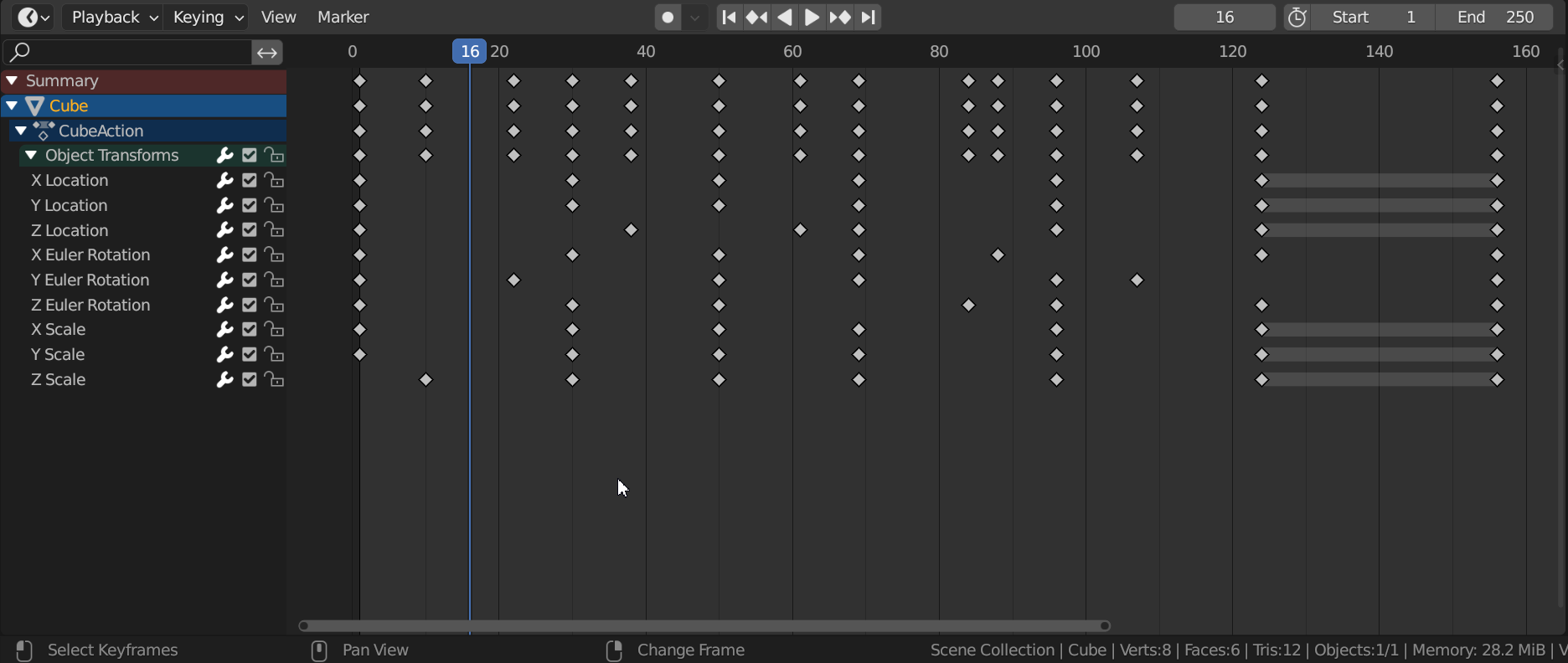
PROPOSAL
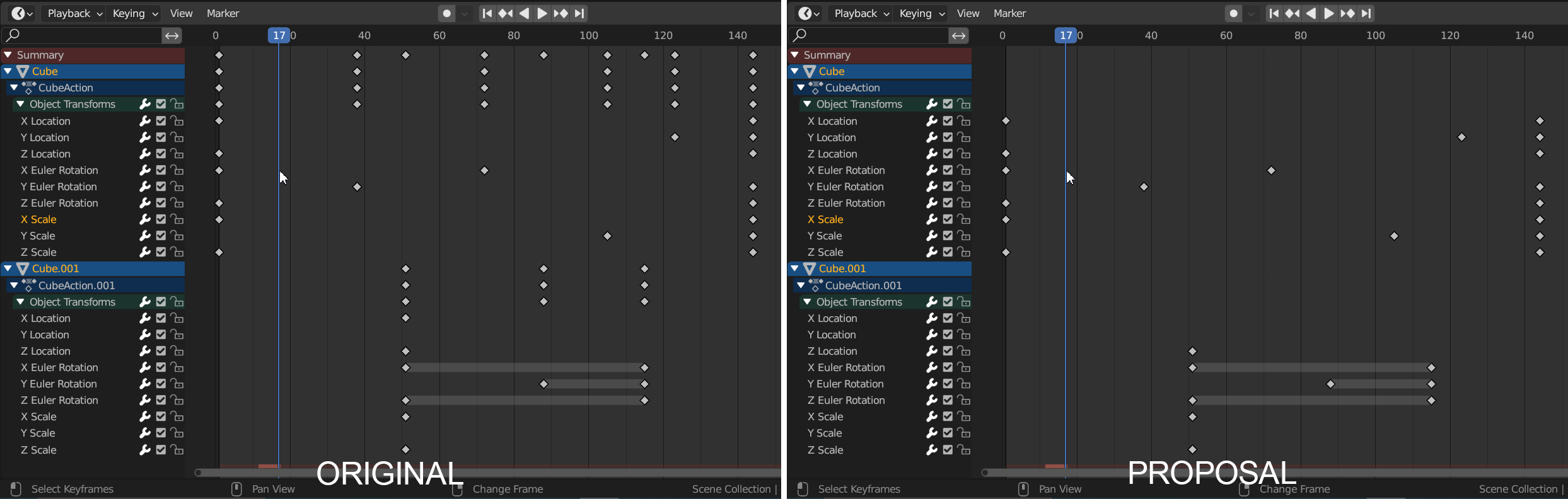
I propose to have the visualization of keyframes following the expansion of channels, to have a better reading of the keyframed values over time.
It helps especially when multiple objects are selected in distinguishing their respective keyframes.
ALTERNATIVES
Altough, I'm aware that having keyframes on all levels of hierarchy can be handy to easily move entire groups of keyframes. So, I propose 2 alternatives to not get rid of it (even though I still prefer the original proposal):
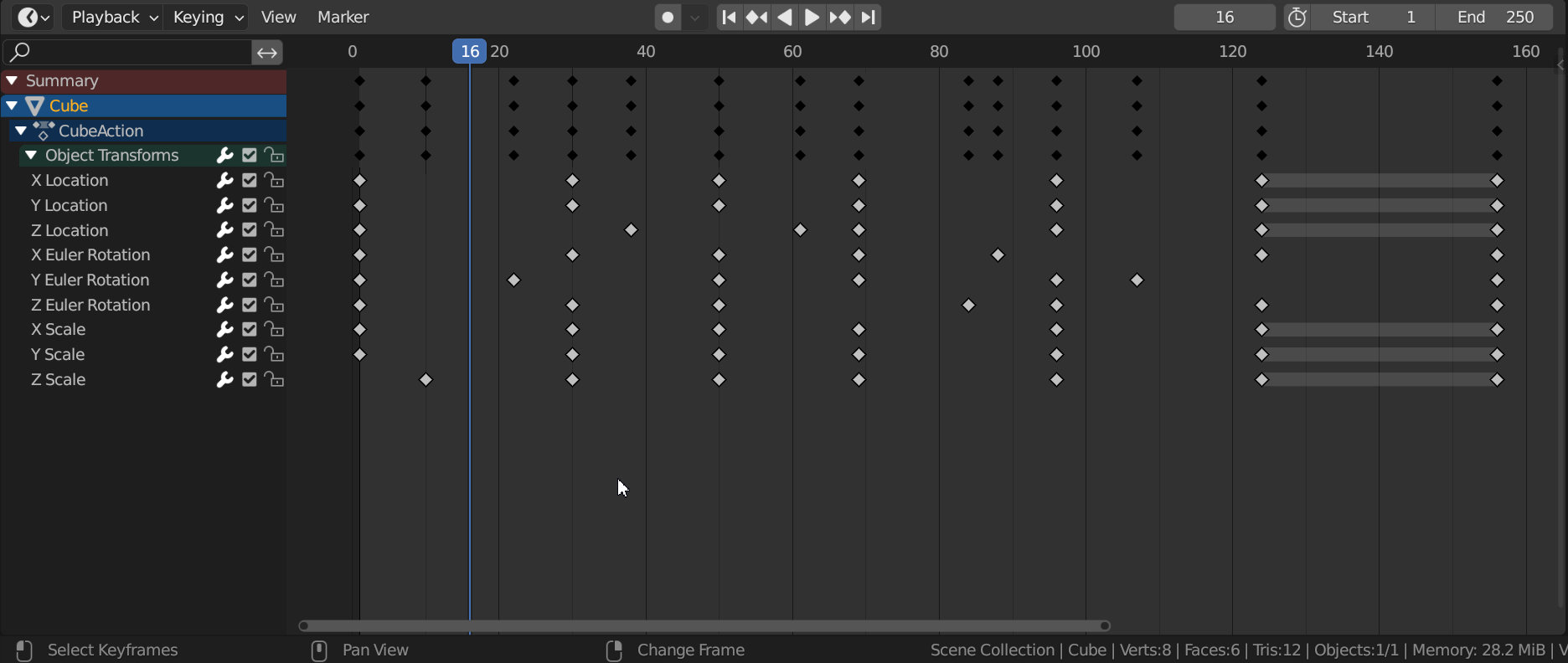
1 - Different visualization in higher levels of hierarchy, for a better reading.
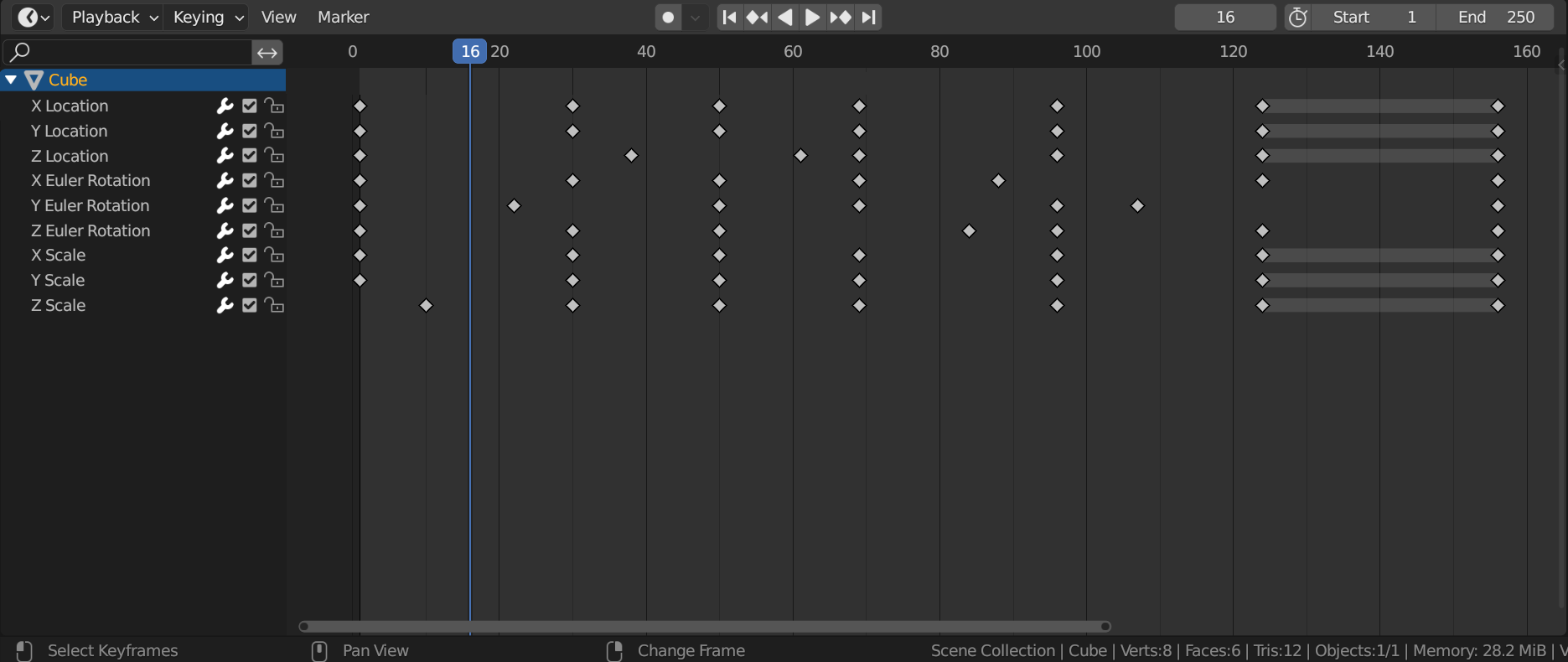
2 - Smart Collapse: option in the View menu to collapse all higher levels of hierarchy, maintaining only the keyframed values and the object they belong to.
1 Comment
Why are you using the timeline instead of the dope sheet or action editor? They have color coded backgrounds for the summary and parent channels. Also, the summary and parent keyframes are very useful. I wouldn't want to have to fold all of the parent channels every time I want to access them.