
Bisect - Snapping, Basepoint snapping and alignment
Bisect - Snapping, Basepoint snapping and alignment
The contradiction of a Bisect design is that it is a very precise concept by its nature - it generates a crossection based on an exact section plane, but is not precise enough by behaviour - there are no ways provided to define the section plane alignment precisely, based on existing geometry.
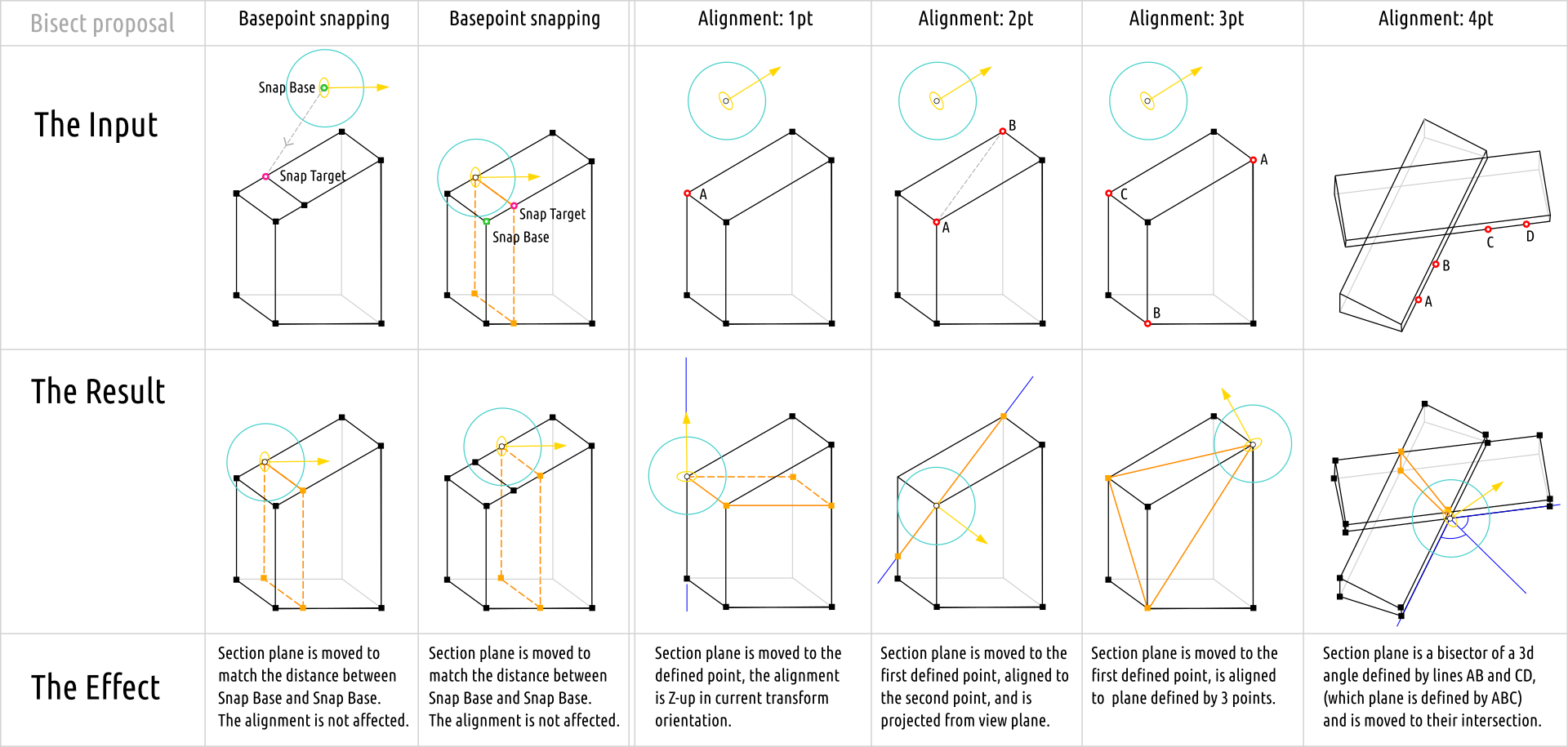
The idea is far away from being new, but succesfull Basepoint system implementation made possible a further design step that share the same technique. The idea is to provide regular snapping support during Bisect section plane movement, and to add the ability to enter two additional snapping modes - Basepoint and Alignment.
Basepoint snapping mode is supposed to be accessible similar to the way Basepoint snapping mode is made accessible for Transform gizmos - by pressing B during Section plane Gizmo transform.
Alignment snapping mode is a separate mode which is similar to Basepoint mode by access, but provides a different behaviour - where it is are able to define several points, and is accessible by the other hotkey than B. The position and alignment of a section plane in this mode is set after setting the corresponding amount of points and confirmation with Enter.
If user set and confirmed:
- a single point - defines a single target point, so section plane is built parallel to XY plane at Z-level of a picked point.
- 2pt confirmed - defines an edge and section plane is set from view projection to fit the defined edge (like it behaves now, but the edge is defined precisely with snapping)
- 3pt confirmed - defines a precisely 3d-aligned section plane.
- 4pt confirmed - defines a bisector between two edge defined by 4 points pairs. First 3 points defines a plane to which the bisector's plane will be perpendicular to.
0 Comments