
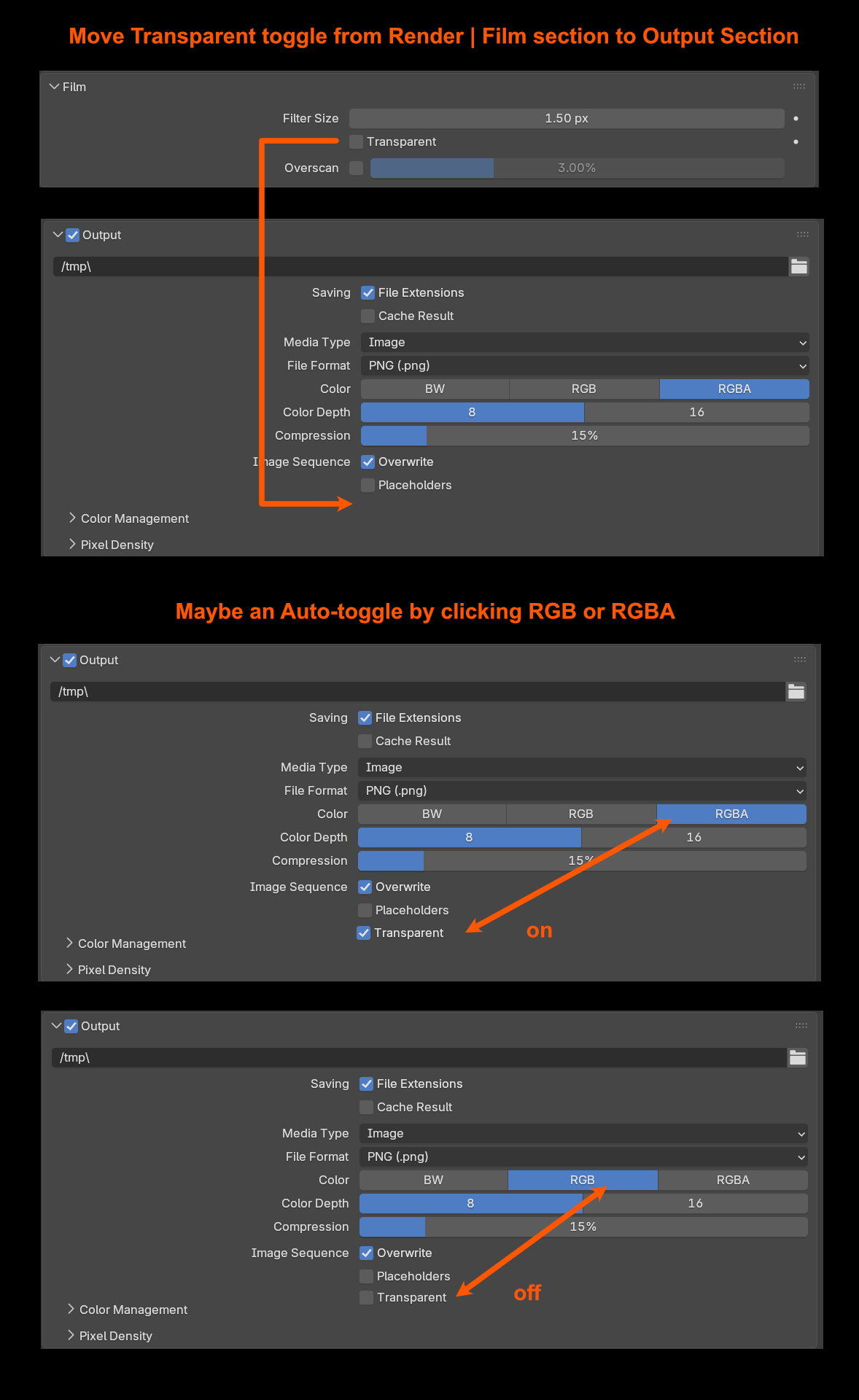
Move Transparent Setting from Render | Film to Output section
Currently it is not very clear and somewhat hidden to new users, it would benefit all users to have it where the RGBA is set in my opinion. With the amount of times I've had to explain how to turn on transparency to render out with an alpha channel to new users has prompted me to finally ask: Is it possible to please move the Transparent option from Render | Film section to the Output section? It'll change lives!😊
4 Comments
I wonder if it still makes sense today to have to toggle an option to have transparency in the first place?
When you already have:
Then I find it weird that
I think it would make much more sense, and even bring more flexibility than the current scenario, to let the transparency be driven entirely by the world shader.
Also perhaps in addition, bring to the world shader nodes the Transparent BSDF shader node, so that if someone wants a fully transparent world, it can be as simple as using that node instead of the current Background node. Though setting the background node's color to zero alpha would produce the same outcome.
To me a toggle for the world to become transparent does make sense. As its often used in compositing, when separating your world from everything else. I know you have the environment pass but that cuts out the combined pass from the env pass. My workflow is usually exporting the world from a duplicate scene with transparent set to off. With the main scene with transparent on.
That being said having the option to also have transparency in the world shader could be nice. But I don't think it replaces the transparent toggle, simply because most people want their environment lighting their scene and also want to render it transparent. Of course, you could then do an if camera ray make transparent in the world shader, but this is impractical, and slows the process for most people.
If I understand, then the issue with that workflow isn't the feature (since it can be done with the checkbox or nodes), but the checkbox being easier than setting up nodes.
Then, perhaps a way to refine what I propose would be to move that option to the Background node?
Or better, mimic the behavior of objects' ray visibility options:
This way:
I understand what you are all saying, but I think you are missing the point. The purpose for making the background transparent is only for the output, there is no other reason I can think of to have the BG transparent in Blender. Moving it to the World settings or anywhere else is just changing it's hiding spot, therefore it should go somewhere in the output settings. It's standard to have a transparency setting when exporting an image format that supports it. Hope I'm making sense here.