
"Select Heirarchy on click" option in empty
Actually this is common issue people complain in blender that it dont have group option, however as for now when we click on parented empty and press Shift+] then it select all heirarchy which serves the purpose of selection of objects and act like group and thereafter we can isolate them and work on them.
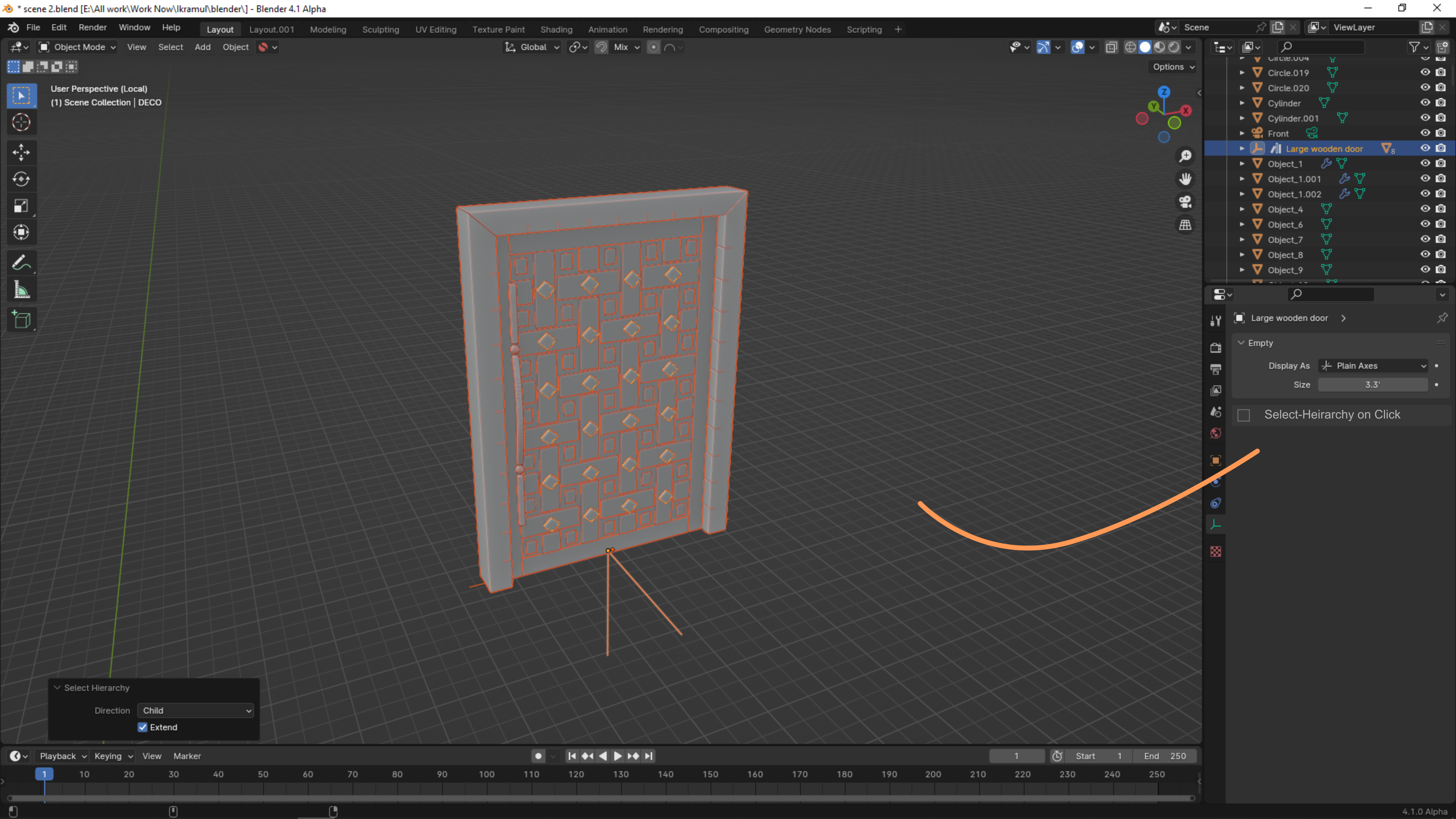 It will be just combine two command (Select the empty and Select heirarchy) when we check the option in empty properties.
4 Comments
Please understand this, 3ds max already do the same thing to act empty for group making.
I agree with the other comments here, that there are some loose ends with this suggestion. I would suggest using the Alt key to toggle the selection of just the empty, or it along with all it's sub-hierarchy. Perhaps the icon for selecting all sub-hierarchy should be a paperclip or binder-clip.
I upvote this request too, but when tweaking it to be less error prone:
Without changing the icon in the outliner it's quite prone to errors. Because if one empty is only selecting itself and another is selecting everything inside things get messy and cause trouble pretty quickly. Especially when working together with others.
Because you expect one thing (for instance copy the complete hierarchy), while something else happens (for instance copy only the empty). Which can get quite annoying pretty quickly if that happens. Because it messes up your file quickly and especially when working fast you don't always notice that. And than you loose trust in that system and have to double check everything everytime. Which than makes it a worst workflow than it is now.
The idea on itself got great potential IMO, but I would tweak this idea further to prevent these issues:
That way we have exactly what we're really after IMO; A folder. While still seeing that it's in reality an empty with its functionality in the viewport.
We can than see clearly in the outliner which items do hierarchy-select (they clearly show a folder icon of the chosen Empty-type) AND we can also see on the same icon what empty type this 'folder' is build upon.
[Edit] After reading SpectralVectors post again the same method I just described here could very well also be used on all other Outliner-item that is able to function as a parent. If all objects that are able to function as a parent have this 'Treat as Folder'-checkbox inside them, and they all are shown with a folder icon in the Outliner, but with their item-type icon inside that folder icon, than I think that also covers the scenario of having items, other than Empty's, to be treated as a folder.
However, there's also another thing with all this we should consider; that is, what if we have a 'Folder' at base level, and the empties inside that 'folder' are NOT treated as folders because their 'Treat as Folder' checkboxes are turned of? Than what should that base-level folder select???
Food for thought.
Hope this makes sense :)
I wonder if this could be tweaked a little and cover all parent objects, not just empties.
I often find myself selecting a parent and duplicating it, only to find that the children are not duplicated, so I need to undo, right-click the parent, choose 'Select Hierarchy' and then duplicate.
Perhaps a single click to select only the parent, and a double click to select the full hierarchy?