
Better Color representation for sharp and seam edges
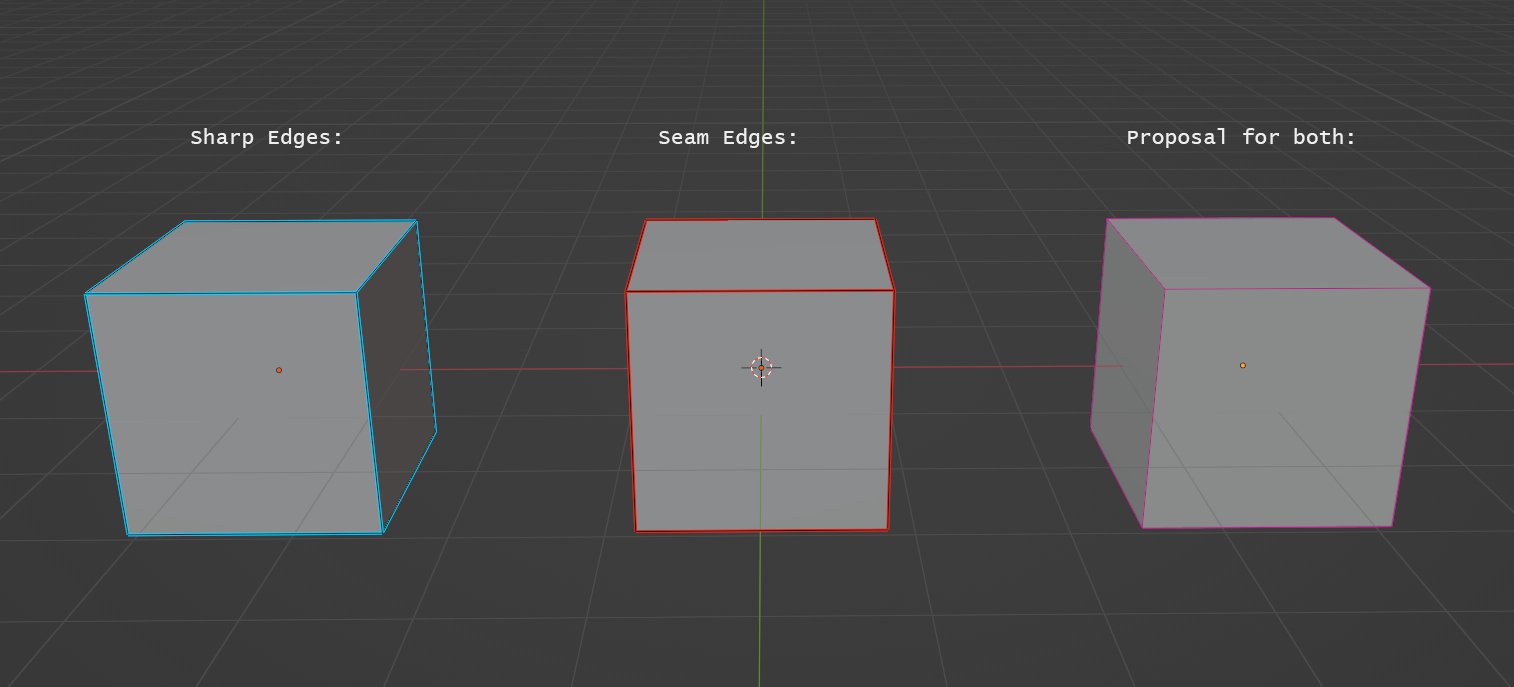
Normally sharp edges are cyan in color and seam edges are red. But when you have an edge that is a sharp and a seam edge you only see the color of the seam edge.
To know whether it is a sharp edge, too, you have to select the edge run "Clear seam", look at the color and run "Mark seam".
Would be useful to show it to the user either by a mix of both colors or another representation.
8 Comments
That seems like the wrong solution: at the end of the day, there are many different informations the edge can display, you can't have a new color combination for each possible mix.
A better alternative could be to have a dashed edge display, alternating with each color.
Or just not display all the different information at the same time. You don't really need to see all of them at once in the first place.
Maybe a dashed pattern iwould be better. Using different color does not communicate that it's either sharp or a seam, but rather something else... Or, better, the user could simply see one of them at a time, by his own selection...
as an option to make point stitches, where more than one seam, although I do not know whether it is possible to implement and whether it will not greatly affect performance, as well as how it will be informative and visually look in practice prnt.sc/26trv2j
I hear you, but the color you propose is painfully similar to Edge Crease. I agree that we should be able to determine the various edge "states" in case they are overlapping, and maybe we should think about some other way besides color for representing it. Maybe an icon in the Outliner, Properties or N-Panel for the various states?
Then probably a color that is different enough to edge creases but similar to a combination of sharp and seam edges since I think nobody can remember if every combination has a different color
But how would an icon help? Ideally I want to see at every edge which attributes it has
Just turn off seams in viewport then turn it on back...
Is more of a workaround, but how do you do that?
u can do it this way. i also created pie menu with pme for edge overlays.. imgur.com/a/EJD5ig9