
Have (6) grab arrows on gizmo.
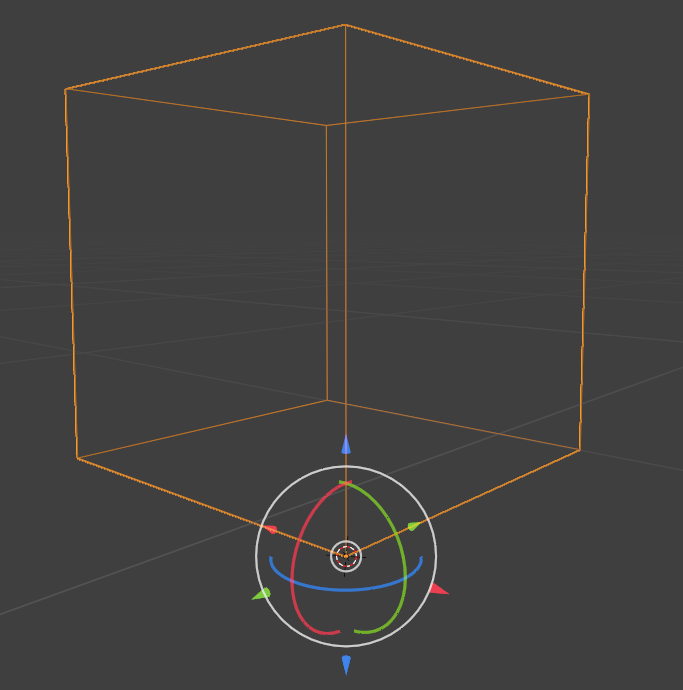
It would be nice if, on the gizmo, there were 'grab arrows' on all 6 directions.
With only 3 showing currently, sometimes you can't see them when you're zoomed in at a certain distance/angle. Also too, sometimes the arrow closer to you would be easier to grab, as the one 'behind the ball' might be harder to grab because you might inadvertently grab the rotation circles.
See mockup.
4 Comments
If this feature isn't added, you can use python to create a custom gizmo and add stuff to it for object transformation
Why not just press G and then Z for whatever direction you want to move it instead of using those old clunky gizmos?
some prefer keys, some prefer gizmos, why not offer both.
I would also add a user pref toggle to basic and full gizmo arrow modes etc
Using keys solves your problems though :) You don't need to to be at a certain zoom level or angle, or have any issues with miss clicks or whatever. You can even move stuff that's outside of your cameras view. I used gizmos for years when I was using Maya, but since day one of using Blender I just use the shortcut keys instead since they're just so much easier to use. I really want to encourage you to spend some time trying them instead, you won't regret it :)