
2D Navigation Gizmo
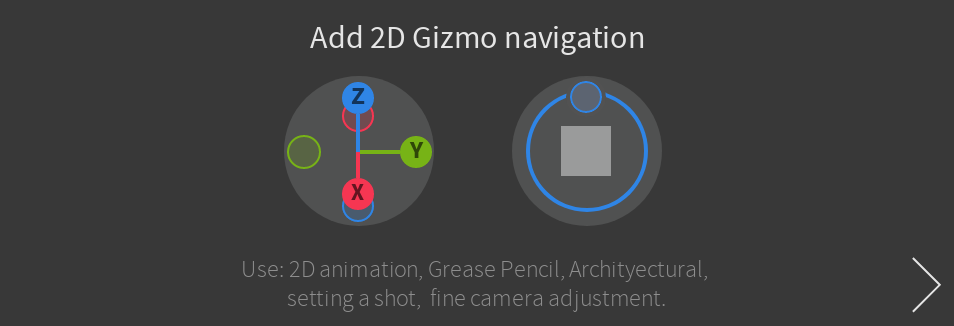
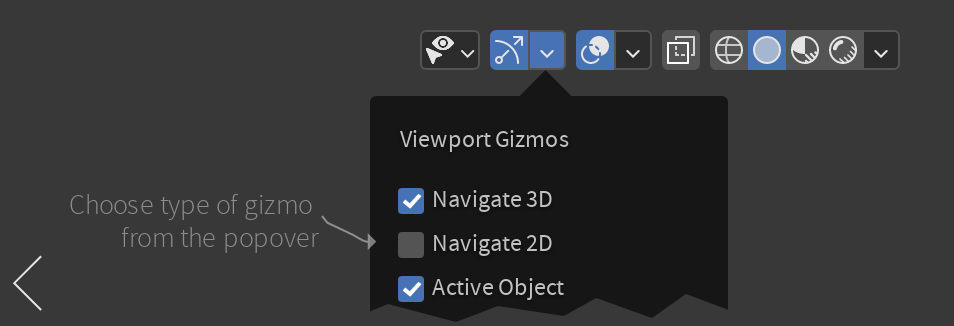
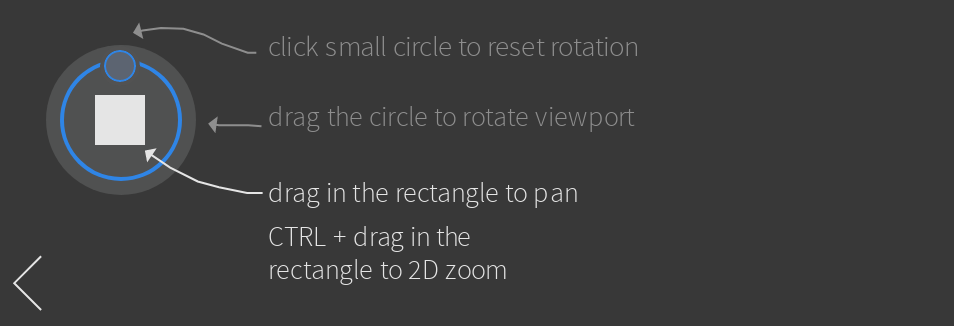
Add a variation for 2D navigation gizmo. Тhis can be useful for 2D artist, animators and everyone trying to frame a shot while on a laptop . Can be activated manually in gizmo popover or automatically in camera view.
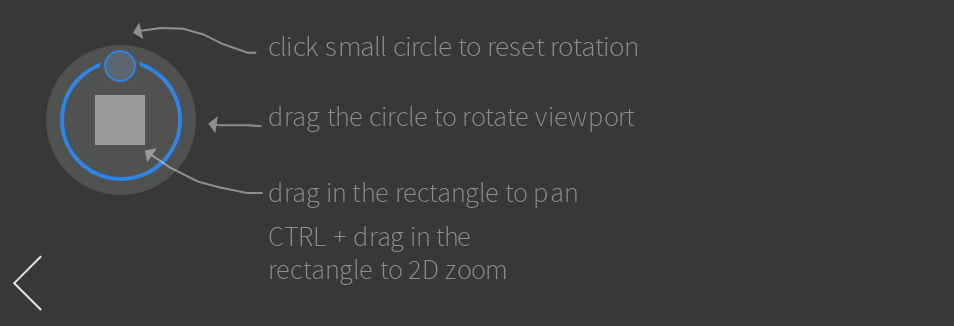
Main idea is to emulate 2D rotation pan and zoom similar to what you will have in image editor. See prototype below.
Main functions:
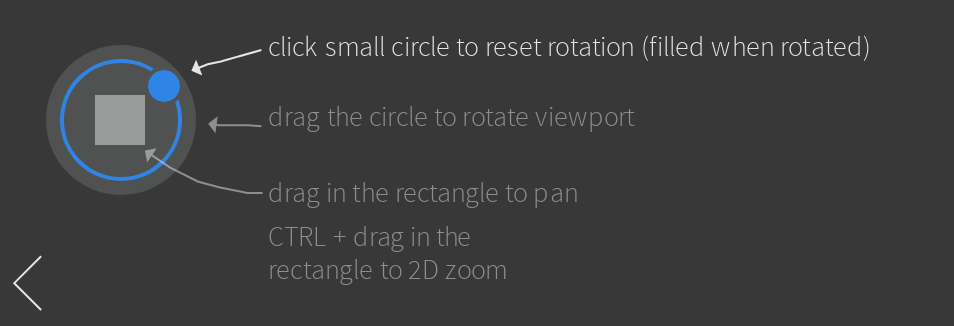
- rotate view (camera local Z)
- pan view (Camera local XY)
- zoom in and out
I made a quick Penpot prototype Ideas and critique are wellcome
7 Comments
is that the kind of behavior you're referring to? gifyu.com/image/SR97v
i dont understand, you can just lock the camera...
The concept looks beautiful!
Looks nice and makes sense. Love it!
As someone coming from 3D software that uses Alt Navigation for the 2D View, and has learned navigation briefly for paint.net , I've never had a problem wiith navigation (In fact, I think Blender is the first time there's actually been a gizmo for such), but I do agree that the 2D View should have a navigation gizmo if only to make it consistent with the 3D View axis and Navigation controls.
I’ve used such navigation in 3dsmax. It is less convenient there. The idea is that sometimes you need to shift the camera 2d style. You have your setup but you need to change your composition slightly. It is different than just moving the camera. youtu.be/Qbnl61iGIxY
Blender already allows you to control the camera with Orbit, Pan, Dolly. Open the sidebar, and press the Lock Camera to View button in the View tab