
Working with differents armatures
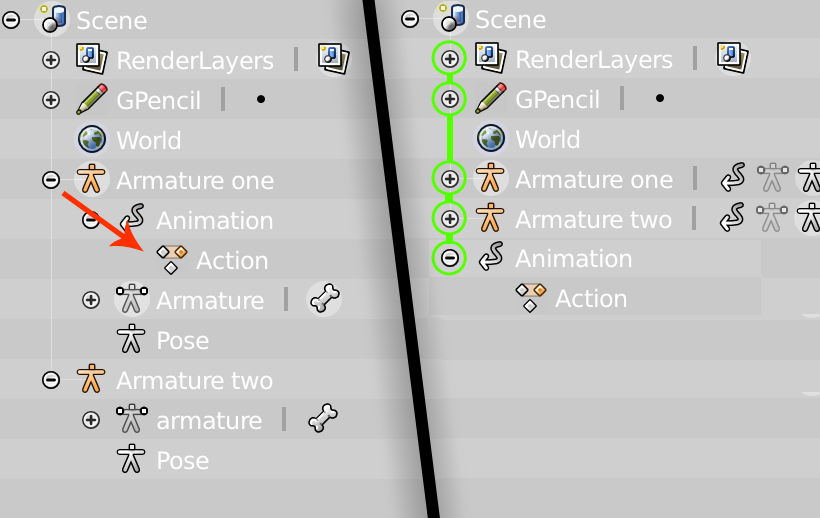
Currently this subject can be improved in Blender. Action data is attached to a single armature. The current way in which blender attach an action to an armature is because we press the new action button with that specific armature selected. That is a bit unclear. I suggest that the action data shall be independent of any armature. This way we can animated various armatures at same time in a single action. I know that is already possible, but, still there is some sort of hierarchy between armatures, which is something not desired in my opinion.
6 Comments
I would like to insist in this subject. Its some sort of issue that the dopesheet's button "Only include channels relating to selected objects and data" doesn't work equal for all armatures linked to an action.
@jordi torres: If that's the case, then this sounds more like a bug report than a feature request.
You might need to be clear about what specifically you want here. Actions are already datablocks that are independent of armatures. They can have multiple armatures as users or they can have none (and a fake user).
even as a independent datablocks, actions are attached to armatures in some sort of hierarchy. Blender in some cases switch between actions automatically depending which armature you have selected because of that parentship. When working with various actions and various armatures at same, is preferible blender don't do that.
@jordi torres: You can link any action to any armature. It won't make sense if the armature's bones aren't named all the same, but it's perfectly acceptable to have an action without any armature at all.
Now, you can't have multiple actions on a single armature, that's what the NLA is for. But the other way around works fine.
What it sounds like you're talking about is the Action Editor view of the Dope Sheet changing based on the armature you've selected. That's supposed to happen because an armature can only have one action. If you want to see more than one action at a time on different armatures, then you're going to want the normal Dope Sheet view.
Ok, many thanks for the explanation :) Finally I get what is doesn't fit to me more specifically, is about the arrow button of header : only include channels related to selected objects and data . Which I use as default mode for to economize the window' space. From this button I expect to show to me only selected bones of selected armature keyframes information. But currently, it shows the selected bones of selected armatures and all the bones channels of the other action linked armatures. I think thats the origin of my whole confusion.