
Changing texture size
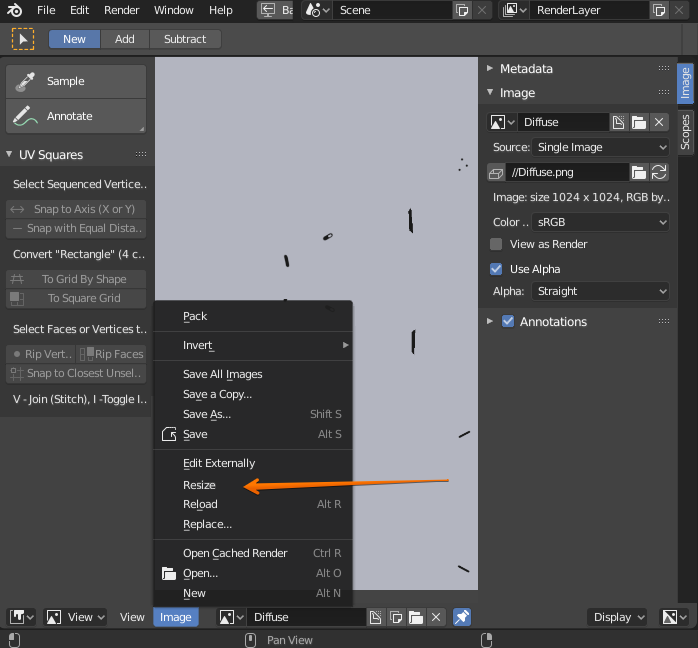
I've done a 1024 texture but seems like it was not enough for more details I wanted to add. I need to upscale it to 2048 but I can't do this in blender. I would add Resize option between Reload and Resize options in Image dropdown menu in Image Editor. You can see how it works in TexTools addon.
2 Comments
It is already possible to do this in python however it is not exposed in the UI for some weird reason. It also works for downscaling, very useful when I don't want that ultra high res HDRI to completely eat my RAM.
import bpy
bpy.data.images["ImageName"].scale(x, y)
You should mark this as done or implemented or something since that option is exposed in the UI now. You can find it in the image editor.