
Sculpting toolbar qol
Current sculpting toolbar is a mess after removing tools from toolbar and replacing it to bottom. It was perfect prior Blender 4 (Like in a Photoshop), now it feels like a downgrade, that breaks the flow. I would suggest to return how it was, but clearly that's not gonna happen. So, here’s some specific ideas what could be done about it.
I propose five ideas (or functions):
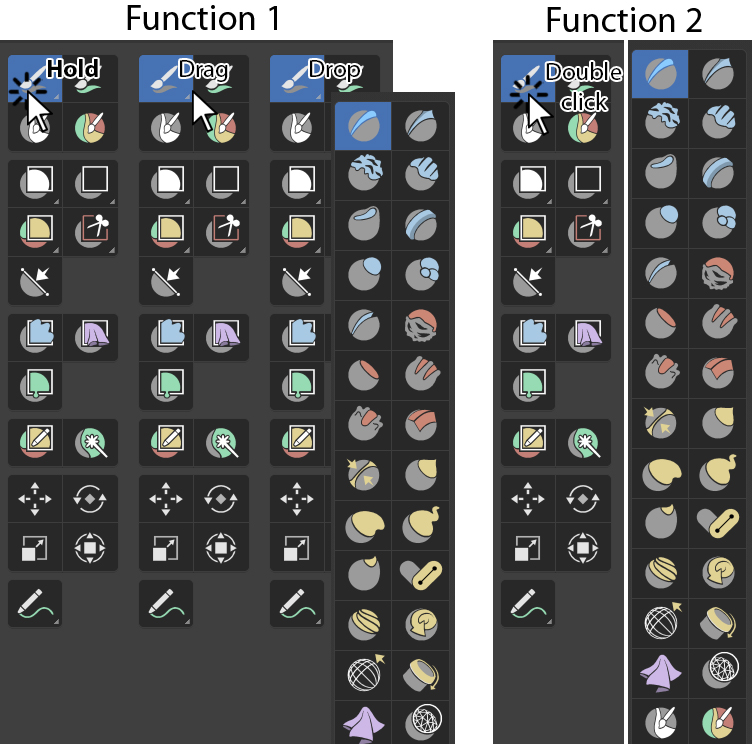
- Make window with all brushes droppable by dragging Sculpt Brush Icon;
- Ability to “Unfold” all list of brushes by double-clicking the icon;
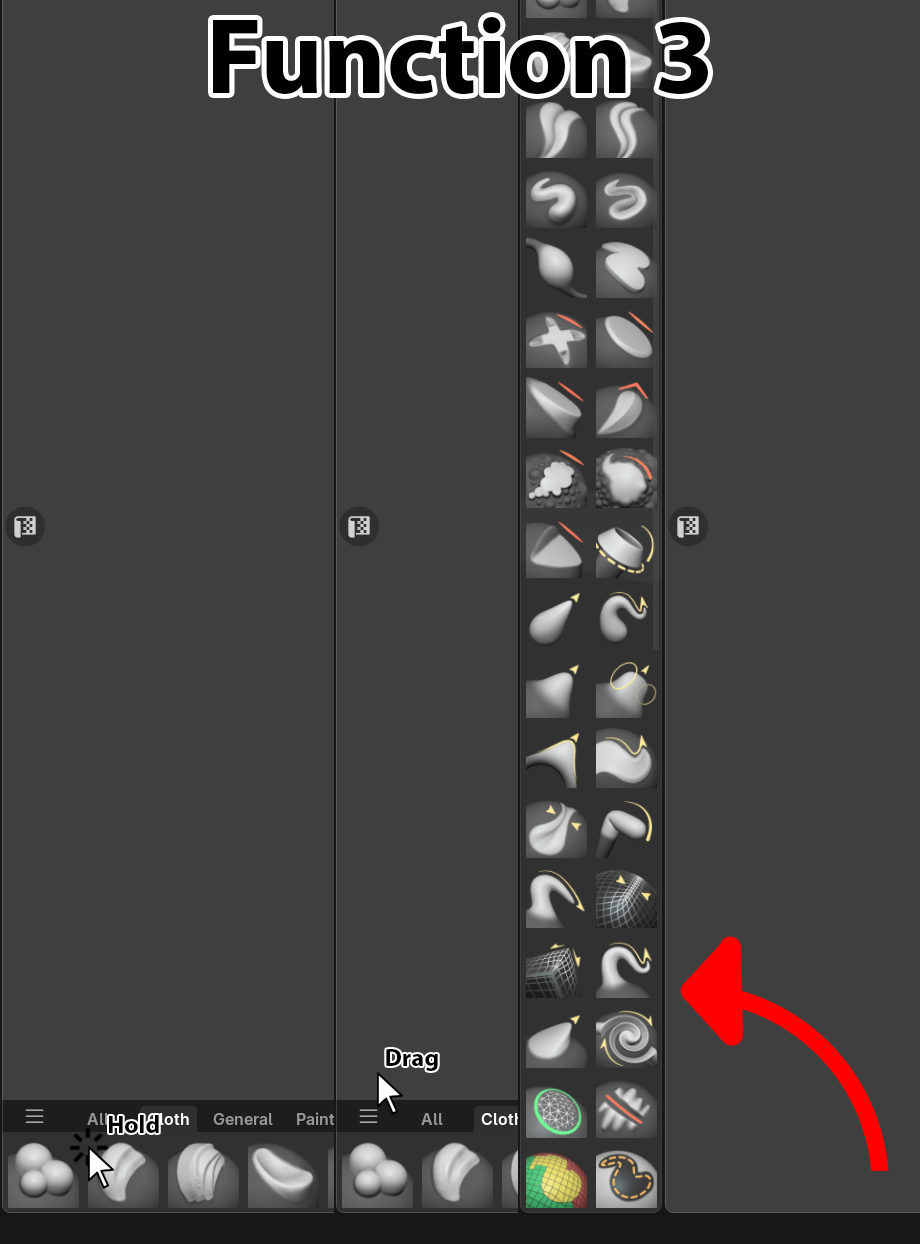
 3. Be able to drag section with all brushes to sides (all four corners of UI);
 4. Make a separated Favorites section with brushes, where user can place their favorite brushes, or only ones they use in their workflow (including custom brushes). Akin to how it’s done in ZBrush. And be able to place this tab in all four corners as well;
4.1. Add into Brushes Favorites menu ability to select lists of favorites, to dynamically change list depending off type of work done;
- Be able to select brushes from Asset Shelf.
0 Comments