
One keyboard shortcut - many functions
Important note, the default shortcuts stay the same, this is just an additional customization abillity
Looking to the new "assign shortcut to anything" feature i remembered one cool move from 3dCoat
Long story short, if you trying to assign function to a shortcut that already occupied, you getting this message:
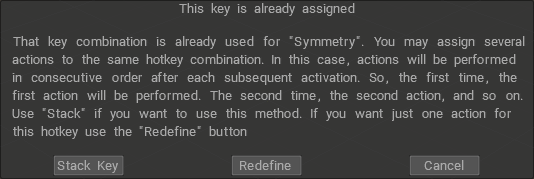
The cool part is that you can add function in stack (loop of functions).
For example we can assign "B" key to Extrude, Inset, Bevel. And loop through them by pressing the B key.
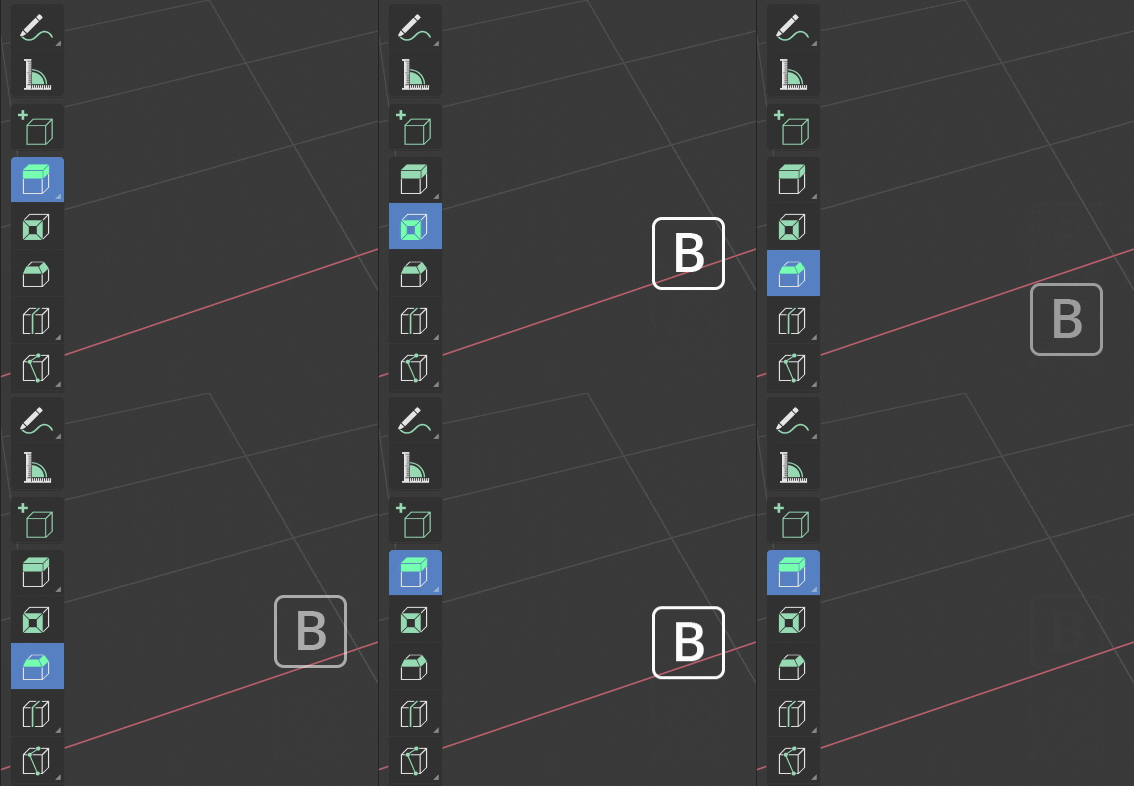
This is super convinent feature when you get used to it. Hopefuly i explain it clear.
11 Comments
Worth pointing out that you can already do this with some really simple python, in the event that you need something like this sooner rather than later
More than anything else about this proposal, I like the "This key is already assigned" part. I don't hate the ability to stack keys, it's just that right now, the default key map overrides any key that you assign which makes it really confusing when your key assignment doesn't work. It makes assigning keys directly in the interface almost impossible, since the default Blender keymap takes up most of the keys.
Toggle override (as in 3ds max) also possible option
It may be useful in softwares using tools in a traditional way (and even so I have to admit I personally don't quiet like it in drawing soft like clip studio paint).
But please keep in mind the specific process of using shortcuts within Blender. When you press a shortcut, the tool is not just selected, it is instantly in use. So I believe what you describe is at the total opposite of Blender's thinking/workflow.
* @Guillaume Tjeka * This was true, but is no longer the case. 2.80 added the concept of Tools and the entire "select->operate" ideology is already out the window.
I agree, also having chording options would be nice (Ala VSCODE Ctrl +K)
Cycling different tools with same shortcut is a bad practice. When pressing shortcut it's crucial to know what tool is selected (versus pressing, using and see, undo cycle). If such functionality is added/present it should also provide a setting to allow people choose preferable behaviour.
As another alternative instead of cycling, popup with all shortcut collisions could be shown
* @c0ffeeartc * It may be bad practice, but Unity users sure do like it.
I would suggest spacebar to cycle through element selection Vertex,Edge,Poly !
* @giuseppe * Important note, the default shortcuts stay the same, this is just an additional customization abillity.
In a degree this is a nice idea but i guess for another feature and not these ones.
Different keys for every function serves a purpose to make the workflow faster. Only having one key for all of those features delays your work for the amount of additional clicks you make.
I have suggedted a feature something like this but for a different purpose. I suggested to only have one key for opposite sides of views, whether it is on perspective or orthogtaphic.