
Globally show cursor in 3d instead of 2d
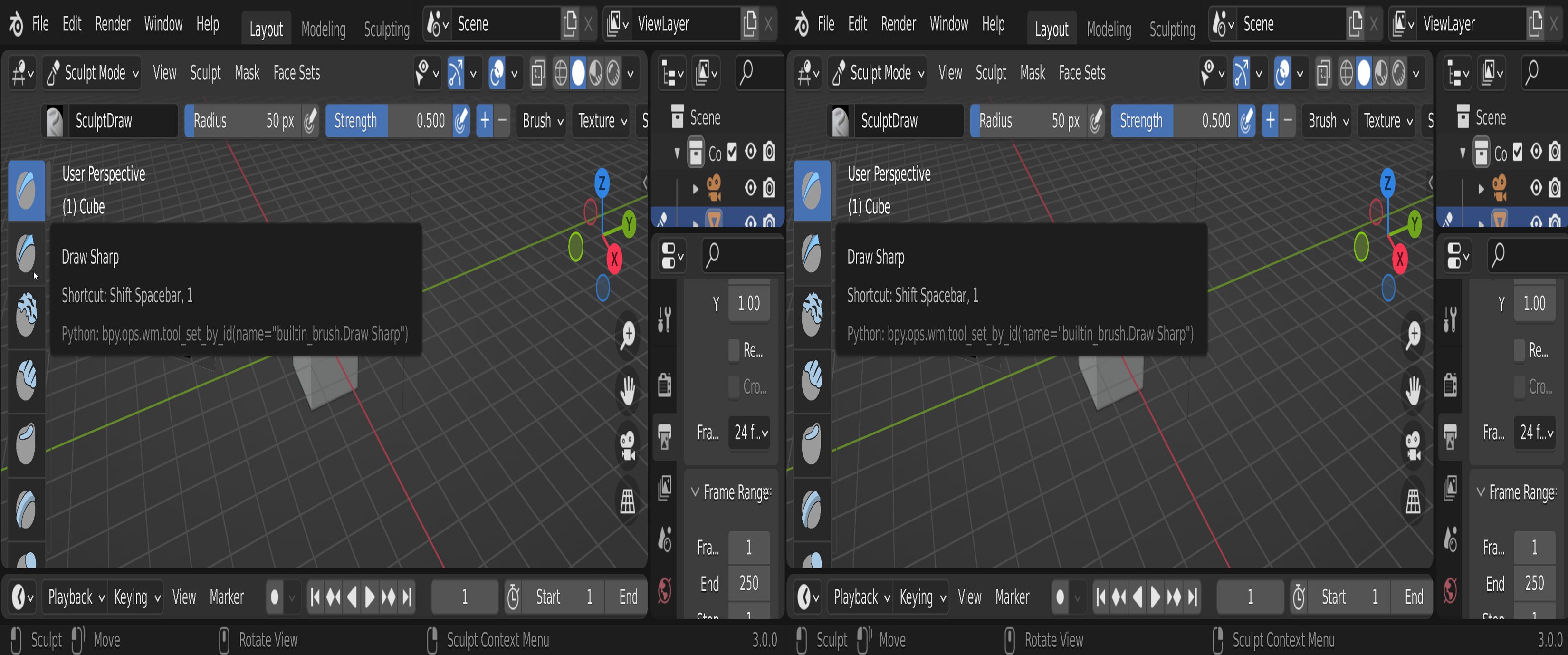
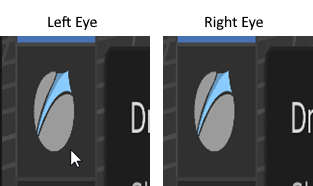
When enabling 3d View in Blender in Side-by-Side or Over-Under mode the the mouse cursor is just shown on one eye. Would be so cool, if this would be fixed/configurable, as - apart from that - everything including UI is looking great in Stereo 3d (with Side-by-Side capable VR software for instance)!
5 Comments
I honestly don't understand what you mean. Could you elaborate, put screenshots of what you have and what you would want?
Makes absolutely sense, screenshots provided.
What's the purpose?
Work with Blender in Stereoscopic 3d in VR (with physical graphics tablet and mouse as the input devices): There are VR apps (Desktop+ for instance), which allow you to display Blender in real 3d, when Stereoscopy (side-by-side) is enabled.
What is happening?
Everything is shown in 3d as desired, sculpting is possible, the 3d cursor works greatly, but the system/2d mouse cursor is just shown on left eye, which is pretty distracting.
How to enable Stereoscopic 3d in Blender?
I hope this explains it, if not, please feel free to ask.
Yes this explanation is quite clear, especially with the screenshots.
Though I suspect this should be reported as a bug instead of posted here as a feature proposal. Plus it will have more chances to be fixed.
I invite you to go to the menu Help → Report a bug
Sounds legit, that's what I will do. Thanks again for your time and help!
Maybe there is at lest the option to change the 2d cross hair into something invisible? this would at least fix the issue when sculpting in the 3d View Port .I belive this icon is not coming from the Operating System but could not find it anywhere else (at "\datafiles\icons" for instance). Anyone knows if it is compiled into the binary?