
Color highlight disconnected edges and darker shading for backfaces
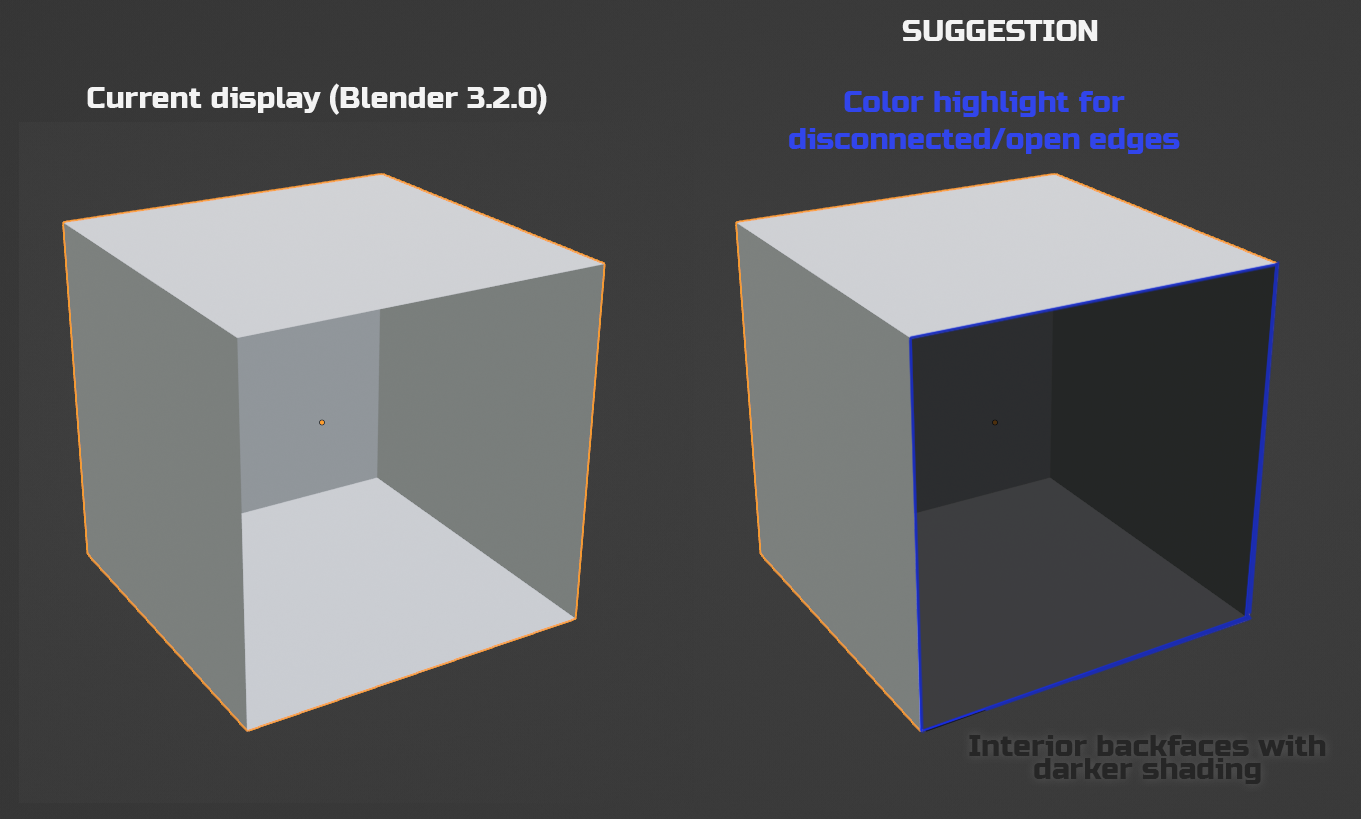
1 - Highlight disconnected edges in a specific color
2 - Darker shading for the back-faces
This would help to more easily spot where the mesh is open and identify the front faces from the back faces, helps keeping the mesh clean and spot errors, and easier to reconnect faces since there is distinction between front and back faces.
4 Comments
*i have that and i have it almost always on
Edit: sorry, I had tried this setting before but it was making the shading flat, I just tried again and realized I had to set the transparency lower for the shading to be visible.
So that's one thing solved, thanks.
You can try with this option, is not a color option, but it can help to localizate flipped normals: ibb.co/RSx3T5L
Make another proposal just about the disconnected edges. Maybe look at how it's displayed in several other programs before making your mockup images.
This is the only thing Maya has that makes troubleshooting meshes easier than in Blender. Otherwise Blender is best at troubleshooting meshes (with a few addons).