
Allow to move tool bar in the Middle bottom 3D Space
Context
Currently, the 3D Viewport toolbar in Blender is fixed to the left side of the viewport. While this layout has worked for years, it starts to show limitations, especially on wide screens or ultrawide monitors. Users often have to move their cursor far away from the central working area just to access frequently used tools.
Idea
Introduce an option to reposition the toolbar to the bottom center of the 3D Viewport . This would place it directly under the user’s focus area, reducing mouse travel and improving workflow efficiency.
This is inspired by interfaces found in some CAD or sculpting software where core tools are centralized and accessible with minimal movement.
Benefits
- Faster access to tools due to reduced cursor travel
- Better ergonomics, especially for users with large or dual monitors
- More natural interaction for tablet and stylus users
- Cleaner left/right screen space for other editors or panels
- Would improve overall UI flexibility without removing the current default
Suggested Implementation
-
Add a toggle in the preferences under:
Edit > Preferences > Interface > 3D View
Example:Toolbar Position: Left | Bottom Center - The toolbar at the bottom could be a horizontal row of buttons with tooltips, and optionally be collapsible or auto-hide
- It should retain all current functionality, just with a different layout
Why it matters
Blender has made major strides in UI customization, and this would be a logical next step. Giving users more control over where tools appear respects individual workflows and hardware setups. It’s a small addition with a potentially large impact on speed and comfort.
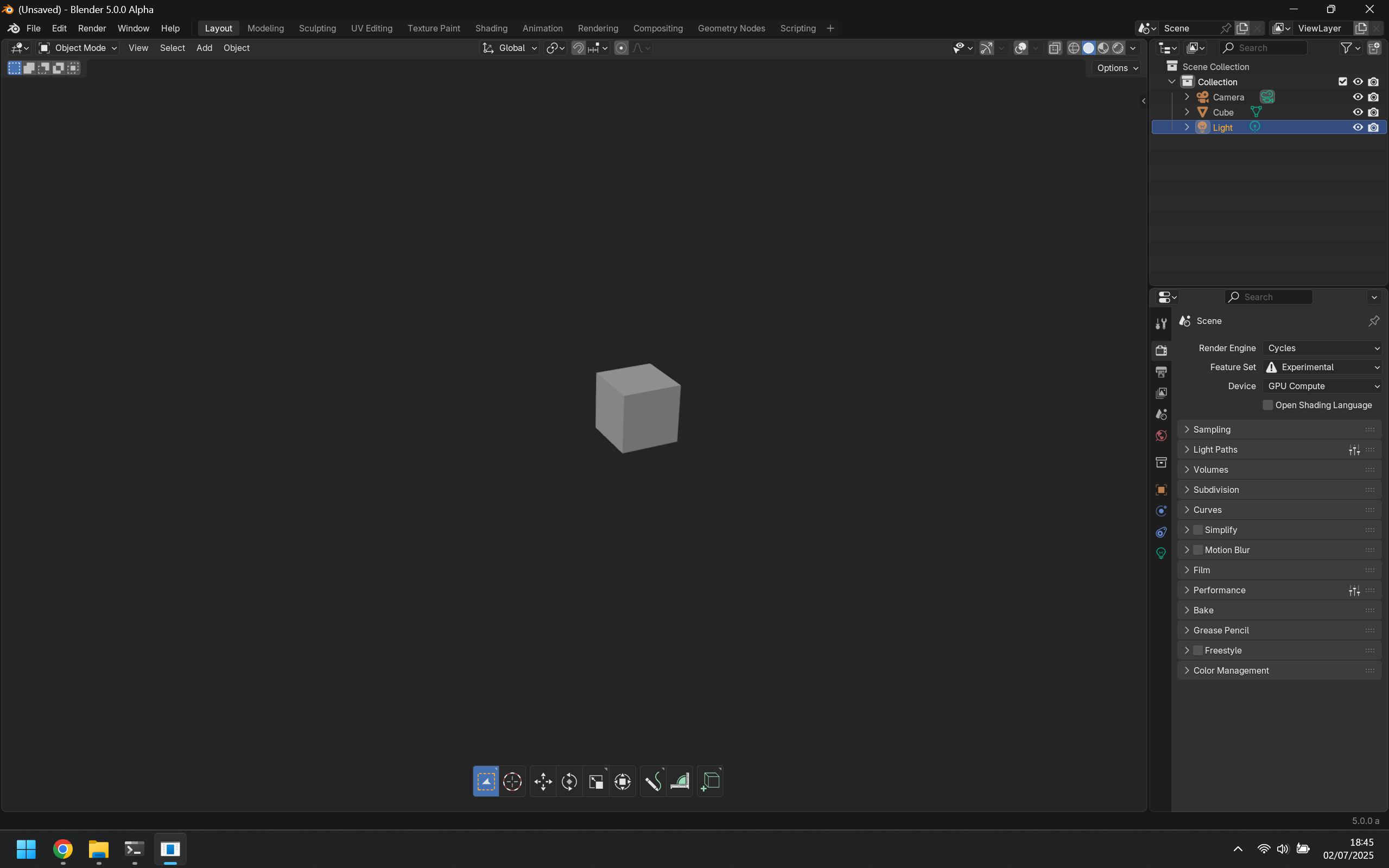
PS : (With good rotation of the icon LMAO)
3 Comments
I have another idea. LEARN AND USE HOT KEYS!!! and you won't need this panel at all
Some users prefer buttons.
This mindset is lame af, get better.