
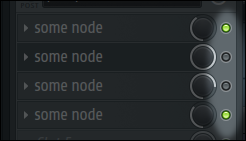
mute/unmute checkbox for nodes
mute/unmute checkbox (button) for nodes
For example - DAW (music creation studio software) necessarily has such quick access to enable/disable effect in the mixer
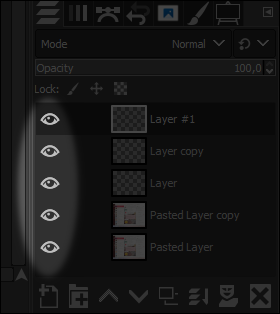
GIMP/PhotoShop have similar
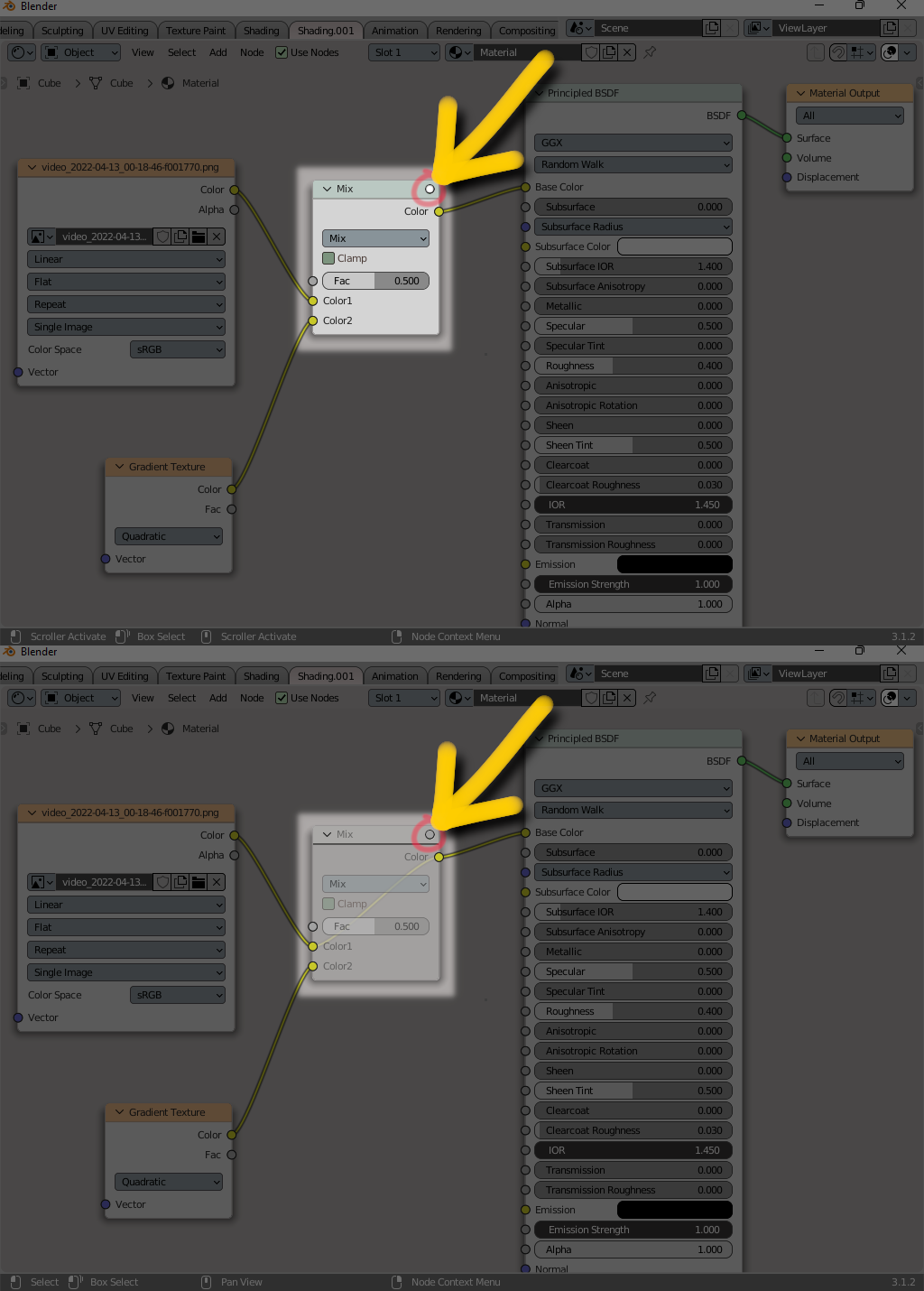
mute/unmute checkbox (button) for nodes
For example - DAW (music creation studio software) necessarily has such quick access to enable/disable effect in the mixer
GIMP/PhotoShop have similar
6 Comments
M or right-click > M are already convenient enough. There are far more important things we could use the UI area for.
What I like about the approach of the proposal that you see very easily that you even can disable nodes
I just learned it from you, thanks :D
I have not encountered a node system where you cannot disable nodes. I have not encountered a layer system where you cannot disable layers. I have not encountered a film strip or audio strip system where you cannot disable strips or entire tracks/channels.
I am not necessarily for proposed design, rather for the functionality that it is visible
But wouldn't you want that beginner/hobbyists 3D artists see right away that this function exists? I have been using Blender for half a year now and did not even know that this function exists ^^
before type "M" - i must select node. Waste of time. I need to mute/unmute random nodes quickly as possible. And there can be a really lot of nodes in a scene.
for example in Photoshop and GIMP you can turn off a layer with the CHECKBOX. In Photoshop and GIMP you don't have to do TWO actions: first - select the layer and only in the next step you have the option to disable the layer.
why in Blender do you have to spend two steps instead of one for a similar action? Many users of 3ds Max praise Blender for its speed. Those who disliked me, apparently, are users of 3ds Max. Who do not want Blender to become even faster than it is :) They sabotage;)