
Background images improvements
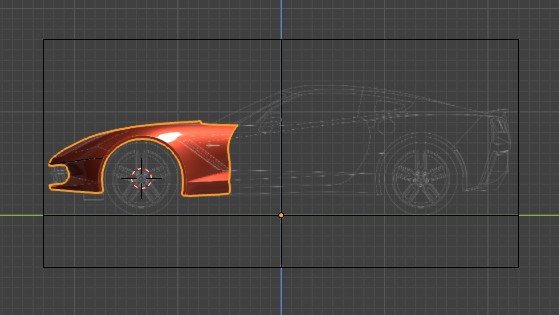
As you can see in the image the borderlines of the image is the problem when you have lot of images.
We can this problem by removing the border lines or by only showing the borders of current view.
And second problem with background images is that they are not visible in local view which toggled on by ( / ) key.
If images are not showing in the post cause it is first time i'm posting here is the google drive link : drive.google.com/open drive.google.com/open
and sorry for my English.
6 Comments
Please split this up into separate proposals so each can be addressed independently.
About the local view, it's not an issue nor a bug, it just works the right way:
If you don't select an object, it won't get in the local view. Image backgrounds don't make exceptions.
It might be interesting to have an option to force such object to force local view independently if it's selected or not when entering local view, but it should remain an option.
YES! It would be perfect if when you turned on the local view mode, the bluprints were still visible! This is MUST HAVE!
this feels more like a regression than a feature request..i think best if it's reported as a bug or something ortherwise we won't see it anytime soon.
* @Cobra * I don't think that it should be reported as bug cause background images in 2.8 are made like this and that local view feature is missing in 2.8 but it was present in 2.79.
* @Tejas Tripathi * when it's a regression from previous versions then it's considered to be a bug report ,however here they changed how the background images work internally which is problematic, now you have to treat them like image planes/empties.