
improvements in vertex paint "selection masks"
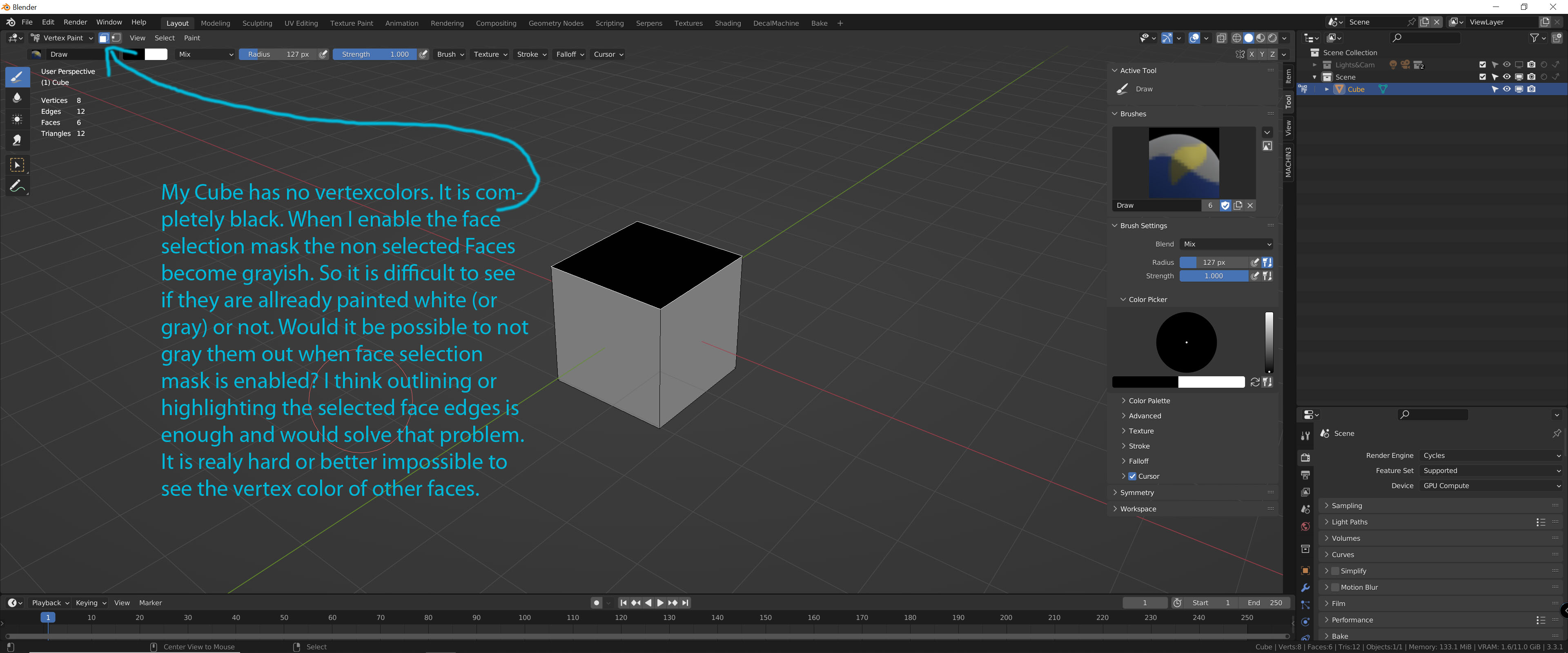
When I enable the face selection mask the non selected Faces become grayish. So it is difficult to see if they are allready painted white (or gray) or not. Would it be possible to not gray them out when face selection mask is enabled? I think outlining or highlighting the selected face edges is enough and would solve that problem. It is realy hard or better impossible to see the vertex color of other faces. Can not find anything in preferences to change it or to turn that of.
edit.. ;) btw all the selection options for faces, vertices and edges we have in edit mode would be cool to have in vertex paint.
kind regards :)
3 Comments
Another work around is just using 'vertex selection' instead of face selection. The overlay isn't as pronounced with vertices. (just white vertices)
You can do that. But then you have to keep clicking back and forth to see what's going on. The difference between face and vertex paint is that in face selection the edges become sharp. But whatever. That's all clear. This back and forth is just extremely cumbersome if you want to work efficiently and it drives you crazy. But thanks!...but I don't think that can be the solution. :)
Agreed.
You can deactivate ALL viewport overlays (by clicking show overlays icon) to get rid of the white overlay. But there doesn't seem to be separate options for only deactivating the overlay of non-active geometry.