
Controllable and Keyframeable Normals on Polygons?
Since Anime rendering was added to Eevee , AMAZING , it would be amazing to add Normals Controls , so you can give Anime (cartoony) looks with complete control , like keyframing what Polygon is Lit or Unlit , whenever you need
Expecially because Data Transfer is very meh , to use for this purpose
something dedicated would be amazing! :P
have talked with dillongoo and he appreciated me proposing it to him , now i'm proposing it to you guys after asking someone that actually animates a lot in cartoony styles :)
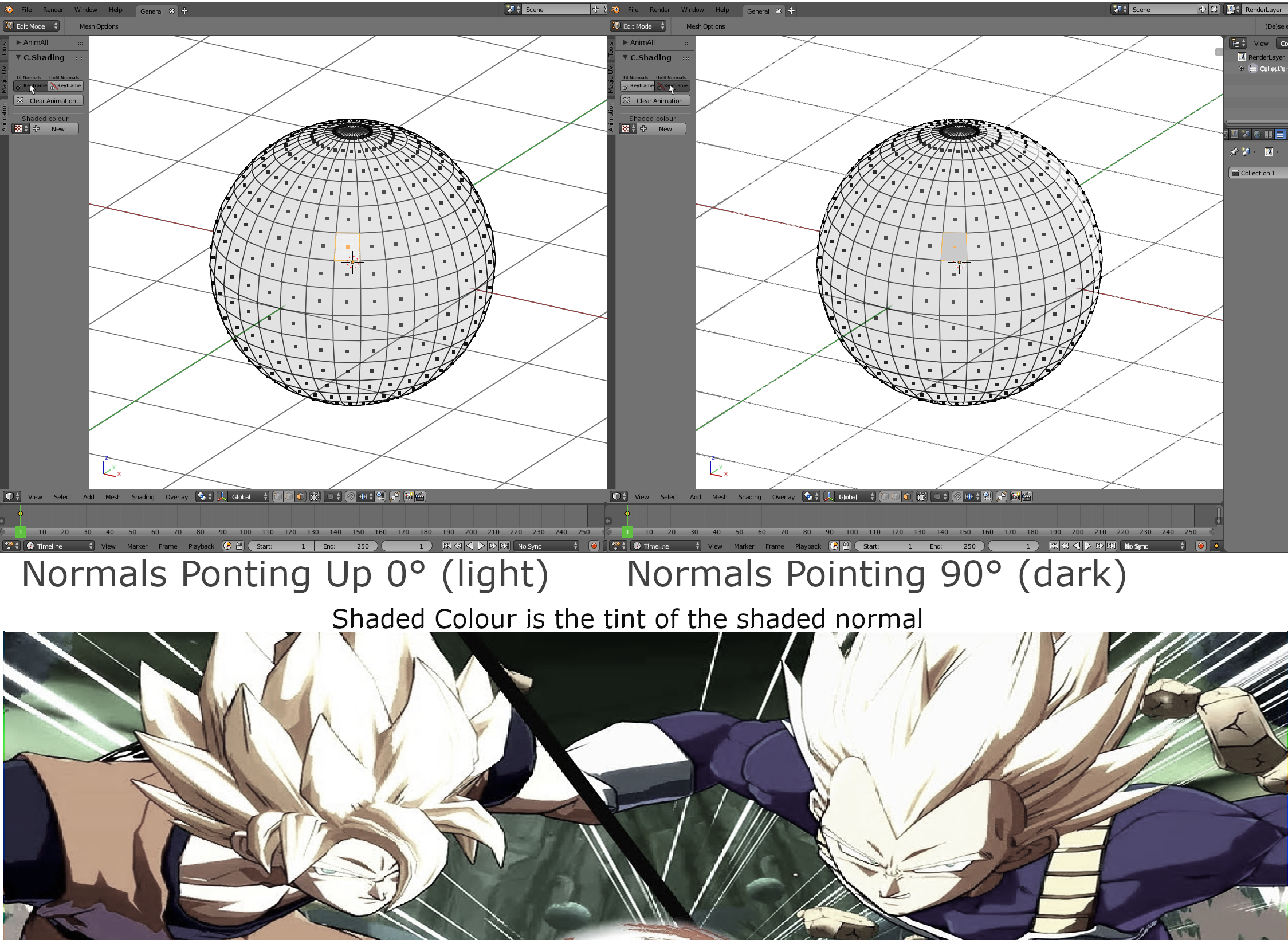
FOR WHO WANTS SPECIFIC INFOS : How it works? there are a few options *1 is painting on topof the polygons Vertex paint what is lit what is unlit ,and then keyframing that paint *Or Second method , select polygons and press a button like " Keyframe Normal Control" which keyframes if the Vertex is Unpainted (Lit) or Painted (Unlit)
it doesn't need fancy transitions ,as maybe you could store the Normal Controls as Vertex groups? so you can paint many different colours and go back and forth
as a bonus it would be cool to transition between different Keyframed Normals ,but it is not essential for the core thing to function for Cartoon Style Development :)
(PS an example of what game does this , is Dragonball Fighter Z )
Reference Video to be able to explain youtu.be/yhGjCzxJV3E
- a video that shows how its done in another software to get more informations on the angle of normals ,maybe there should be an input to chose the angle of the normals
- Mockup showing the normal relative angle ideas
3 Comments
If this were added, to reduce confusion and overlapping of features, it would be best if it worked in conjunction with the existing shape key functionality.
This really needs a mock-up.
@Jason van Gumster:
Sure done a mockup , and added a reference video , where i think i heared that the normals directions were manually changed on polygons permanently pointing in a certain direction therefore having a constant light condition on those areas
plus the ability to chose the tint of the shading compared to the base texture of the lit version
also , not sure of the position of this tool , i personally put it on the Left side on the Animation section because it feels comfortable ,but any position on the right side in the Freestyle Section ,or even Material section would work fine ,as it can be used for more than just Anime looks :)