← All ideas
12 Feb 2019
Fudushae
Open
User Interface
Fudushae
ArmoredWolf
Aslan3D
BabaJan
CoB
Draise
FalconCreates
IIIFGIII
Ideas-Battleship
Josephbburg
Lillya
NIWO
Oskar
Shimoon
Tiggis
Vyach
andyp.123
angelbpineda
anphung160597
astiero
bnzs
borschberry
briecmuldoon
daniellapalme
ddinhddoong
dfcuellar
ernstsson.johan
ferranmartinezclar
jhutters
karpiCz
koloved
lluc84
mokalay01
pelminator
radi0n
romanvolgushev4565
tche_adriano
xmaiter01
pretty please

5 Comments
and:
blender.community/c/rightclickselect/grcbbc/
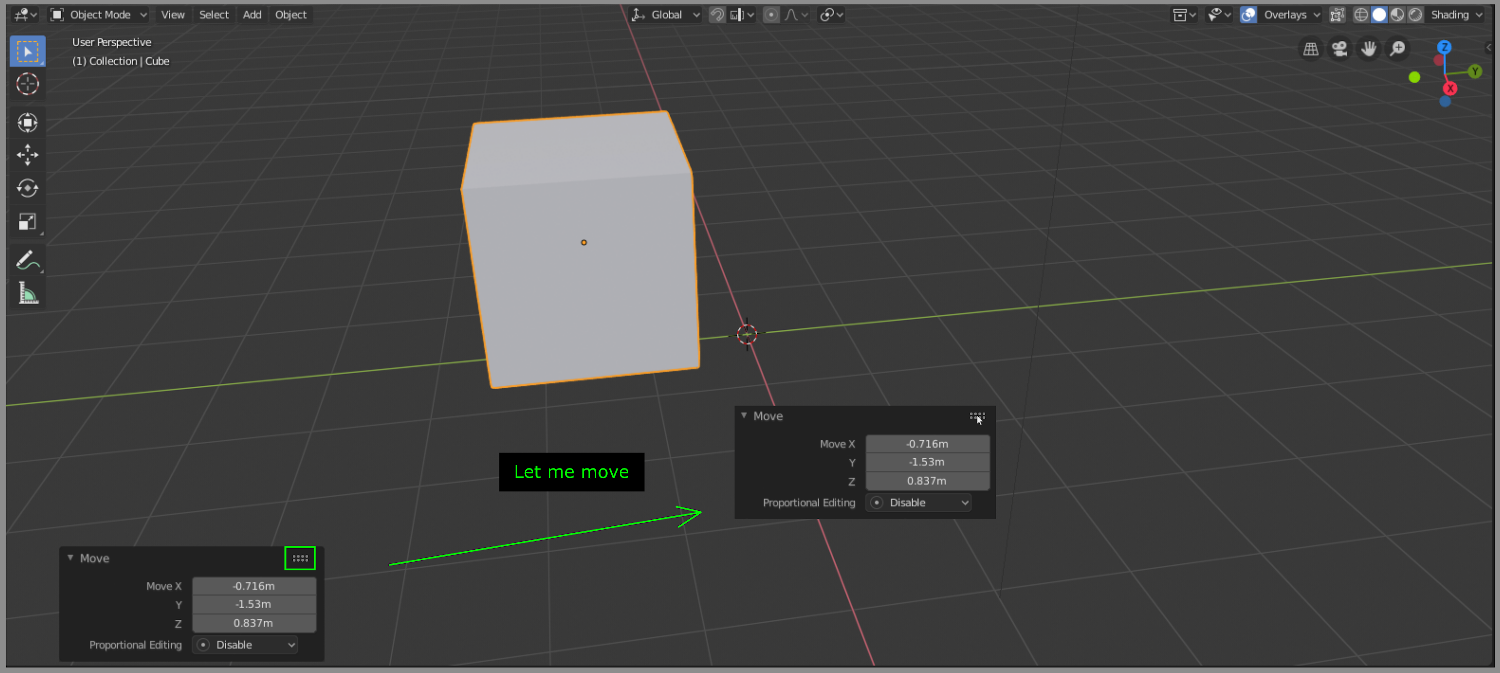
yes ! right now it's horrible. Especially if you have a big monitor : you spend half your time moving your mouse from one extreme to another. Mouses hate hiking.
You can press F6 after an action, then you can move the pane. But I agree this should be possible with the default ones too.
I'd prefer if you could just drag and move the panel. Does it need a separate grab button for this?
If there is a need for button I'd prefer if there was a lock button that would lock the panel to its current location on screen. So you can move the panel and next time it is back to its original place but if you move and lock it then it stays where it was locked.
* @o7216059 * Ideally I would prefer your method, but it follows Blender's UI design since clicking on the header area minimizes the pop up window.