
Symmetrical weight paint mirroring

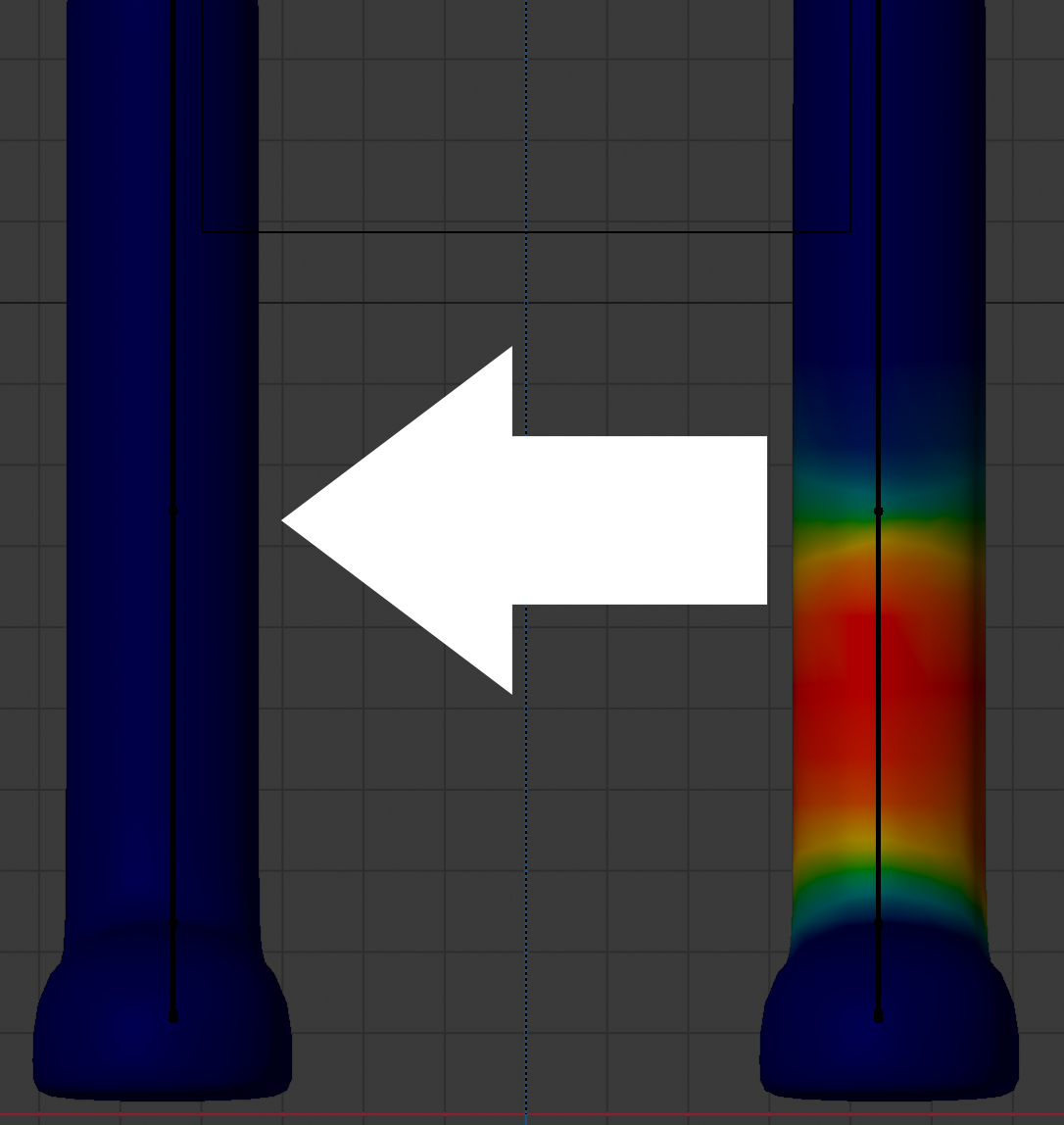
I'm starting out rigging and weight painting in Blender coming from Maya and one thing I noticed was Mirror Weights does not behave as expected. It flips the weights across the x-axis instead of copying and mirroring to the other side. Normally I would weight paint half a character, then when it works well I'd mirror the weights to the other side.
I've looked into it and there are two workarounds I know of. You can turn on Symmetry>Mirror X and X Mirror, set the add brush to Weight 0 and Strength 1 and then paint over the good weights and they will mirror to the other side.
The other workaround which is apparently the official way to do it is this:

Both of these solutions seem really clunky, especially if you have a lot of bones you want to mirror. I propose we have an option that copies and mirrors weights to the other side, either from positive x to negative x or vice versa, basically automating the above tip for the selected object. It would take the vertex groups the object has left and right versions of and copy>mirror>rename them for the other side depending on the direction indicated.
10 Comments
I would really love blender have built in tools for this though.
Alright i know that people hate when we starting to do comparison, but please bear with me.
Now down bellow i a screenshot from 3dsmax Skin Mirror tool (Just Ignore those arrows) in the middle there's an orange rectangle which act as the "mirror object" where we can set the mirror/center area where we should start mirror the skin weight.
They have the option to mirror only the vertex weight , only mirror the bone envelope or both. Also the direction to mirror, from left(green) to right(blue) or vice versa. Next is option to choose the axis for the mirror direction, also offset of the mirror position relative to the selected axis. and Finally the mirror threshold, see those red vertex on the screenshot? those mean those vertex are not fully symmetrical and this settings are for those purpose to handle unsymmetrical meshes.
Now it would be really awesome if blender have similar tools when we click that "mirror" button under the weights menu
still nothing?
Hello, 2 years later, any update? Is there an add-on that does that? Or should we start working on one?
I was working on a 3d model with assymetrical Blend Shapes and textures already applied. I have to edit the skin weight of that model as well, and I confirm, there is NO WAY to do it correctly.
If you don't do the skinning on a 3D mesh with a mirror modifier and before making the blend shapes, this can become a real problem, indeed.
So I confirm this is really important to add a tool like this.
this script do the entire trick github.com/spiraloid/Spiraloid-Toolkit-for-Blender/blob/master/2.80/Addons/MirrorAllVertexGroups.py but could be great have this functionality internally ,because its not the fastest code.
* @ncpuebla * That's cool! Still, yeah it would be good to have this functionality included in Blender by default.
I know I'm late to the party, but the link is broken, is there another link?
yep .This version also work with 2.93 (probably 3.0 also ) github.com/negativecitizen/SpiraloidVertexGroupMirror
do you know by any chance if it only works with X axis or is it also possible to mirror weights by Y?)
Only works in x .Yo can trasfer from positive to negative or inverse, and respect locked groups