
Multiple seperate edge selections assume multi-loop instead of just the last edge selected.
The 'Loop Cut' tool needs work.
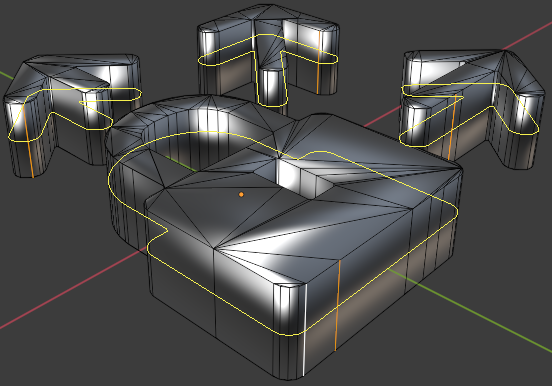
It's impossible to loop cut accross more than one of your selected edges. This undermines the user's ability to simply select what they want and don't want, or to hide what shouldn't be effected and you will lose your selection upon dropping the tool. It's also inconstant with similar modelling tools found just a couple of pixels away in the same menu and software:
If one selects multiple face loops, they can inset all using 'I', this is expected behavior. It will create a minimum of 2 edges. If you want specifically two edge loops then it works out. If you want just one, which is so much more common, you will need several more bloody steps.
3ds max and Modo do it in a much more versitile way similar to inset behavior:
You select multiple edges, and the software will detect which is not part of the same edge ring. Duplicate parts of a ring will be eliminated by last earliest edges selected. Then based on the remaining count, the software gives you gizmo controls for each valid selection AT THE SAME TIME.
Let's make Blender's modelling more industry standard.
9 Comments
I would not say it sucks, but certainly love to create cuts on more than one mesh at a time
* @Elisabeth L * Granted. Devs might react better. Changed wording to 'Needs work'.
keKIT has such a functional with "Direct Loop Cut" and "Direct Loop Cut & Slide" blenderartists.org/t/kekit-for-blender-2-8/1200740
sucks is a really strong word. good geometry goes a long way.
* @x_0 * Post updated.
probably this exist by subdivide , you select edges you want to (connect) in terms of max terms and voila ! as a former 3ds max user , I didn't come across a good way to do so in max using swift loop (same loop cut technique) so I used to make connects instead ! max is a complete dumb in modeling compared to blender 😅 maybe blender needs a lot of work in curves and some snapping options
* @bassem.adel * It works if you grab an edge ring and subdivide, but it's not as accessible or versitile as what I'm talking about. Smug Houdini users call these workarounds; 'Blender Tricks'. We can show them that Blender is more than just tricks. When people go for the 'Loop Cut' tool, that is THE tool for loops in the average user's head. I first started using Max at the age of 12 and I'm now 27. I mean it's fun to dump on Autodesk, but I'm all about accuracy when it comes to making Blender better.
A lot of Blender is derived from max, particularly the modifiers and object placing as of recent. Do I like it over Blender now? no.. But it DOES still have a big list of features to take inspiration and learn from and we should.
Granted, Modo is an even better example for modelling than Max, both for versatility and for usability (Not to mention price). Did you know that Modo's modifiers link directly with the node editor? That's an impressive feature.
That being said, I use blender for modelling because so much of the workflow is tight, particularly with sculpting. But in this case all I'm talking about is getting basic features found in most standard 3D modelling tools.
* @simon.p.heggie * it is the same reason I am using blender that it has impressive pipeline , you hip and hop between things fast , just a blink to go to sculpt and then remesh and boolean and then composite , blender is a package to take in total , not a particular feature as you say , unlike max it is just a plugin bag , I have to wait for all plugins to catch up if not stopping at all like what happened for mental ray . really depressing
* @bassem.adel * I'd say it's less a 'plugin bag', and more: "Everything You Need", that's the blender mission. I'm quoting the Blender site. If anything, it's a car with luggage space for plugins. 3ds max and modo and Maya are arguably just as reliant on plugins depending on what you're doing and how. When we're not sure if something should be in the main build, it's an addon conveniently found in the settings.
I know Max well. I still have the latest 3ds max. I don't use it much because I'd rather be proficient in a tool that can do more, that I'll always have. Besides, the speed and performance isn't anything special.
Blender is composed entirely of 'particular features'. Like grains of sand on a beach, you they come together like a force of nature from every corner of the glob because Blender is opensource.
Blender does not know HOW to fit into the narrative of a 3D tool, because it is SO MUCH MORE than that.
Those sculpting features happened despite people not thinking they should, and the result was excellent. Someone wanted a good alternative to zbrush. The grease pencil that allows you to make 2D animations wasn't expected in a tool like Blender, but every particular feature makes it a possible alternative to 2D animators, and the combination of features together with the same interface and key set make it extra handy. It's Perfect for artists like myself who don't want to get stuck working on the same stuff, or unable to accept new exciting challenges.
Because of that, it's slowly being adopted to the corporate world. Artists don't have to retire early in the face of 10 more new software to learn. And the days of waiting for proprietary software to be cleared by upper management are gone.
New features will continue to flood in all day every day. I find it kind of hilarious that you see the sculpting, compositing etc, and draw the line at improving the absolute core job that Blender is known for most; 3D modelling, and for a feature that saves so much time, it's absolutely a good detail to include.