
Sequencer buttons to get IN/OUTside a Meta strip
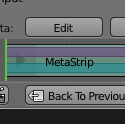
Some time ago I put together some ideas to improve the VSE, looking at each type of strip and the overall Sequencer workflow. I did an interactive page to present them. Please, check this link: Dropbox: VSE Improvements. Below it is about meta strips:<h2>Creating UI buttons to edit a meta strip</h2>Currently the only way to get in or outside a Meta strip is to press TAB. It seems there is no menus or buttons to it, so it would be a great improvement in the user interaction to create such elements.To get inside a meta, the idea is to add an <strong>Edit</strong> button in the properties panel: To get outside a meta, <strong>Back to Previous</strong> button in the timeline:
 Check this interactive demo and click the Edit and Back to Previous buttons.Another changes in this image, like the Undo button (another missing UI element for metas) and tabs are discussed in my initial proposal, so check it all if you think so. Thank you for reading it, please like it if you like any of these ideas, and be free to discuss them.
2 Comments
A button would be helpful but the fact that you are in a meta strip is still obscure. Why not change the timeline in some way? For example you could shade or colour the background or surrounding window.
That's a great idea. What would be the most natural way to do it, using the existent UI paradigms? I think the closest behavior that we can make an analogy is a group node in the Node editor. In this case, the sequencer should to overlay the timeline with a color, keeping the original strips still visible though it, and the meta content displayed above it. Like that: dl.dropboxusercontent.com/u/5107072/blender-vse-2014/meta-overlay-Screenshot%20from%202016-03-23%2010-33-18.png