
Extrude modifier
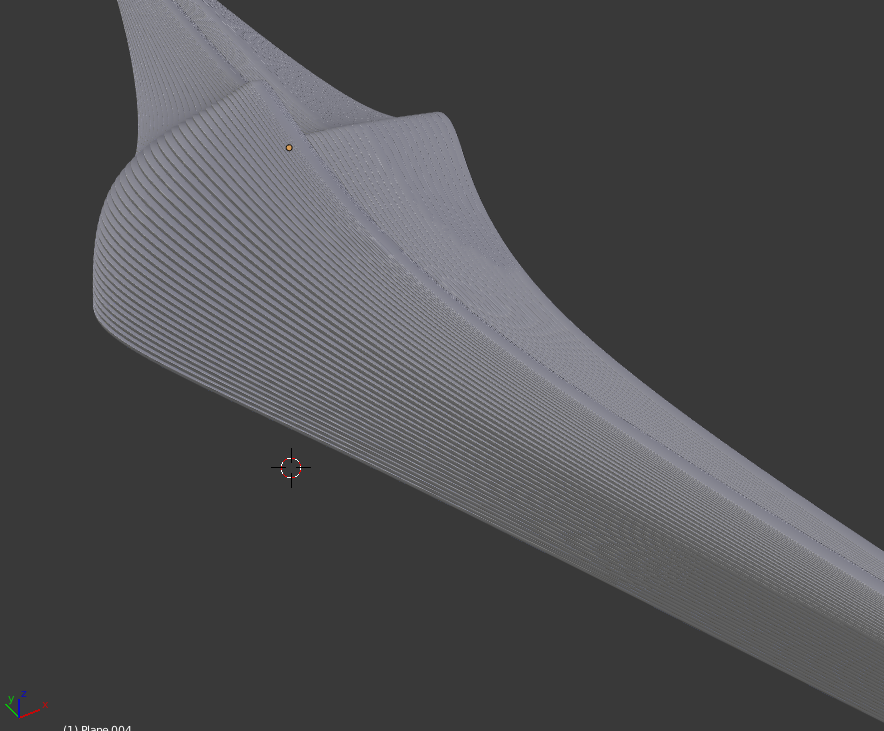
Steps: poly-strip > subsurface > select edge loops > extrude (the edge group) > extrude ( to add thickness to the ribbons). > bevel (optional)
It would be nice to have selection and extrusion modifiers that would make it possible to create ribbons like I show in this series of images and preserve the initial mesh to further modify the shape live.
The point is; it is very hard to know the outcome of a series of operations done to a mesh. Some of the operations could be done with modifiers, to be able to tweak the final shape by moving the initial control points of the mesh.
Why I don't just make it with curves... Using curve bevel, I cannot make sub-d surfaces to generate 'sub curves' that I can control by moving only a few vertices. Also the resolution of the curves does not depend on the angle at the moment. So using curves we get too many subdivisions.
Also just look at the images. How do you make curves follow a surface like that? Of cause you can convert the sub-d surface to a curve and then use the bevel option, but it is a lot of steps, and it is not very intuitive. It also breaks the link to the sub-d surface.
It is also very hard to control the direction of the curve normals when using the bevel option. When the curve curves, the normals gets twisted and so the bevel object twists, which is not what I want.
5 Comments
I confirm that what you're asking for isn't currently possible in blender, and that it's useful to have. However, we already have a modifier that does this task as well as a few others; The solidify modifier, so as much as I agree that 'solidify' isn't a standard way to refer to this operation, it's better not to double up on functionality.
Therefore, my personal recommendation would be to ask for an option in the solidify modifier for extruding edges only.
I'm having a little trouble understanding this proposal. Modifiers generally only work on mesh data (even when they work on curve data, the curve is internally converted to a mesh). It sounds to me like you really want more control over extrusion, tapering, and beveling with curves more than you want a modifier.
What if you could do the same thing starting with a mesh rather than starting with a curve? Would that be acceptable?
As you can see in the image sequence, I am using a mesh with a subsurface modifier. So yes, I want an extrude modifier that I can use on an edge group ( ex. the selected edge loops in the ribbons.zip - image 2.) I can see that we would need a modifier that selects edge loops and adds them to a edge group too for this to work. That way you can make a mesh as the above example from a poly strip with: subsurface > select edge loops > extrude (the edge group) > extrude ( to add thickness to the ribbons). > bevel (optional).
Seems this is already possible - blenderartists.org/forum/showthread.php ? (curve radius and tilt can change the extrusion along the curve)
Ok I have tried converting mesh grids to curves. How do you modify this; example: dl.dropboxusercontent.com/u/4126254/extrude%20modifier%20example.blend -without making a mess? Also how do you reset the tilt for all the curves, so the bevel object remains straight? The curves tilts in all directions!