
Target lights and Cameras
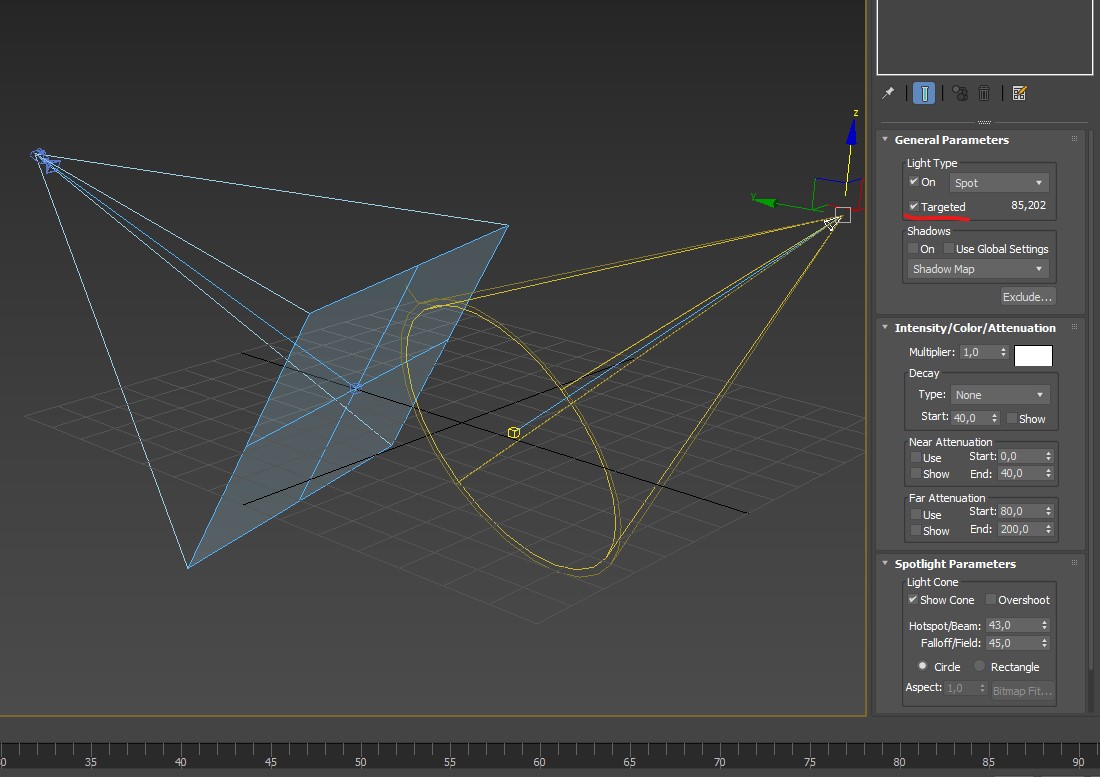
I would love to have my lights (and cameras) to have a fixed target so you can move them but still keep the subject lit or keep the shot aligned and focussed.
This option can simply be turned on and off.
ps: thank you testure for the script/animgifs showing exactly what i mean.
25 Comments
Not sure if this is what you want, but you can use track to constraint on the lights to make them always face the object, you can set up the constraint on one lamp and copy it to others.
* @rc12chy * Damped-track is even better, IMO, because it chooses the aim-vector for you automatically, making this even easier.
Just a heads up i'm adding this to my Blender Essential Fix List :)
Sorry for digging this up again but i still think this is very relevant.
I see this has been closed but this is exactly what i would love to be implemented inside future Blender for lights and cameras. Any chance for that ?
* @kurt * Technically speaking, the feature you're asking for already exists. If you want this tracking behavior to be enabled for all lights by default, then I recommend up you update your proposal to say as much (and you can change the status back to Open then).
That said, I personally do not want this to be default behavior for lights and I don't find setting up constraints to be tedious or time-consuming.
I think you'll find this to be a common opinion among people that have started with Blender. I agree fully with Jason van Gumster. I wouldn't mind a lighting/camera management plugin being shipped with Blender, though. I think it's best when you can enable and disable plugins to add behavior because then you can tune Blender to your purpose and keep the UI clean.
Thanks for the insights both Jason and Joseph and not to forget testure!. Your help and advice means a lot to me. I am going to evaluate this and try to make this a more solid proposal. It seems doable with minimal effort so i think it has a chance to make it in Blender. It would surely make a few thing faster and more usable for many. Cheers.
Hi, close but no. An option in the light properties making it targetted with a dragable target that stays fixed when moving the light (or camera).
That way it is fast and easy to point without the need of a target object as you are showing and you can put the target in between 2 objects to light them equally. Also the target stays fixed when moving the objects unlike in your (albeit great) example.
Basically i mis this feature coming from max and having to fiddle a lot to get blender lights and cams right.
* @kurt * possible to use empty as target
* @kurt * Can you show us any example? Maybe blender can already do it. 🙂
* @Pasang Bomjan * nothing special) just like upper box method) - imgur.com/a/dZqzGwL
* @Pasang Bomjan * added to the original post above and also this one shows what i mean pasteboard.co/IRjX6D4.jpg
* @kurt * That doesn't make it any clearer to me. I still don't see why Damped Track isn't what you want.
* @Josephbburg * could you show me what you mean please ?
* @kurt * The gif above (in rc12chy's comment) is the same as what I'm suggesting. rc12chy is using a Track-To but Damped Track is essentially the same.
* @kurt *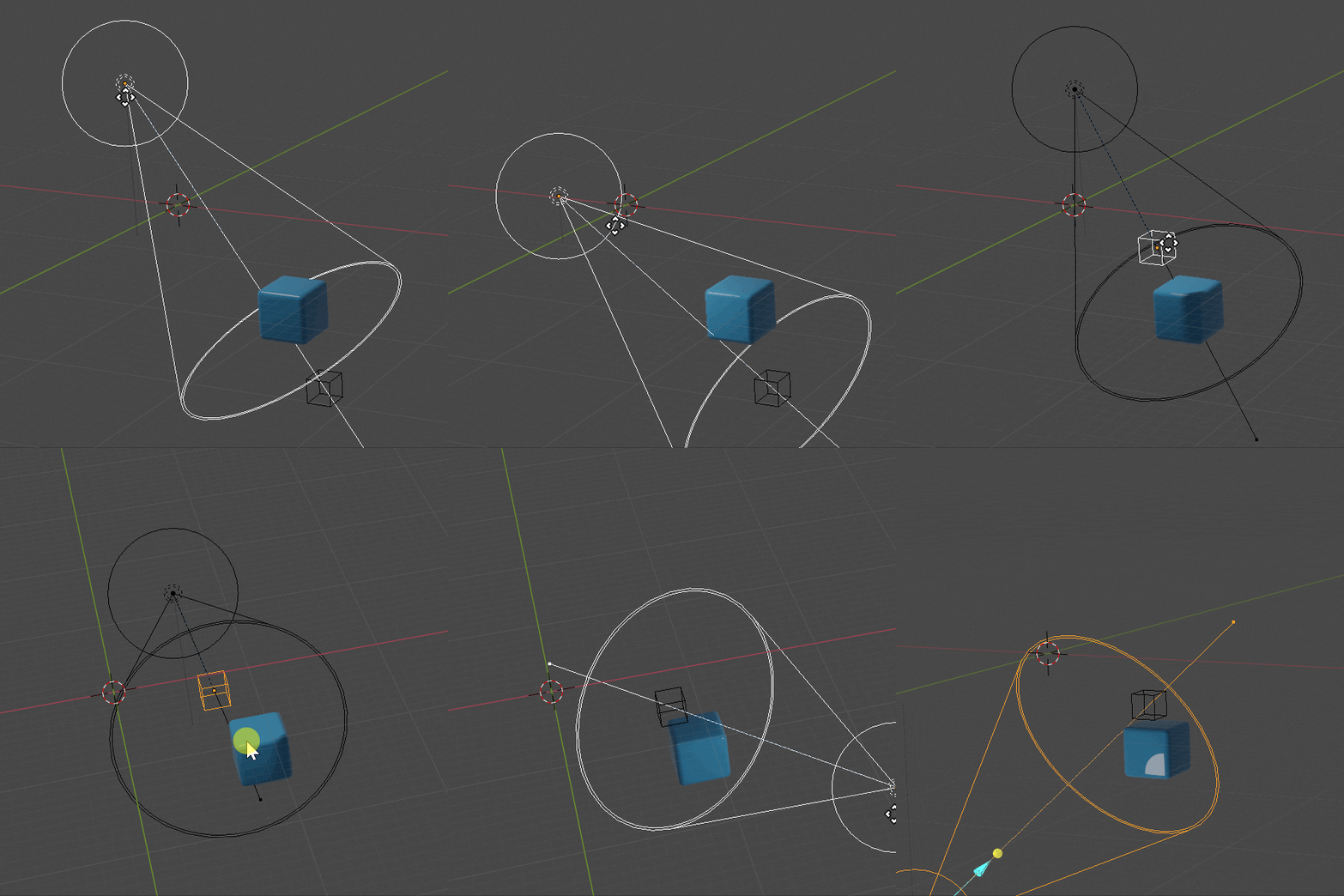
* @kurt * alternatively: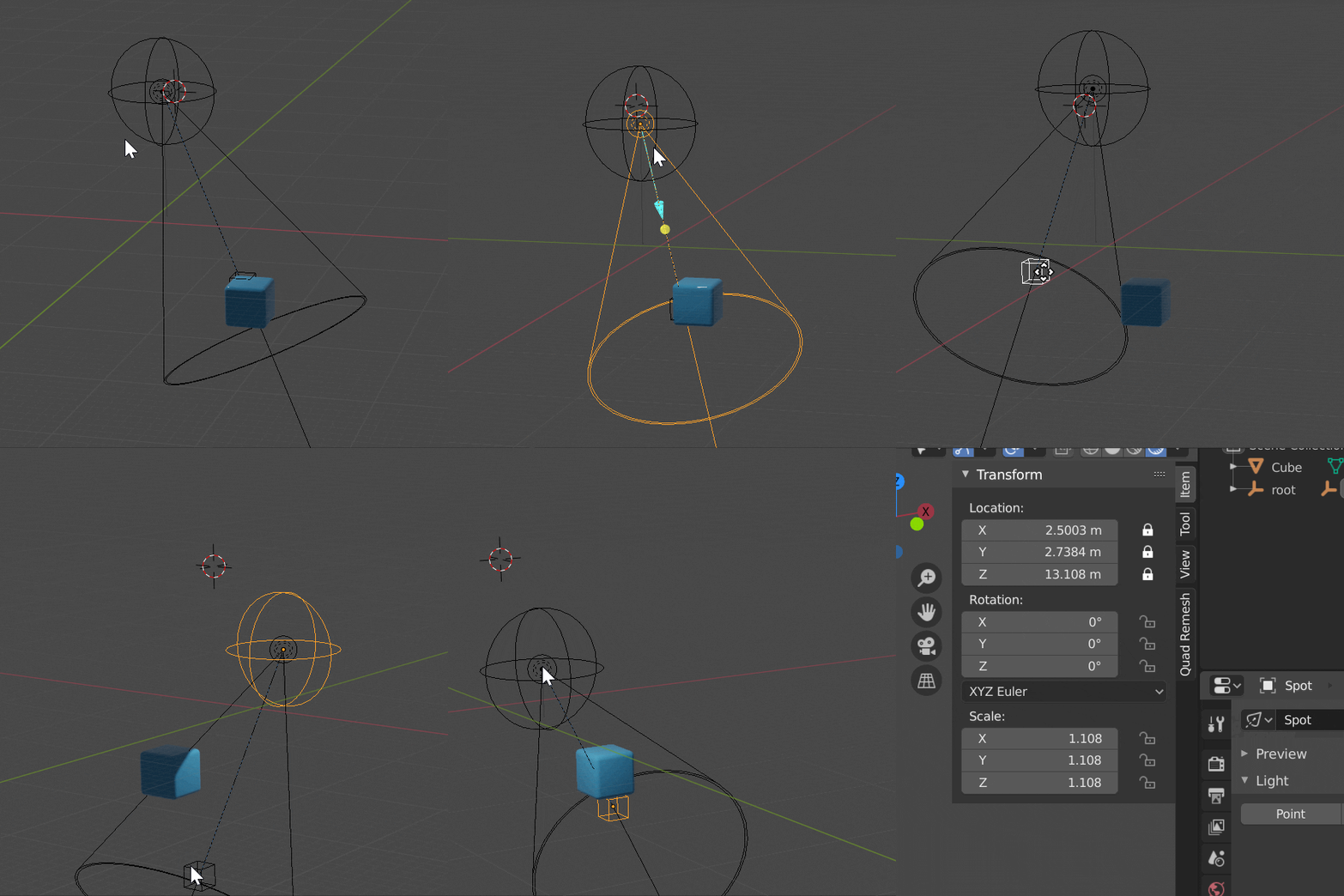
* @testure * yes! that is axactly what i am suggesting but without workarounds or tedious work every time you want a light source. In max you check a box and the target is there to do what you show me here. Many thanks for that testure.
I would love to just check a box in lights (and cameras) to have this functionality.
* @kurt * I think having the target built-in would annoy me , but it would be trivial to write a Python script to generate this target setup in a click.
* @kurt * If the one or two extra clicks required for setting up a track constraint, there are many scripts and addons that can do exactly what you want with the push of a button. Gaffer comes to mind.
* @kurt * I had a few extra minutes this morning and threw this script together- should be exactly what you're asking for, just drop it in your blender/scripts/startup/ folder (create the startup folder if it doesn't exist yet): pastebin.com/v1amXgq8
you'll find a new "target spot" light in the Add menu: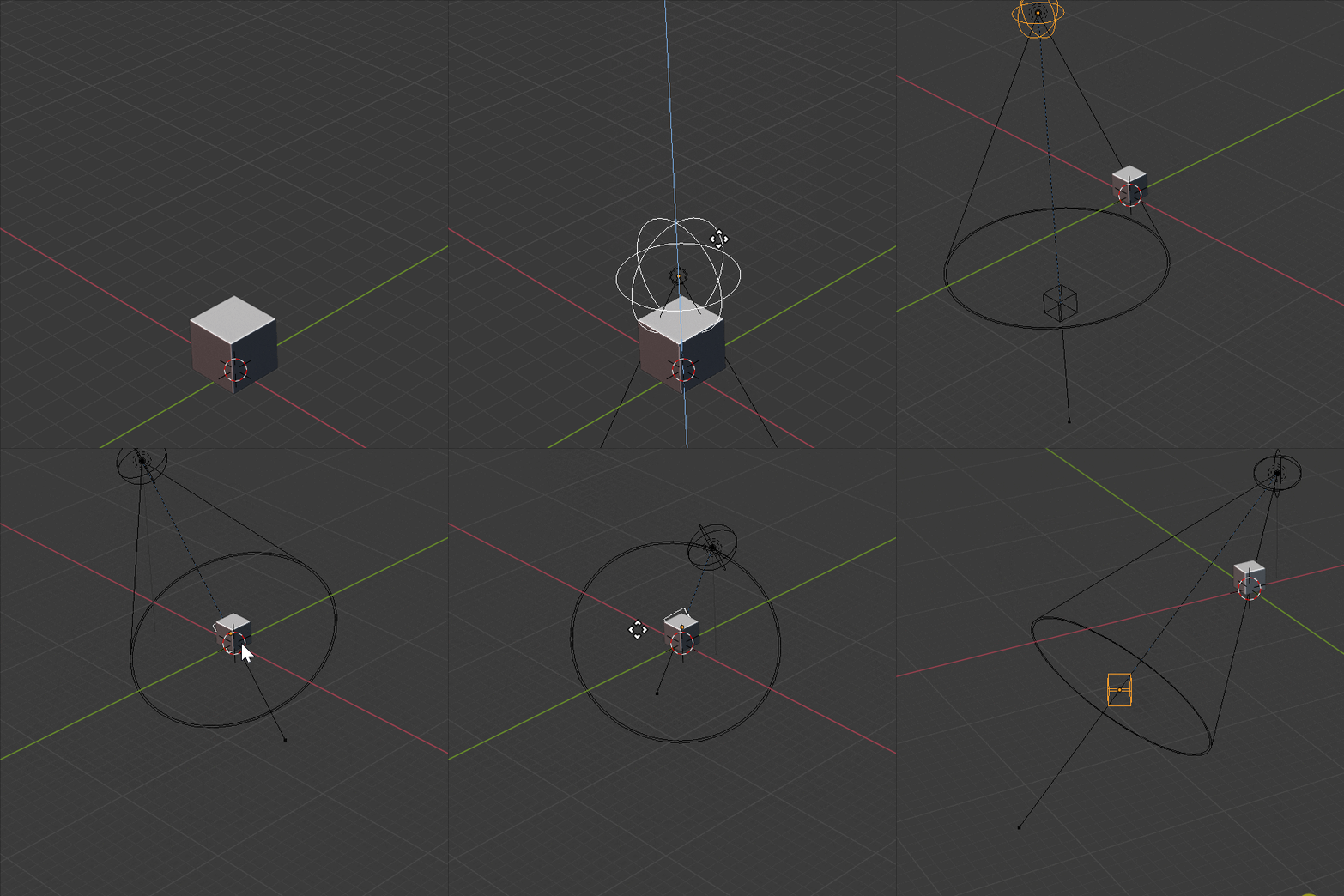
* @testure * you rock man, this is awesome and amazing how flexible Blender is.
@testure i'm adding this to a full presentation i'm making using help from the community. I would like to add your script and credit you, can you let me know if that is ok please ?
I would love to see a target option! doing the whole "track to" thing on empties for every light just seems like time that could be saved.