
Proposition: Make Vertices Selectable again :D
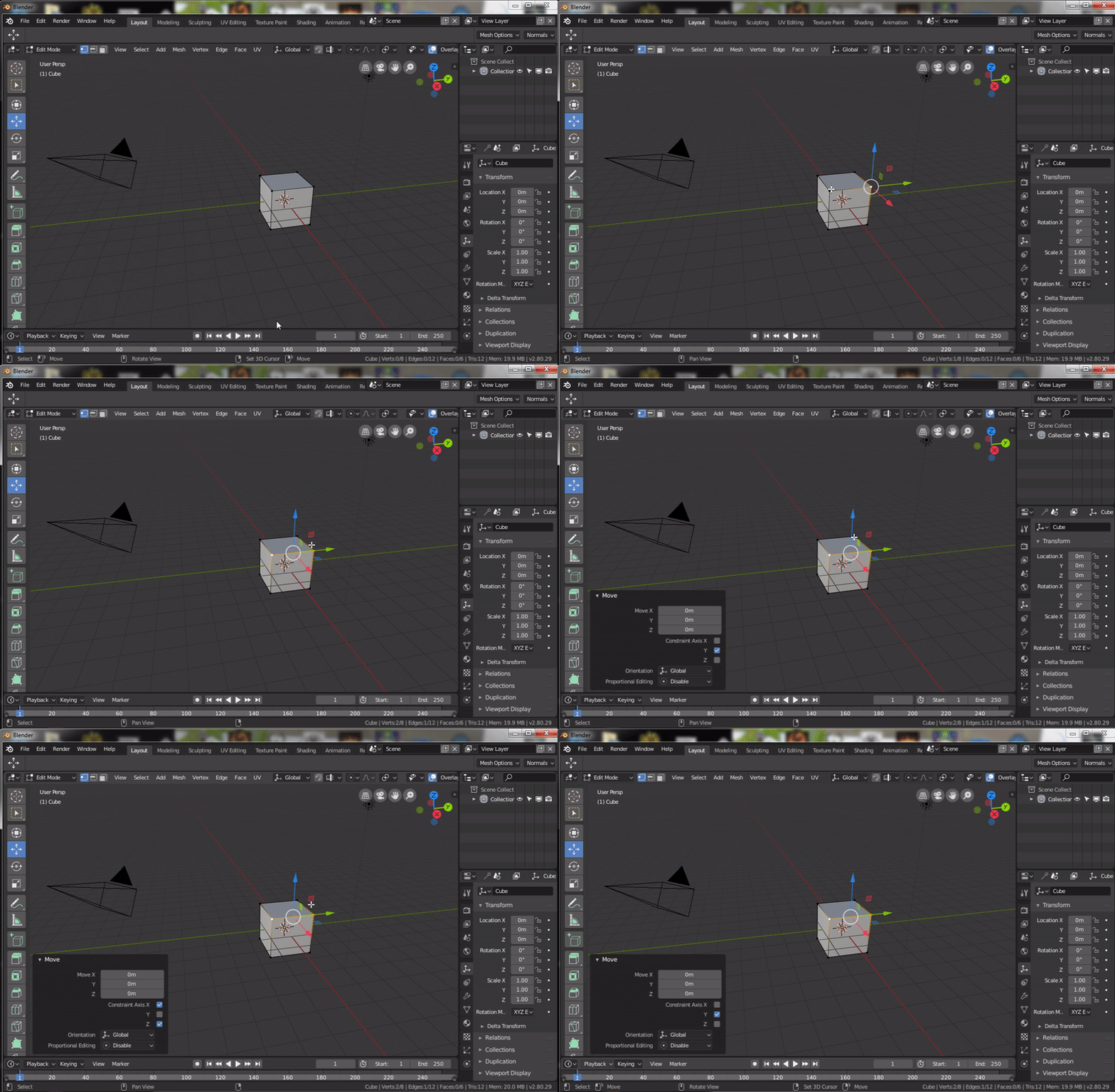
It would be awesome to be able to de/select elements (vertices, faces, etc.) even through gizmos. It is normal for Unreal Engine 4, Unity5 and bunch of other editors, but wasn't possible in 2.7x nor it is in 2.8.
I guess it should be matter of making "selection" prior to other tool (translate) when holding Shift key?
unfortunatelly this gif is not playing here, so here is link: imagebin.ca/v/4LNqYncmC3rw
In the animated gif I shift click vertices and I'm unable to de/select them because of the translation gizmo
11 Comments
12345
@forestgumpovu4: Use right click select and you're good to go!
Make the selection system better and you're good to go no matter your user settings!
@Rui Teixeira: I just post his GIF right here and show that this website can show GIFs.... I don't have any problems with selection in this case working right now in 2.79. I work mostly without manipulator. ( And I use left click for select/right for deselect, find it very handy)
@forestgumpovu4: The problem is when posting a gif using the main post image uploader as you cannot use markdown. You can if you add the image to your text intead of uploading the picture. I know. Most people think it will work using the uploading feature.
Yes this would be good to solve so that holding Shift overrides the gizmo
thank you for posting the gif in the comments, next time I will hopefully do that through MD's !... Image](url) tag. I don't use gizmos most of the 2.79 time also, but this is no reason to not fix this feature for other users who do use gizmos. It can be even you when going full tablet without keyboard ;)
@pavel.krupala:
Glad to see here another user with not only one hand & one finger !! ;)
Ok. From other side - how you imagine such " fix ". Making higher priority for subelemet selection instead of manipulator can cause in some situations opposite issue - inability to start do transform because of elements behind some axis. Especially in case of working with edges in some high poly thick mesh. Am I wrong?
IMHO ... after switching from 3D Max to Blender mostly 99% of time I work without manipulator. I find that implement move/rotate/scale actions and set axis constraint from keyboard - faster and better. For now i find Max system when user all the time have to point and click on this manipulator to do something - primitive annoying stupid system that limits opportunities and slows down work. So I do not see any problems in this case.
If you have two hands and keyboard on table - learn how to work without manipulator...
@forestgumpovu4: I rarely use it too and have it hidden most of the time.
I have to hide the gizmo or play with zoom too. Very annoying.